AI CLIs & agents · udhaykumarbala · ↗ Trending on GitHub

Cleanyourtv App changelog

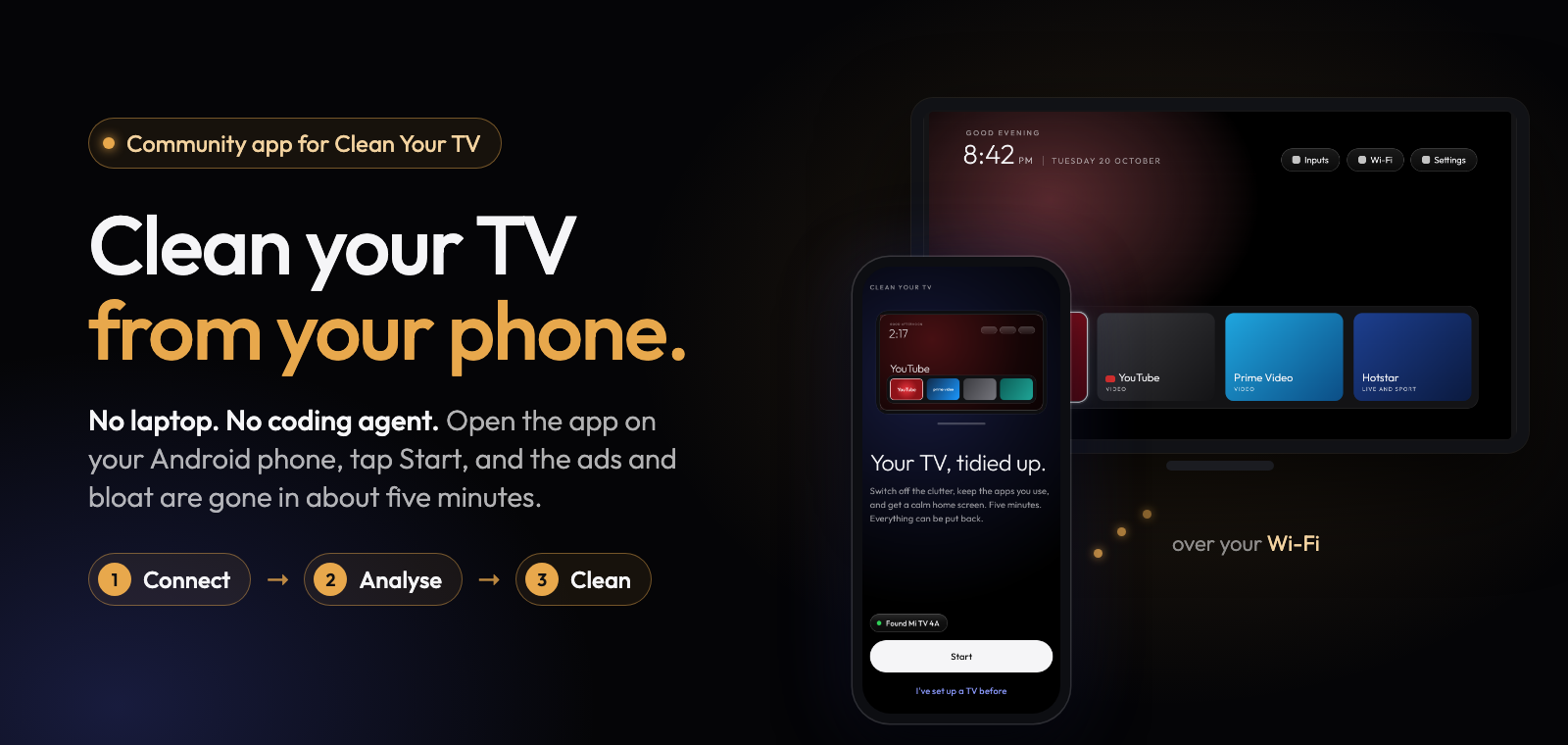
A community-built phone app for Clean Your TV: clean up an Android TV from your phone. No laptop, no coding agent, nothing uninstalled.

Latest tracked Cleanyourtv App version: v0.4.8, released Nov 3, 2026. Read the release notes · Official source ↗

Browse AI Coding Agents & CLIs or compare plans and pricing. Independently tracked; not affiliated with udhaykumarbala.

First released
Oct 21, 2026 1 mo ago
Latest version
v0.4.8
Last shipped
4d ago
GitHub stars
1.8k +521/wk
Avg. release gap
<1 days
Weekly activity · since Oct 2026 · 4 weeks0 updates · 3w ago7 updates · 2w ago19 updates · 1w ago3 updates · this week

Release history

Recent updates

All 15 versions →

Tuesday, November 3Nov 3, 2026

Release v0.4.8 source ↗

Cleanyourtv App v0.4.8 — Clean Your TV

Clean Your TV app 0.4.8 fixes the new home screen's install on Google TVs, brings the new home screen to four more TVs, and makes Check for updates work again. Thank you to everyone who tested the 0.4.8 test builds, sent reports and told us what happened after…

Read full notes

Clean Your TV app 0.4.8 fixes the new home screen's install on Google TVs, brings the new home screen to four more TVs, and makes Check for updates work again.

Thank you to everyone who tested the 0.4.8 test builds, sent reports and told us what happened after a restart. Your answers decided which TVs get the new home screen in this release, and you're on our testers page. To see what the app does on your TV, search the TV list.

What's new

The new home screen installs again on Google TVs. On Google TVs with Android 11 and 12 (Sony BRAVIA, TCL, Xiaomi, Hisense, the TiVo Stream 4K and others), the switch could stop at "Install com.gathin.tvhome" with "got no readable apk", run after run. The new home screen was on the TV but not installed for the TV's main user. The app now installs it for that user (#2743, #1918, #1510 and many more). If the check still can't read the app, the report says why.

The new home screen on four more TVs, with the setup wizard left on:

  • the Xiaomi MiTV-MOEU1 on Android 14
  • the MI MiProjM05 projector on Android 9
  • the Strong LEAP-S1 box on Android 14
  • the Toshiba Smart TV (hamamatsucho) on Android 11

Each one was confirmed by two testers whose new home screen was still there after a restart, and nobody said it didn't hold. Only these models: other models of these brands keep their own home screen until their own testers confirm it.

Clearer stops.

  • When the TV ends the install part way ("the TV closed the stream"), the app reads the TV's free storage and says when there isn't enough space (#2851, #3221).
  • When Android shows its "which home screen?" chooser, the card names the other home screen apps on the TV, so you know which to remove (#3301).
  • On Google TVs other than TCL, the app says before the switch that the remote's Settings button may stop opening the TV's own settings panel (#3059). Use the TV's own home screen in Manage brings it back.

Connecting. Enter the TV's address on the waiting screen works. When the TV turns the connection away, the card says debugging is off on the TV instead of blaming the phone. Manage finds a TV again that it last saw with debugging off.

Smaller fixes: "Check for updates" works again (#818, #2486); Undo everything plans from a fresh read of the TV (#2825); Live TV gets a dock tile on more TVs (#1902); Manage's dock list offers the apps the TV can open, Play Store included (#2742); a failed install no longer also reports "look not sent".

The Home button helper from the test builds isn't in this release yet. It stays in the test builds while we finish it.

Install

Download cleanyourtv-0.4.8.apk below and open it on your phone (Android 9 or newer, on the same Wi-Fi as the TV). It installs over 0.4.7 and the 0.4.8 test builds and keeps everything. On 0.4.7 or older, Check for updates can't find this version by itself (that was the bug fixed here), so download it from this page. If your TV kept its own home screen before, open it in the app and tap Run Setup again.

If anything goes wrong, tap Report a problem in the app. Undo everything in Manage puts the TV back the way it was.

Verify

  • SHA-256: ea1bfc8febc69205f8f75e2146481167a18065159d710ba4d69d4ecc95113053
  • Signer certificate SHA-256: eaf7af3867bb29ff4bb038854842c93f42ffe4198a087e611cb18f925201cd65 (the same key as every release)

A community-built phone app for Clean Your TV by Gathin, used with his permission.
Friday, October 30Oct 30, 2026

Release v0.4.7 source ↗

Cleanyourtv App v0.4.7 — Clean Your TV

Clean Your TV app 0.4.7 brings the new home screen to more TVs, and everything from the 0.4.7 test builds. Thank you to everyone who tested the 0.4.6 and 0.4.7 test builds, restarted their TV and told us what happened. Your answers decided which TVs get the…

Read full notes

Clean Your TV app 0.4.7 brings the new home screen to more TVs, and everything from the 0.4.7 test builds.

Thank you to everyone who tested the 0.4.6 and 0.4.7 test builds, restarted their TV and told us what happened. Your answers decided which TVs get the new home screen in this release, and you're on our testers page. To see what the app does on your TV, search the TV list.

What's new

The new home screen on more TVs, with the setup wizard left on. On TVs with Google's Android TV home screen, the new home screen takes over while the TV's setup wizard stays on, so your Wi-Fi isn't touched. 0.4.6 did this for Xiaomi and Redmi on Android 9 to 11. 0.4.7 adds:

  • OnePlus TVs on Android 11
  • Sony TVs on Android 8
  • Hisense TVs on Android 9
  • Homatics boxes on Android 14
  • MECOOL boxes on Android 14
  • the Xiaomi MiTV-MZTU1 on Android 14
  • "My" Android TV sets (yeoksam, shandao and tokyo) on Android 11

Each one was confirmed by at least two testers whose new home screen was still there after a restart, and nobody said it didn't hold. The safety checks stay: a TV whose setup wizard or another app answers the Home button keeps its own home screen. More brands come as testers confirm them.

The look and wallpaper reach more TVs. On some TVs (Xiaomi and TCL with Android 11, Android 14 boxes) Android refused the app's copy of the look. The app now hands the look to the home screen itself.

Clearer screens. When the TV keeps its own home screen, every screen says so first, with the reason, and doesn't offer looks that can't apply.

The app counts restarts. After a switch, each time the app connects it checks whether the TV restarted and whether the new home screen is still answering Home. When a restart held, Tell us it worked opens a short, prefilled confirmation for GitHub (no names, addresses or serial numbers, and nothing is sent until you post it).

This is your TV now. After a look goes to the TV, the app shows the TV's own screenshot, with "Not right? Send it again".

Manage reconnects by itself after the TV restarts or you come back to the app, and no longer waits forever when your phone is on a different Wi-Fi than at setup. The waiting screen says what's wrong, and Connection details makes a short text to share with us (no full addresses, Wi-Fi names or serial numbers).

Safety fixes from your reports:

  • Xiaomi MiTV-MOOQ0: the factory test app now really goes off before the TV's own home screen, so Home can't land on a factory test screen (#1944).
  • Skyworth SWTV-22AE-FHD: My Apps and the daily manager stay on, which the remote's custom button needs (#1378).
  • Boxes with an operator's own home screen ranked above ours (Jio's on the JMSB200A, #2028) keep their home screen.
  • The MOKA board sold under Panasonic and other brands gets no home screen switch, like the rest of that family.

Smaller fixes: "Check for updates" works on more networks; the dock has a Live TV row on more TVs and no empty spaces; reports show the app's version again; Customise names your own photo look.

The Home button helper from the test builds isn't in this release yet. It stays in the test builds while we finish it.

Install

Download cleanyourtv-0.4.7.apk below and open it on your phone (Android 9 or newer, on the same Wi-Fi as the TV). It installs over 0.4.6.1 and the 0.4.7 test builds and keeps everything. If your TV is in the list above and kept its own home screen before, open it in the app and tap Run Setup again.

If anything goes wrong, tap Report a problem in the app. Undo everything in Manage puts the TV back the way it was.

Verify

  • SHA-256: bc27d50f6c61b889fa8558247139fa3de0617121b26e5ecdeeb86040a2c51274
  • Signer certificate SHA-256: eaf7af3867bb29ff4bb038854842c93f42ffe4198a087e611cb18f925201cd65 (the same key as every release)

A community-built phone app for Clean Your TV by Gathin, used with his permission.

Wednesday, October 28Oct 28, 2026

Release v0.4.6.1 source ↗

Cleanyourtv App v0.4.6.1 — Clean Your TV

Clean Your TV app 0.4.6.1 fixes one thing: reconnecting to a TV that got a new Wi-Fi address. The problem After a TV software update, or on a mesh Wi-Fi, a TV can get a new address. The app only tried the address it saved the first time, so Manage stayed…

Read full notes

Clean Your TV app 0.4.6.1 fixes one thing: reconnecting to a TV that got a new Wi-Fi address.

The problem

After a TV software update, or on a mesh Wi-Fi, a TV can get a new address. The app only tried the address it saved the first time, so Manage stayed "Offline" and waited for the TV forever, even with debugging switched on.

The fix

When the saved address doesn't answer, the app looks for the same TV on your Wi-Fi, the way "Add a TV" does, and saves its new address. It checks it's really your TV first (the TV must recognise this phone and have the same ID), so it never connects to another TV, and a TV that already trusted your phone doesn't ask you to allow it again.

Nothing else changes from 0.4.6.

Install

Download cleanyourtv-0.4.6.1.apk below and open it on your phone (Android 9 or newer, on the same Wi-Fi as the TV). It installs over 0.4.6 and keeps everything. If you're on the 0.4.7-beta1 test build, you already have this fix.

Verify

  • SHA-256: b18e24e478d0ab47a31244cb3a1984229dde53b163ebe7758e26bcb8bfc105e1
  • Signer certificate SHA-256: eaf7af3867bb29ff4bb038854842c93f42ffe4198a087e611cb18f925201cd65 (the same key as every release)
  • Reproducible: the unsigned build is dc5180a494df1311e8b7802e4a9aadd45695f9d7a420dbae16d5fae018d04cee, the same from two clean builds.
  • Commit ffdf84ca, upstream Clean Your TV b06ab21.

A community-built phone app for Clean Your TV by Gathin, used with his permission. Thank you to the people who reported this (#1578).

Release v0.4.6 source ↗

Cleanyourtv App v0.4.6 — Clean Your TV

Clean Your TV app 0.4.6 gives Xiaomi and Redmi TVs on Google's Android TV home the new home screen, adds a one-tap "Report a problem" button, and makes the home screen switch safer, with fixes that came straight from testers' reports. What's new The new home…

Read full notes

Clean Your TV

Clean Your TV app 0.4.6 gives Xiaomi and Redmi TVs on Google's Android TV home the new home screen, adds a one-tap "Report a problem" button, and makes the home screen switch safer, with fixes that came straight from testers' reports.

What's new

  • The new home screen on Xiaomi and Redmi TVs on Android 9, 10 and 11 that have no list of their own, such as the Mi TV 4i. Their setup wizard stays on and your Wi-Fi isn't touched. A Xiaomi TV with a home screen app you installed yourself gets it too, and your app stays installed.
  • Report a problem on every stop, timeout, paused change and connect problem. One tap opens a ready-filled GitHub issue in your browser, so there's nothing to paste. The app itself still sends nothing: nothing is public until you post it.
  • Run Setup again. If an earlier version left your home screen alone, for example before your TV had a list of its own, Manage now says so and offers to run Setup again.
  • Honest reasons. When another home screen app or a vendor service is why the app left the home screen alone, Setup and Manage say exactly that.

Safer home screen switch

  • TVs where a vendor service also answers the Home button keep their own home screen. One such TV failed to start after its home screen was switched in a test build.
  • On Xiaomi TVs, Mi TV+ and PatchWall's web content stay on while PatchWall stays on, because PatchWall can open at start-up. If an earlier version switched them off, Setup switches them back on before it changes the home screen.
  • Each time you open Manage, the app checks the Home button again and tells you if the TV's setup wizard could take it.
  • Right after the switch, if the TV brings up Live TV in front of the new home screen, the app presses Home again for you.

Fixes

  • Manage, the Restore point page and Done all show the restore point that "Undo everything" goes back to.
  • Manage no longer stays on "Working" after "Stop and undo".
  • Reports fold repeated connection retries into one line, so more of what happened fits.
  • The home screen switch no longer stops before it starts when the TV's screenshot is large (a 4K screen, or a detailed wallpaper). A safety check refused screenshots over 2 MB, nothing was changed, and the old home screen came back after a restart. Reports now also say which check stopped a switch, and why the TV refused a step.

Known issue

  • On some TVs (seen on Xiaomi and TCL with Android 11, and Android 14 boxes) Android doesn't let the app copy the look and wallpaper into the new home screen. The new home screen works with its default look, nothing else changes, and the fix comes in 0.4.7.

Full list of changes: CHANGELOG.md.

Install

Download cleanyourtv-0.4.6.apk below and open it on an Android 9 or newer phone with a screen lock, on the same Wi-Fi as your Android TV, Google TV or Fire TV. It installs over any earlier version, including the 0.4.6 test builds, and keeps everything. If the app opens Manage for your TV, tap Run Setup again to use what's new.

Verify

  • SHA-256: a648dbd977e6b653c7ae7ad521d938102184f89b293add08dc1cd2c13f2cafa2
  • Signer certificate SHA-256: eaf7af3867bb29ff4bb038854842c93f42ffe4198a087e611cb18f925201cd65 (apksigner verify --print-certs cleanyourtv-0.4.6.apk)
  • Reproducible: the unsigned build is 5d877ced402f48795b55e7e04e8f5d518c998db50e096d4bf2a654f37e1e27ac, the same from two clean builds; scripts/verify-release.sh checks that this APK is that build plus a signature.
  • Commit 6dbb574a, upstream Clean Your TV b06ab21 (home screen 3.0).

Credits

A community-built phone app for Clean Your TV by Gathin, used with his permission. The home screen and the TV lists come from Clean Your TV and its community. Thank you to the 53 people who tested the app on their own TVs this week: every fix above started with one of your reports.

Tuesday, October 27Oct 27, 2026

Release v0.4.5 source ↗

Cleanyourtv App v0.4.5 — Clean Your TV

Clean Your TV app 0.4.5 brings the 3.0 home screen from Gathin's Clean Your TV, more choices in the Look sheet, 25 more TV lists (173 in all), and fixes for phones on Android 9 to 12 that could not connect to a new TV. What's new Home screen 3.0. A TV that has…

Read full notes

Clean Your TV

Clean Your TV app 0.4.5 brings the 3.0 home screen from Gathin's Clean Your TV, more choices in the Look sheet, 25 more TV lists (173 in all), and fixes for phones on Android 9 to 12 that could not connect to a new TV.

What's new

  • Home screen 3.0. A TV that has the home screen from an earlier version sees "Update the home screen" in Manage. Nothing changes until you tap it, and the update keeps your look, your dock and your remote buttons.
  • More Look options on home screen 3.0: every app in one row, a dock with no band, the greeting on or off, the date under the clock, a brighter date, a warning colour on the Wi-Fi icon when the internet is down, app tiles as icons on cards, and a rim or halo highlight. The preview shows each one before anything reaches the TV, and looks you already sent stay exactly as they are.
  • 25 more TV lists from Clean Your TV, among them NVIDIA SHIELD TV (2017), Philips Google TV TA1 and TA7, Sony BRAVIA VU1 and VU3, TCL G08 (EU, Android 12), OnePlus TV (Cebu and Dosa), Xiaomi Mi Box S (Android 12) and several Xiaomi Mi TVs. The Sony BRAVIA BF1 list now matches BF1 sets, and lists we already had got their contributors' fixes.
  • Better back on. If this app switched off something a TV's list now keeps on, like a TCL remote's mic service, Manage says so and offers to switch it back on.
  • PatchWall on Xiaomi TVs is now your choice, so the remote's PatchWall button keeps working.

Fixes

  • Phones on Android 9 to 12 can connect to a new TV again. The TV never showed Allow and the app said "unreachable". Saving a restore file on phones below Android 15 is fixed too.
  • Some TCL Smart TV Pro sets on Google TV got a list made for the Android TV version, so the app left their home screen alone. They now get the right set.
  • Connection errors say what went wrong instead of "unreachable". A TV that leaves the Wi-Fi mid-run pauses the run instead of hanging.
  • "Try again" after a home screen check that timed out now really tries again, and the last screen says honestly when the home screen stayed.
  • Safer undo: "Undo everything" is no longer refused for protected apps, never switches accessibility on, and never treats a chooser screen as your home screen.

Full list of changes: CHANGELOG.md.

Install

Download cleanyourtv-0.4.5.apk below and open it on an Android 9 or newer phone with a screen lock, on the same Wi-Fi as your Android TV, Google TV or Fire TV. It installs over any earlier version and keeps everything.

Verify

  • SHA-256: 81b865c2e03212be6165ae46a0ee5c76e8e5efb76859d6caef96fb9c1629774e
  • Signer certificate SHA-256: eaf7af3867bb29ff4bb038854842c93f42ffe4198a087e611cb18f925201cd65 (apksigner verify --print-certs cleanyourtv-0.4.5.apk)
  • Reproducible: the unsigned build is a28aa739864b61c4086e22fa6f1e79e1f621baa4833a89d8bca9e594e889f5de, the same from two clean builds and from F-Droid's own build server; scripts/verify-release.sh checks that this APK is that build plus a signature.
  • Commit bc81dba8, upstream Clean Your TV b06ab21 (home screen 3.0).

Credits

A community-built phone app for Clean Your TV by Gathin, used with his permission. The home screen and the TV lists come from Clean Your TV and its community. Thank you to the people who tested the app on their own TVs.

Monday, October 26Oct 26, 2026

Release v0.4.0 source ↗

Cleanyourtv App v0.4.0 — Clean Your TV

Clean Your TV app 0.4.0 brings a new Look sheet for your TV's home screen: pick a picture, one of five styles and how many apps sit in a row, and see your own TV in a preview before anything reaches it. What's new Five styles, each shown as a small preview of…

Read full notes

Clean Your TV

Clean Your TV app 0.4.0 brings a new Look sheet for your TV's home screen: pick a picture, one of five styles and how many apps sit in a row, and see your own TV in a preview before anything reaches it.

What's new

  • Five styles, each shown as a small preview of your TV with your picture: Classic (a dark dock, a big name and a soft glow), Glass (a frosted dock and light in each app's colour), Spotlight (a big banner of the app you are on, with the app's colour across the top), All apps (every app in one grid) and Calm (no glow and no big name, just apps and your picture).
  • Pictures for any style: Mist, Aurora, Navy, Autumn lake, Curtains, Mountains (with a sky that changes with the hour), Lamp light, Neon, Cobalt, no picture, or your own photo, cropped on the phone. Diwali is there until 10 November, with its lamps and festive icons. The pictures are our own work, free to use (CC0).
  • 4 to 8 apps in a row. Fewer apps means bigger tiles. "Names under every app" puts each app's name under its tile, easier to read from the sofa.
  • More options: how the highlight moves (Lively, Smooth, Quick or Off), the big name, the glow, a ring in the app's colour, the dock band (solid, see-through or glass), the buttons at the top and a green Wi-Fi icon. Advanced has lift and zoom, see-through amount, sky strength and the settings file itself.
  • Nothing is sent until you tap "Put it on the TV". "Undo changes" takes the sheet back to how it opened, and "Put back the earlier look" brings back the look the TV had before your last send.
  • Your dock keeps its order when you go to fewer apps in a row, and empty spaces stay empty on the TV.
  • Setup's Look step is the same sheet, with Done at the bottom.
  • A look you picked before this version stays on the TV exactly as it is until you send a new one.
  • TCL: picking TCL under "Change model" now asks whether the TV's menus are in English (or your language) or in Chinese, so TCL TVs sold outside China get the right steps to connect.

Full list of changes: CHANGELOG.md.

Install

Download cleanyourtv-0.4.0.apk below and open it on an Android 9 or newer phone with a screen lock, on the same Wi-Fi as your Android TV, Google TV or Fire TV. It installs over any earlier version and keeps everything.

Verify

  • SHA-256: a8282d5a1c40156aabde1be5b60bc96875e7b516358615fda42431001dcefb84
  • Signer certificate SHA-256: eaf7af3867bb29ff4bb038854842c93f42ffe4198a087e611cb18f925201cd65 (apksigner verify --print-certs cleanyourtv-0.4.0.apk)
  • Reproducible: the unsigned build is 78a1fb59de125d11f605d4cef0216748a6318c20454e74e15eefcc43ab4a6947, the same from two clean builds; scripts/verify-release.sh checks that this APK is that build plus a signature.
  • Commit e42aaf2, upstream launcher v2.7.0 (3e34f40).

Credits

A community-built phone app for Clean Your TV by Gathin, used with his permission. The home screen and the TV lists come from Clean Your TV and its community.

Sunday, October 25Oct 25, 2026

Release v0.3.7 source ↗

Cleanyourtv App v0.3.7 — Clean Your TV

Clean Your TV app 0.3.7 brings tested lists for 17 more TVs, the home screen app 2.7, and more apps this app never switches off. Thank you to Gathin for the lists, and to everyone who tested one on their TV and sent a report: each of these lists starts from…

Read full notes

Clean Your TV

Clean Your TV app 0.3.7 brings tested lists for 17 more TVs, the home screen app 2.7, and more apps this app never switches off. Thank you to Gathin for the lists, and to everyone who tested one on their TV and sent a report: each of these lists starts from one.

What's new

  • 17 more TVs with a tested list, 148 in all, from the lists of Clean Your TV v2.7.0:

    The Fire TV AFTDEC012E, the MiTV-MFTR0 and the Chromecast with Google TV HD get the clean-up and keep their own home screen: Fire OS keeps its Home, the app does not know the MFTR0's China home screen, and on the Chromecast the switch would cost casting after every reboot.

  • Updated lists. Ten lists changed upstream and follow it, among them the Hisense SmartTV 4K FFM, the Sony BRAVIA 4K UR2 and VH2, the TCL G05 and G09 Google TV and the Xiaomi TV A Pro 2026. The Xiaomi MiTV-AESP0 list keeps its setup wizard on, as in 0.3.6. Hisense TVs without an exact list also switch off Google partner setup and Calendar sync.

  • The home screen app 2.7. With its default settings the TV looks as before, with fixes: the network pill shows the VPN badge right away, the dock's corners follow its tiles, Launcher settings changes apply when you leave with Home, and the quick settings no longer crash on Android 8.0. It also speaks Ukrainian. Its new options are all off by default; the app lets you choose them in a later version. A TV set up with an earlier version is offered "Update the home screen" in Manage.

  • More apps that are never switched off. By any list, also during the home screen switch: vendor setup wizards (OnePlus, Xiaomi and Android's device provisioning), vendor home screens (Haier, OnePlus), TalkBack and Google's text-to-speech, the Sony accessibility tutorial and the TCL hearing aid, the remote's services (the Google TV remote service and its logger, Sony remote start and the OnePlus remote diagnosis), the Xiaomi TV service and TCL Live. When a vendor setup wizard comes up after the Home key during the switch, the switch rolls back. More TV software updaters are "Software updates" rows, which stay on in Simple.

Full list of changes: CHANGELOG.md.

Install

Download cleanyourtv-0.3.7.apk below and open it on an Android 9 or newer phone with a screen lock, on the same Wi-Fi as your Android TV, Google TV or Fire TV. It installs over any earlier version and keeps everything.

Verify

  • SHA-256: 9793f09150a553771a1a0ce2a7bac76f93766f7689d4e5fcb46ee6c8ab4d945b
  • Signer certificate SHA-256: eaf7af3867bb29ff4bb038854842c93f42ffe4198a087e611cb18f925201cd65 (apksigner verify --print-certs cleanyourtv-0.3.7.apk)
  • Reproducible: the unsigned build is e3305dc84e49d8f374e0242c703358a3c000f5ec8535c5c7fdf80e66ab991dd4, the same from two clean builds; scripts/verify-release.sh checks that this APK is that build plus a signature.
  • Commit 82a561c, upstream launcher v2.7.0 (3e34f40).

Credits

A community-built phone app for Clean Your TV by Gathin, used with his permission. The home screen and the TV lists come from Clean Your TV and its community.

Release v0.3.6 source ↗

Cleanyourtv App v0.3.6 — Clean Your TV

Clean Your TV app 0.3.6 fixes TVs that got stuck after a home screen switch rolled back and the install that kept saying the TV stopped answering. Thank you to everyone who sent a report and a log: each of these fixes starts from one. What's new No more stuck…

Read full notes

Clean Your TV

Clean Your TV app 0.3.6 fixes TVs that got stuck after a home screen switch rolled back and the install that kept saying the TV stopped answering. Thank you to everyone who sent a report and a log: each of these fixes starts from one.

What's new

  • No more stuck Setup after a rollback. When the home screen switch rolled back, Setup offered "Try with the wizard off", which saved a choice that every later plan refused, and Back led to Welcome instead of the TV's restore options. That card is gone, saved choices the TV would refuse are dropped before planning, and Back on a refused plan opens Manage for a TV this app already changed (#375, #385).
  • No more endless "TV stopped answering" during an install. Some TVs end the app's install with an error while staying connected. The app now checks whether the install landed: done if it did, otherwise that step fails and Setup carries on with the clean-up, without the home screen switch (#80, #364, #367).
  • A heads-up on TCL Google TV. Before the switch, the plan screen and Manage > Home screen say that the remote's Settings (gear), Netflix and YouTube buttons don't work with the new home screen, and that Use the TV's own home screen brings them back (#275).
  • A stricter safety rule for the setup wizard. The home screen switch is never planned while the TV shows a setup wizard that can take the Home button and the switch would leave it on, also on TVs with an exact list such as the Sony BRAVIA BF1. Those TVs get the clean-up alone. The TCL G10 Google TV list switches the wizard off as part of the switch, so it keeps its switch.
  • Reports list what was switched off. The problem report now has "Switched off by this app", so a reply can say exactly what to put back.
  • Better logs, and Copy error. The diagnostics log now says why a connection failed, what the TV showed when the home check rolled back, and the step the switch stopped at. When the TV answers but the phone can't connect, the door says what on the phone can block the app (a per-app network limit on MIUI or Samsung, a VPN, Private DNS, mobile data) and offers Copy error: a short summary with no addresses in it, ready to paste into an issue.

Full list of changes: CHANGELOG.md.

Install

Download cleanyourtv-0.3.6.apk below and open it on an Android 9 or newer phone with a screen lock, on the same Wi-Fi as your Android TV, Google TV or Fire TV. It installs over any earlier version and keeps everything.

Verify

  • SHA-256: 06865e26ac640b51b54540de5a650cb581e17105ca140ac100852b7bc803f62f
  • Signer certificate SHA-256: eaf7af3867bb29ff4bb038854842c93f42ffe4198a087e611cb18f925201cd65 (apksigner verify --print-certs cleanyourtv-0.3.6.apk)
  • Reproducible: the unsigned build is 0643473db4068c8ca15fa520e573609267beac83fd85ffab6a9ff0baf194f384, the same from two clean builds; scripts/verify-release.sh checks that this APK is that build plus a signature.
  • Commit cb5e8c4, upstream launcher v2.5.0 (9071ec8).

Credits

A community-built phone app for Clean Your TV by Gathin, used with his permission. The home screen and the TV lists come from Clean Your TV and its community.

Release v0.3.5 source ↗

Cleanyourtv App v0.3.5 — Clean Your TV

Clean Your TV app 0.3.5 gives more TVs a careful clean-up and adds a safety guard for the ACER R4G. Thank you to everyone who sent a TV report: the list of apps in each one showed us what is safe to switch off on TVs nobody has tested yet. What's new More TVs…

Read full notes

Clean Your TV

Clean Your TV app 0.3.5 gives more TVs a careful clean-up and adds a safety guard for the ACER R4G. Thank you to everyone who sent a TV report: the list of apps in each one showed us what is safe to switch off on TVs nobody has tested yet.

What's new

  • More TVs get a careful clean-up. TVs from brands with one or two tested lists (Skyworth, SHARP, onn, OnePlus, Haier and others) now switch off up to six hidden feedback and advertising services: Google Feedback and its consent prompt, the print service, and Android's on-device advertising, ad personalization and ad model services. Before, these TVs got no clean-up unless a list matched the exact model (#89, #108, #169, #194, #196, #251).
  • Nothing else changes on those TVs. The home screen decision is the same as before, and the app still checks each switch-off on the TV before it runs it. TVs that already had a brand set get nothing new.
  • A safety guard for the ACER R4G. It is made by MOKA, in the same family as the TVs whose setup wizard comes back at every restart, so Setup never offers the home screen switch on it and does the clean-up alone (#74, #102).
  • Reports say which set was used. A TV report from one of these TVs now says Profile: brand set <Brand> instead of none.

Full list of changes: CHANGELOG.md.

Install

Download cleanyourtv-0.3.5.apk below and open it on an Android 9 or newer phone with a screen lock, on the same Wi-Fi as your Android TV, Google TV or Fire TV. It installs over any earlier version and keeps everything.

Verify

  • SHA-256: 873e0872b56170f1f174b1edd8cc60761b1613a117b2fa1b367feb2faf579724
  • Signer certificate SHA-256: eaf7af3867bb29ff4bb038854842c93f42ffe4198a087e611cb18f925201cd65 (apksigner verify --print-certs cleanyourtv-0.3.5.apk)
  • Reproducible: the unsigned build is c3bc653dcf6ce4df61d8baf20eb335350924c27a989a8425a6b7baaa7538de46, the same from two clean builds; scripts/verify-release.sh checks that this APK is that build plus a signature.
  • Commit 8681e7f, upstream launcher v2.5.0 (9071ec8).

Credits

A community-built phone app for Clean Your TV by Gathin, used with his permission. The home screen and the TV lists come from Clean Your TV and its community.

Saturday, October 24Oct 24, 2026

Release v0.3.4 source ↗

Cleanyourtv App v0.3.4 — Clean Your TV

Clean Your TV app 0.3.4 fixes "plan refused" on TVs whose home screen was already changed by another tool, and makes Setup honest when it can't make a safe plan. Thank you to everyone who sent a report with the log: it showed us exactly where it went wrong.…

Read full notes

Clean Your TV

Clean Your TV app 0.3.4 fixes "plan refused" on TVs whose home screen was already changed by another tool, and makes Setup honest when it can't make a safe plan. Thank you to everyone who sent a report with the log: it showed us exactly where it went wrong.

What's new

  • A home screen installed another way is left as it is. Some TVs already had the new home screen from the Clean Your TV tool for computers, which signs it with a different key. Setup used to stop with "plan refused" on every try. Now it leaves that home screen as it is and does the clean-up (#171, #187, #220).
  • An honest message when there is no safe plan. Setup used to say "We couldn't read what's on the TV" even though the TV had answered. Now it says it couldn't make a plan it is sure is safe, that nothing was changed, and Report a problem sends us the reason (#82, #99, #45).
  • Manage explains it too. On those TVs, Home screen says Setup left the home screen as it was, instead of offering a dock and a look for it.
  • Reports name the reason. The diagnostics log now says why a plan was refused. Apps you installed yourself are never named.

Full list of changes: CHANGELOG.md.

Install

Download cleanyourtv-0.3.4.apk below and open it on an Android 9 or newer phone with a screen lock, on the same Wi-Fi as your Android TV, Google TV or Fire TV. It installs over any earlier version and keeps everything.

Verify

  • SHA-256: 5e6ddf37d149ba90b5b0cb01d7e7c6445b47d9b3bf240464efa27998e3eb1297
  • Signer certificate SHA-256: eaf7af3867bb29ff4bb038854842c93f42ffe4198a087e611cb18f925201cd65 (apksigner verify --print-certs cleanyourtv-0.3.4.apk)
  • Reproducible: the unsigned build is c09b080331922578d61f2552d81d9adc22cf23ff3cb5301a2be02dde11f78171, the same from two clean builds; scripts/verify-release.sh checks that this APK is that build plus a signature.
  • Commit e61364a, upstream launcher v2.5.0 (9071ec8).

Credits

A community-built phone app for Clean Your TV by Gathin, used with his permission. The home screen and the TV lists come from Clean Your TV and its community.

Friday, October 23Oct 23, 2026

Release v0.3.3 source ↗

Cleanyourtv App v0.3.3 — Clean Your TV

Clean Your TV app 0.3.3 fixes the issues people reported on the app's first public day. Thank you all: every report made this release better. What's new A TV that keeps something on no longer stops Setup. Some TVs answer "yes" when the app switches an app off,…

Read full notes

Clean Your TV

Clean Your TV app 0.3.3 fixes the issues people reported on the app's first public day. Thank you all: every report made this release better.

What's new

  • A TV that keeps something on no longer stops Setup. Some TVs answer "yes" when the app switches an app off, then keep it on. Setup now skips it, runs the rest of the clean-up, and Done names what wouldn't switch off. Before, Carry on met the same step again every time (#10).
  • Your own launcher is safe. A launcher you installed yourself is never switched off. If the TV's home screen was already changed, by another app or an earlier change, Setup leaves it as it is and does the clean-up, instead of "plan refused" (#8).
  • Honest Done screens. When nothing was changed, Done says so, and why (#15).
  • Manage explains the home screen. On a TV that kept its own home screen, Manage says why and what would change it, instead of a dock and a look that ended in "We stopped" (#3).
  • Reports fill the form in for you. Help add this TV and Report a problem now put the report straight into the GitHub form, and the report box can't be posted empty (#12, #14, #16).
  • Build numbers like "V816.0.11.0" are no longer masked as network addresses in reports.

Full list of changes: CHANGELOG.md.

Install

Download cleanyourtv-0.3.3.apk below and open it on an Android 9 or newer phone with a screen lock, on the same Wi-Fi as your Android TV, Google TV or Fire TV. It installs over any earlier version and keeps everything.

Verify

  • SHA-256: bb6116e46319da287b9bc1539db110f7de10e11cf9f4df5401d3fa883ac25d3a
  • Signer certificate SHA-256: eaf7af3867bb29ff4bb038854842c93f42ffe4198a087e611cb18f925201cd65 (apksigner verify --print-certs cleanyourtv-0.3.3.apk)
  • Reproducible: the unsigned build is 8965f44b22d51a38fcaaefb9c6d16b5550f6dd36f75cddb2deca048b1f4cfc83, the same from two clean builds; scripts/verify-release.sh checks that this APK is that build plus a signature.
  • Commit 476bd4b, upstream launcher v2.5.0 (9071ec8).

Credits

A community-built phone app for Clean Your TV by Gathin, used with his permission. The home screen and the TV lists come from Clean Your TV and its community.

Release v0.3.2 source ↗

Cleanyourtv App v0.3.2 — Clean Your TV

Clean Your TV app 0.3.2 fixes the first issues people reported, and makes it easy to report a problem or a TV the app doesn't know yet. Thank you to everyone who took the time to write in. What's new Fire TV sets are recognised on their own. Fire TV and Fire…

Read full notes

Clean Your TV

Clean Your TV app 0.3.2 fixes the first issues people reported, and makes it easy to report a problem or a TV the app doesn't know yet. Thank you to everyone who took the time to write in.

What's new

  • Fire TV sets are recognised on their own. Fire TV and Fire TV Edition TVs (Insignia, Toshiba and others) are now recognised from the TV's own details, even when the app has no list for the exact model. They get the clean-up only: Fire OS doesn't let another home screen take over, so the app no longer tries (#2).
  • Undo can't get stuck any more. Undo now checks the TV itself: if the TV's own home screen is back, undo is done, even when the TV refuses a step that is already in place. If 0.3.1 left you on "The setup didn't finish", it clears the next time the app connects to the TV after updating.
  • A way out, always. Stop here shows Done only once the run has really stopped, and "Forget this TV" ends an unfinished setup for that TV.
  • Help add this TV. When the app doesn't know your TV yet, one tap makes a short report of what the TV is and which apps it came with. Apps you installed yourself are only counted, never named. You read the whole text first, then paste it into a pre-filled GitHub form or share it another way. The app sends nothing itself (#1).
  • Report a problem, in Settings and on the screens where something went wrong, does the same with the app's log. The log is now readable: plain error names, how the TV was matched, and the step that failed with the TV's answer.
  • Privacy: the policy now describes these reports and the app's own log, which "Delete everything" also clears. Nothing new is collected.

Full list of changes: CHANGELOG.md.

Install

Download cleanyourtv-0.3.2.apk below and open it on an Android 9 or newer phone with a screen lock, on the same Wi-Fi as your Android TV, Google TV or Fire TV. It installs over 0.3.1, 0.3.0 and 0.2.0 and keeps everything.

Verify

  • SHA-256: 02576ee40505b88bc9feced716a3fc287360488e69c9e73dc87e5c30738cfbe6
  • Signer certificate SHA-256: eaf7af3867bb29ff4bb038854842c93f42ffe4198a087e611cb18f925201cd65 (apksigner verify --print-certs cleanyourtv-0.3.2.apk)
  • Reproducible: the unsigned build is d18ac32a8279a40a3d461e3d97eee435e34d59e2d569ad8c6770f153b3ef3c87, the same from two clean builds; scripts/verify-release.sh checks that this APK is that build plus a signature.
  • Commit ae28fb4, upstream launcher v2.5.0 (9071ec8).

Credits

A community-built phone app for Clean Your TV by Gathin, used with his permission. The home screen and the TV lists come from Clean Your TV and its community.

Release v0.3.1 source ↗

Cleanyourtv App v0.3.1 — Clean Your TV

Clean Your TV app 0.3.1 is a small update. Nothing changes in how the app cleans a TV. What's new Clear add-on downloads. Each add-on's page now says, before you add it, that add-ons are downloaded from their authors' GitHub releases, outside any app store.…

Read full notes

Clean Your TV

Clean Your TV app 0.3.1 is a small update. Nothing changes in how the app cleans a TV.

What's new

  • Clear add-on downloads. Each add-on's page now says, before you add it, that add-ons are downloaded from their authors' GitHub releases, outside any app store. Back leaves without downloading anything, as before.
  • Every connection named. The store description now lists the app's internet connections: this version contacts GitHub only when you tap "Check for updates" or choose to browse and add add-ons.
  • A new home on cleanyour.tv. The app's page and privacy policy are now at https://cleanyour.tv/app/android and https://cleanyour.tv/app/android/privacy.

Full list of changes: CHANGELOG.md.

Install

Download cleanyourtv-0.3.1.apk below and open it on an Android 9 or newer phone with a screen lock, on the same Wi-Fi as your Android TV or Google TV. It installs over 0.3.0 and 0.2.0 and keeps everything.

Verify

  • SHA-256: d29089f9d3e71a061d300cdd0c668399167c709f5f0dcaac4e9c50f44265041f
  • Signer certificate SHA-256: eaf7af3867bb29ff4bb038854842c93f42ffe4198a087e611cb18f925201cd65 (apksigner verify --print-certs cleanyourtv-0.3.1.apk)
  • Reproducible: the unsigned build is 04103ef92391019dce9ef7c2f7ff761dcf9694876049767043f6d55e8829c141, the same from two clean builds and from F-Droid's build recipe; scripts/verify-release.sh checks that this APK is that build plus a signature.
  • Commit 7bbc62c, upstream launcher v2.5.0 (9071ec8).

Credits

A community-built phone app for Clean Your TV by Gathin, used with his permission. The home screen and the TV lists come from Clean Your TV and its community.

Release v0.3.0 source ↗

Cleanyourtv App v0.3.0 — Clean Your TV

Clean Your TV app 0.3.0 gets the app ready for Google Play and F-Droid. If you install from GitHub, nothing changes in use: same app, same features. What's new Google Play and F-Droid are on the way. A Google Play version is on its way, and the app is being…

Read full notes

Clean Your TV

Clean Your TV app 0.3.0 gets the app ready for Google Play and F-Droid. If you install from GitHub, nothing changes in use: same app, same features.

What's new

  • Google Play and F-Droid are on the way. A Google Play version is on its way, and the app is being submitted to F-Droid. Every channel gets the same app, built from the same code and signed with the same key, so you can switch between them without losing anything.
  • One reproducible release for every store. Each release is built twice and compared byte for byte, for both the GitHub/F-Droid APK and the Google Play bundle. F-Droid's own build of this release matches the APK below exactly.
  • A website and a privacy policy: https://udhaykumarbala.github.io/cleanyourtv-app/ (download, the three steps, supported TVs, how to install an APK) and https://udhaykumarbala.github.io/cleanyourtv-app/privacy/ (no data collected, no accounts, no analytics).

Full list of changes: CHANGELOG.md.

Install

Download cleanyourtv-0.3.0.apk below and open it on an Android 9 or newer phone with a screen lock, on the same Wi-Fi as your Android TV or Google TV. It installs over 0.2.0 and keeps everything.

Verify

  • SHA-256: df9069f72e6be648bdf160c92ee565306f4f2e330843ae825f4af6d3c126c4bd
  • Signer certificate SHA-256: eaf7af3867bb29ff4bb038854842c93f42ffe4198a087e611cb18f925201cd65 (apksigner verify --print-certs cleanyourtv-0.3.0.apk)
  • Reproducible: the unsigned build is 84a9f044a4d2b9a253f8ae6af3e03165121105e7536e64570cbac421174a2ac4, the same from two clean builds and from F-Droid's build recipe; scripts/verify-release.sh checks that this APK is that build plus a signature.
  • Commit c5e08a8, upstream launcher v2.5.0 (9071ec8).

Credits

A community-built phone app for Clean Your TV by Gathin, used with his permission. The home screen and the TV lists come from Clean Your TV and its community.

Wednesday, October 21Oct 21, 2026

Release v0.2.0 source ↗

Cleanyourtv App v0.2.0 — Clean Your TV

The first public release of Clean Your TV app, a community-built phone app for Clean Your TV. Anyone can now clean up an Android TV, Google TV or Fire TV from an Android phone: no laptop, no coding agent, no cables. The app switches off adverts, tracking and…

Read full notes

Clean Your TV

The first public release of Clean Your TV app, a community-built phone app for Clean Your TV. Anyone can now clean up an Android TV, Google TV or Fire TV from an Android phone: no laptop, no coding agent, no cables. The app switches off adverts, tracking and preloaded apps, installs the calm Clean Your TV home screen with a dock of the apps you use, shows its progress on the TV, and keeps a restore point so every change can be put back.

Highlights

  • 131 community tested TV profiles from 46 brands, plus a careful brand fallback for models nobody has profiled yet.
  • Launcher 2.5 (upstream v2.5.0): edit the dock from the remote, rows and wallpaper in Launcher settings, and more. A dock changed on the TV survives a new look from the phone.
  • A plan first. See what will be switched off and what is kept; Customise shows every command in order before it runs.
  • Restore point and undo, one app or everything, plus a restore copy with plain scripts that work from any computer with adb.
  • A watchdog on the TV puts its own home screen back if the phone does not confirm the new one within 150 seconds.
  • Stricter safety: the app never switches off what drives the HDMI and tuner inputs, accessibility or the remote, and on TVs where switching the home screen is known to cause trouble (Chromecast with Google TV, the Google TV Streamer, some Kalley and PRISM+ sets, TVs whose setup wizard must stay on) it does the clean-up only and says why.
  • No accounts, no analytics; internet only to GitHub, and only when you ask.

Full list of changes: CHANGELOG.md.

Install

Download cleanyourtv-0.2.0.apk below and open it on an Android 9 or newer phone with a screen lock. The phone and the TV need to be on the same Wi-Fi.

Verify

  • SHA-256: b00e5ee22cbe7f00c9d2dd7105c9bfd9e1a2de5aa2385953b6bf3ba82e4c9145
  • Signer certificate SHA-256: eaf7af3867bb29ff4bb038854842c93f42ffe4198a087e611cb18f925201cd65 (apksigner verify --print-certs cleanyourtv-0.2.0.apk)
  • Reproducible: the unsigned build is 9d10f5bebcfedbbd940d33c44aece4d6f23783a2e355edd16a612355c0b64cf4, the same from two clean builds; the release workflow builds it again from this tag on GitHub Actions, and scripts/verify-release.sh checks that this APK is that build plus a signature.
  • Commit 009bdf4, upstream launcher v2.5.0 (9071ec8).

Credits

The home screen is the Clean Your TV launcher by Gathin, and the TV profiles come from its community contributors' lists. Each profile names who tested it.