
Skill · #323 trending skills repo · ↗ +7 stars this week
Gaussian Splat To Blender Nodes
gokayfem/gaussian-splat-to-blender-nodes
Agent skill and toolkit for reconstructing Gaussian splats as editable Blender Geometry Nodes meshes and Shader Node materials.
- Stars
- 78
- This week
- +7
- Forks
- 3
- Open issues
- 0
- Skills inside
- 1
Get started
Install the skills
npx skills add gokayfem/gaussian-splat-to-blender-nodesInstalls into Claude Code, Codex, Cursor, OpenCode and the other agents it finds on your machine.
/plugin marketplace add gokayfem/gaussian-splat-to-blender-nodes
/plugin install gaussian-splat-to-blender-nodes@gaussian-splat-to-blender-nodesRun inside Claude Code, then pick what to install from /plugin.
git clone --depth 1 https://github.com/gokayfem/gaussian-splat-to-blender-nodes.git /tmp/gaussian-splat-to-blender-nodes
cp -r /tmp/gaussian-splat-to-blender-nodes ~/.claude/skills/gaussian-splat-to-blender-nodesClaude Code reads ~/.claude/skills/ (or .claude/skills/ in a project). Other agents read the same SKILL.md format from their own skills folder.
Inside this repo
1 skill
Documentation
README
World to World Mapping
Gaussian splat to Blender nodes — reconstruct geometry, then optionally map captured appearance.
A project-independent agent skill and toolkit for measured reconstruction with native Geometry Nodes, Shader Nodes and calibrated multi-view texture projection. Built from the Garden study, in the spirit of video-to-blender and shader-skills.
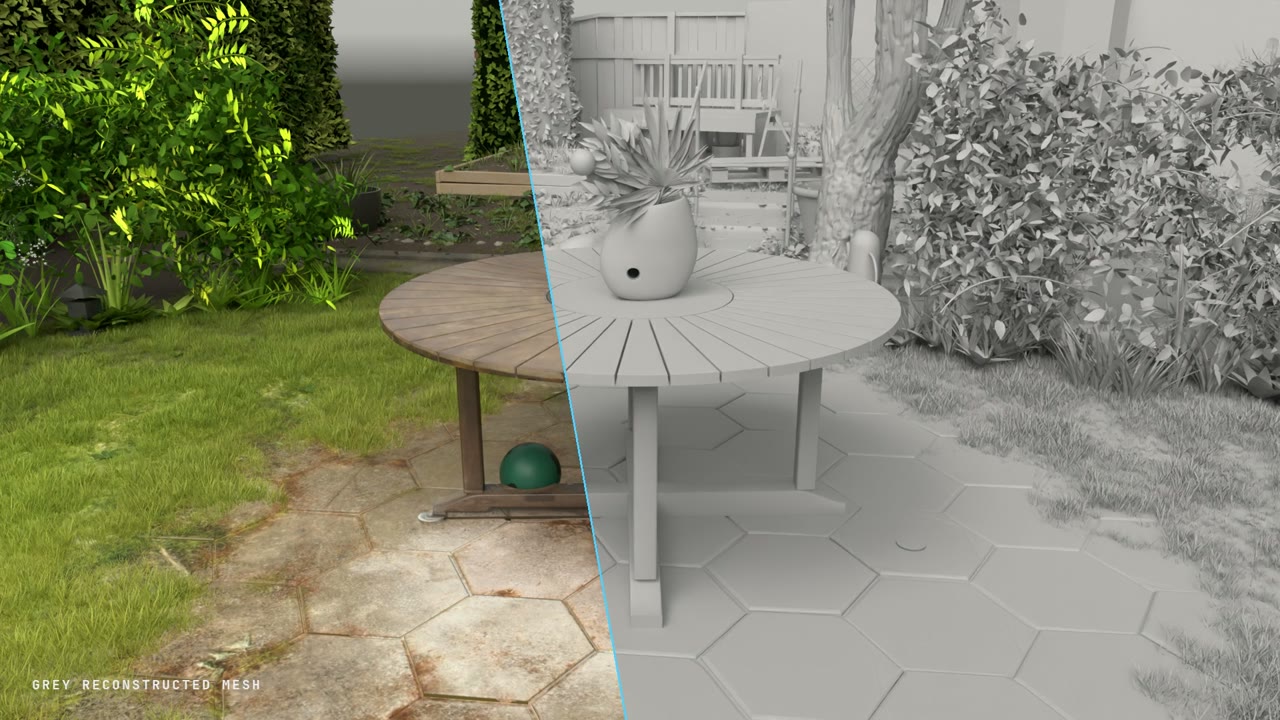
Watch the release video — grey/textured reveals and a matched 360° comparison · Read the skill · Reusable prompts · Hybrid mapping guide
The video shows the accepted Garden c26b hybrid experiment. Its mapped table and paving
are baked evaluated meshes with packed appearance textures; other reconstructed parts retain
node-based construction. The source scan and fitted hybrid assets are not bundled. See
media provenance and limitations. The installation name remains
gaussian-splat-to-blender-nodes.
What it does
This is an agent-guided reconstruction workflow, not a one-click splat-to-mesh converter. The splat provides observations; the output describes objects through meaningful geometry, parameters and materials that you can edit in Blender.
Splat reference → measured frame + cameras → semantic scene parts
               → Geometry Nodes + Shader Nodes → native audit + visual comparison
               → optional calibrated appearance mapping → hybrid review + packed blend
| Included | Purpose |
|---|---|
| Installable agent skill | Acquisition, registration, construction, detail and candid critique |
| Project-agnostic prompt pack | Full brief, whole-scene capture, part contracts, detail, critique and delivery |
| Asset inspector | SHA-256 and limited PLY / SPLAT / KSPLAT metadata |
| Shared camera tools | Validated coordinates and repeatable world/scan orbit manifests |
| Native-scene audit | Remove the reference in memory; compare mesh and instance signatures |
| Blender renderer | Sequential rendering of a shared camera manifest |
| Still/video comparison | Strict frame pairing, labels and hashed evidence; optional FFmpeg MP4 |
| Synthetic starter | Small editable GN table; no scan download required |
| Hybrid mapping tools | UV preparation, depth/object visibility, robust projection, material-aware fallback and packed assembly |
| Hybrid prompt/config | Per-project objects, material slots, cameras, source masks and appearance mode |
| Garden study | Seven procedural parts, parameters and vendored node-building helpers |
No automatic semantic segmentation, universal splat decoder or reference renderer is bundled. An audit pass proves specific structural checks; it does not prove visual resemblance.
Install
Agent Skills
npx skills add gokayfem/gaussian-splat-to-blender-nodes
Claude Code plugin
/plugin marketplace add gokayfem/gaussian-splat-to-blender-nodes
/plugin install gaussian-splat-to-blender-nodes@gaussian-splat-to-blender-nodes
Manual / Codex
git clone https://github.com/gokayfem/gaussian-splat-to-blender-nodes.git
cd gaussian-splat-to-blender-nodes
mkdir -p ~/.codex/skills
cp -R skills/gaussian-splat-to-blender-nodes ~/.codex/skills/
For Claude project-local use, copy the skill into .claude/skills/. See
adapters for other agents. A skill-only install includes tools and the
starter; clone the full repository for Garden.
Try it without a scan
Requires Python 3.10+ and Blender 5.0+. Local integration verification used Blender
5.0.1; validate other versions before relying on them. Substitute your Blender executable
for blender if it is not on PATH.
S=skills/gaussian-splat-to-blender-nodes

blender -b --factory-startup --python-exit-code 1 \
  --python "$S/templates/starter.py" -- --out outputs/starter.blend

blender -b --factory-startup outputs/starter.blend --python-exit-code 1 \
  --python "$S/scripts/audit_blend.py" -- --out outputs/starter-audit.json

python3 "$S/scripts/cameras.py" --frames 4 --radius 3 --target 0 0 0.5 \
  --width 640 --height 480 --out outputs/starter-cameras.json

blender -b --factory-startup outputs/starter.blend --python-exit-code 1 \
  --python "$S/scripts/render_manifest.py" -- \
  --manifest outputs/starter-cameras.json --out outputs/starter-views
Width and Depth controls change the tabletop and supports. The starter is a pipeline test, not a reconstructed asset. The audit deletes its hidden synthetic reference point in memory and leaves the saved file unchanged.
Reconstruct your scene
Use the full prompting guide, starting with the copy-ready project brief. It generalizes the actual structure used for the study: source selection and whole-scene capture, shared measurements/cameras, scoped part builders, integrated blockout, detail correction and final evidence. It works for other scene types and with a single agent.
The capture guide explains how repeatable reference views came from the original splat: viewer/asset identity, exact camera and canvas settings, settled captures, shared world coordinates, coverage views, analysis maps and matched close-ups. This is reference capture, not splat training.
For a shorter starting message, give your agent an authorized source, intended views and a quality target:
Use gaussian-splat-to-blender-nodes. Reconstruct this scene as editable native Blender geometry and materials. First fingerprint the asset, establish a measured coordinate frame, match the reference camera and identify the major objects. Build an integrated coarse checkpoint before fine detail. Review side, opposite and detail views; be candid about mismatches. Deliver source, parameters, blend and scan-removal evidence.
Start with the skill workflow. Use the part contract, detail pass and review prompt as the project progresses. For a turntable, follow the matched 360° guide. Reference frames must come from a compatible viewer using the same camera manifest; the Blender renderer handles the native side.
Map captured appearance onto your reconstruction
Use the hybrid mapping prompt when captured appearance is part of the intended result. Supply your own reconstructed scene and calibrated captures, then fill the configuration template. Objects, materials, cameras, visibility masks and rejection rules are configuration inputs; the implementation contains no required Garden objects or fitted scene coordinates.
The step-by-step guide
covers the three commands: prepare → project → assemble. Install requirements.txt for
the NumPy/SciPy/Pillow projector. Blender prepares evaluated UV surfaces and visibility maps;
ordinary Python maps the captures; Blender packs the results onto selected mesh copies.
Unseen/rejected texels retain the original material. Source-only occluders require masks or
other explicit evidence; reconstructed depth alone cannot identify them.
Choose unlit captured radiance or an approximate irradiance-divided lit material. Neither recovers clean physical albedo. Selected mapped surfaces require rebaking after geometry or UV edits; untouched procedural parts retain their live graphs. The original source is preserved, and immutable manifests tie geometry, captures and outputs together.
Garden example
Garden generates ground, table, vase/arrangement, tree, shrubs, boundary and structures from nodes. It includes fitted parameters and a sparse foliage control field, not the original Gaussian records. The default build requires no scan download.
View the table's editable Geometry Nodes graph
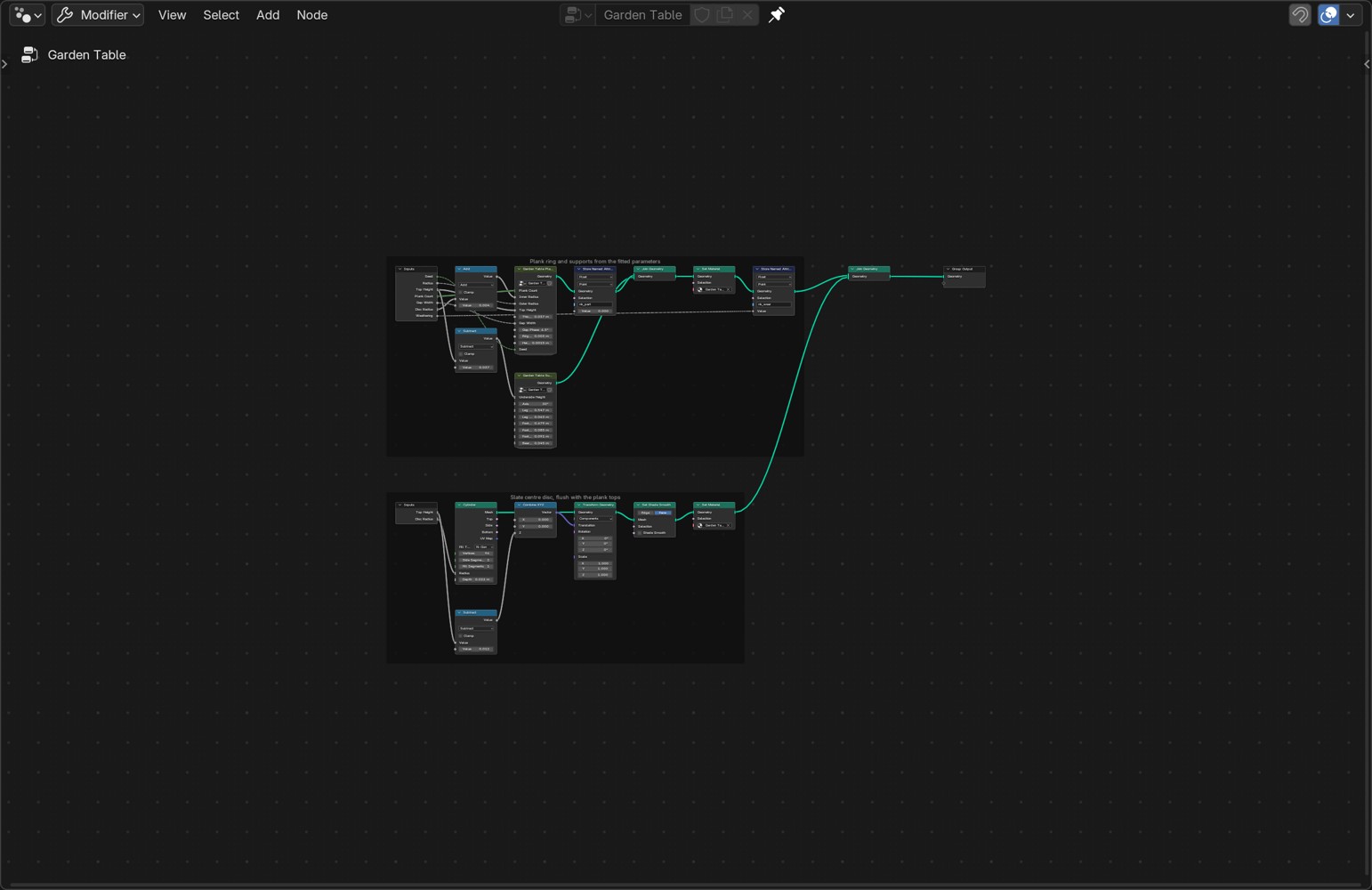
Build instructions, provenance and limitations →
The reference is the Mip-NeRF 360 Garden scene displayed by GaussianSplats3D. Original scans, decoded arrays and reference captures are not distributed here. No claim of perfect replication is made: construction, foliage, surface response and light still differ visibly.
Development
python3 -m pip install -r requirements.txt
python3 -m unittest discover -s tests -v
python3 tests/check_repository.py
Tests cover coordinate invariants, malformed assets, comparison pairing, projection visibility, linear-light blending, material boundaries, fallback and artifact fingerprints. Blender checks are documented in tests. Python CI alone does not validate rendering. See AGENTS.md for contributor rules.
Credits and license
MIT for repository code and instructions. Vendored nodekit/library retain their original license. Datasets and third-party media retain their own terms; the code license does not grant rights to those assets. See CREDITS.md.