
Directory · #25 trending skills repo · ↗ +1.3k stars this week
Awesome Gamedev Agent Skills
gamedev-skills/awesome-gamedev-agent-skills
77 game-dev skills for AI coding agents — Godot, Unity, Unreal, Phaser, PixiJS, three.js, Bevy, pygame, LÖVE, Roblox. Portable SKILL.md Agent Skills (the format Anthropic launched as Claude Skills), with a router that loads the right skill for your engine and task. Runs in Claude Code, Cursor, Kiro, Codex, Copilot, Gemini CLI and more.
- Stars
- 7.6k
- This week
- +1.3k
- Forks
- 744
- Open issues
- 3
- Skills inside
- 78
Get started
Install the skills
npx skills add gamedev-skills/awesome-gamedev-agent-skillsInstalls into Claude Code, Codex, Cursor, OpenCode and the other agents it finds on your machine.
/plugin marketplace add gamedev-skills/awesome-gamedev-agent-skillsRun inside Claude Code, then pick what to install from /plugin.
git clone --depth 1 https://github.com/gamedev-skills/awesome-gamedev-agent-skills.git /tmp/awesome-gamedev-agent-skills
cp -r /tmp/awesome-gamedev-agent-skills ~/.claude/skills/awesome-gamedev-agent-skillsClaude Code reads ~/.claude/skills/ (or .claude/skills/ in a project). Other agents read the same SKILL.md format from their own skills folder.
Inside this repo
48 of 78 skills
routerai-behavior-trees-utility-aiBuild a production behavior-tree runtime (Blackboard, action/condition leaves, sequence/selector/parallel composites, decorators) and a Utility AI system (response curves — linear, exponential, sigmoid, quadratic — considerations, and action evaluators), plus hybrid BT-drives-Utility agents. Use wheskills/disciplines/ai-behavior-trees-utility-aiaudio-designImplement game audio practice — bus/mixer architecture and gain in decibels, ducking (sidechain), adaptive/dynamic music via layering and re-sequencing, SFX variation, and beat synchronization. Engine-neutral. Use when the user mentions audio mixing, audio buses, adaptive/dynamic music, ducking, SFXskills/disciplines/audio-designcamera-systemsBuild game cameras that feel good — 2D follow with a deadzone, look-ahead, smoothing, and level-bounds clamping; 3D third-person orbit with collision and first-person look; plus multi-target framing and a shake hook. Engine-neutral techniques that pair with the engine's camera node and rigs like Uniskills/disciplines/camera-systemscreate-game-assetsPlan, generate, source, normalize, and validate cohesive visual game assets. Use for art direction, style bibles, sprites, tilesets, backgrounds, UI art, icons, textures, concept art, or 3D asset briefs.skills/disciplines/create-game-assetsdialogue-systemsBuild branching dialogue and narrative — a node/choice graph with conditions, variables, and localization hooks — and choose between authoring tools Ink and Yarn Spinner or a custom data-driven runner. Engine-neutral. Use when the user mentions dialogue system, branching dialogue, conversation tree,skills/disciplines/dialogue-systemsgame-aiDesign NPC and enemy decision-making with finite state machines, behavior trees, steering behaviors, and A* pathfinding — engine-neutral algorithms that pair with the detected engine's navigation API. Use when building enemy AI, an FSM or behavior tree, steering/flocking, or pathfinding, or when theskills/disciplines/game-aigame-feelAdd "juice" and game feel that makes actions satisfying — screen shake, hit-stop/freeze frames, tweened/eased motion, squash & stretch, knockback, and layered audio-visual feedback — as engine-neutral techniques that pair with the detected engine's tween, particle, and camera APIs. Use when the userskills/disciplines/game-feelgame-ui-uxDesign and build game UI/UX — HUDs, menus, and overlays — that survive every screen: anchor- based responsive layout, resolution/aspect scaling and safe areas, keyboard/gamepad focus navigation, a screen/menu state stack, and event-driven (not polled) HUD updates. Engine- neutral patterns that pair skills/disciplines/game-ui-uxinput-systemsArchitect game input — action mapping (abstracting keys into named actions), rebinding with conflict detection and persistence, multi-device support (keyboard, gamepad, touch), analog deadzones, and feel features like input buffering and coyote time, plus accessibility. Engine-neutral. Use when the skills/disciplines/input-systemslevel-designDesign and build playable levels — the blockout/whitebox-to-playable workflow, player metrics and grid layout, pacing and flow (tension/rest curve), gating and the critical path, and encounter design. Engine-neutral practice. Use when the user mentions level design, blockout/whitebox/greybox, level skills/disciplines/level-designperformance-optimizationFind and fix game performance problems methodically — measure with the engine profiler first, reason about the frame-time budget, locate the CPU-vs-GPU bottleneck, then apply the right fix: object pooling, draw-call batching, fewer allocations/GC spikes, and asset budgets. Engine- neutral method thaskills/disciplines/performance-optimizationphysics-tuningTune game physics for stable, good-feeling motion — fixed vs variable timestep, render interpolation, mass/gravity/drag, continuous collision detection (CCD) to stop tunneling, fixing jitter, and collision layers/masks. Engine-neutral. Use when the user mentions physics feel, jitter, tunneling, fixeskills/disciplines/physics-tuningprocedural-genGenerate game content procedurally — seeded deterministic RNG, value/Perlin/ Simplex noise for terrain and heightmaps, grid dungeon generation (rooms + corridors, BSP, random walk, wave function collapse), and weighted loot/drop tables. Engine-neutral algorithms. Use when the user mentions proceduraskills/disciplines/procedural-gensave-systemsDesign save/load for game state — choosing what to serialize, file formats, save slots, atomic crash-safe writes, schema versioning and migration, and autosave. Engine-neutral. Use when the user mentions save system, save/load, game state persistence, save slots, autosave, save file corruption, or mskills/disciplines/save-systemsshader-programmingWrite game shaders from cross-engine fundamentals — the vertex→fragment pipeline, coordinate spaces, UV math, and common 2D/3D effects (tint, UV scroll, dissolve, outline, fresnel rim, vignette) in GLSL with HLSL equivalents. Use when the user mentions shaders, fragment/pixel shader, vertex shader, skills/disciplines/shader-programmingebitengine-gameCreate, improve, debug and package playable 2D games in Go with Ebitengine (github.com/hajimehoshi/ebiten/v2). Use for Ebitengine game requests: game design translated into a complete loop, input, rendering, text, audio, scenes, gameplay tests and desktop, browser or mobile builds. Also use when fixskills/ebitengine/ebitengine-gamecard-gameBuild a card game: card data, deck/hand/discard zones, draw/shuffle/reshuffle, a turn structure, costs, and effect resolution. Use for a deckbuilder, TCG/CCG, or roguelike deckbuilder.skills/genres/card-gamefps-shooterBuild a first-person shooter: move+mouse-look controller, hitscan or projectile shooting, weapons, health, and enemy AI. Use for an FPS, or tuning aim feel, time-to-kill, recoil, or spread.skills/genres/fps-shooterplatformerBuild a 2D platformer: run/jump control with coyote time, jump buffering, and variable jump height, wall slide and wall jump, plus tiled levels and hazards. Use for a platformer or Mario/Celeste-like, or tuning jump feel.skills/genres/platformerpuzzleBuild a puzzle game: grid/board state, move input, rule-based resolution (match-3 cascades, sokoban pushes, tile logic), scoring, and undo. Use for a match-3, sokoban, or grid-logic puzzle.skills/genres/puzzleroguelikeBuild a roguelike: turn-based grid movement, procedural dungeons, permadeath, field-of-view, and loot tables. Use for a roguelike/roguelite or turn-based grid dungeon crawler with procedural levels.skills/genres/roguelikerpgBuild an RPG: stats and leveling, inventory and equipment, quests, branching dialogue, save/load, and combat. Use for an RPG/JRPG, or designing stat, inventory, quest, or combat systems.skills/genres/rpgsurvival-craftingBuild a survival-crafting game: resource gathering, inventory, crafting and a tech tree, needs (hunger/thirst/temperature), and base building. Use for a survival or crafting/base-building game.skills/genres/survival-craftingtower-defenseBuild a tower defense: enemies pathing along lanes, wave spawning, towers that auto-target and fire, an economy, and lives. Use for a tower-defense/wave-defense game, or balancing waves and economy.skills/genres/tower-defensevisual-novelBuild a visual novel: a branching script, character and background display, a text box with choices, save/load, backlog, and skip/auto. Use for a VN, dating sim, or branching story game.skills/genres/visual-novelgodot-2d-movementImplement 2D kinematic character movement in Godot 4.7 with CharacterBody2D and move_and_slide(): platformer run/jump with gravity, top-down 8-direction motion, slope handling, and reading collisions. Use when coding a 2D player or enemy controller, a platformer or top-down character, or fixing moveskills/godot/godot-2d-movementgodot-3d-essentialsSet up a Godot 4.7 3D scene: Node3D transforms, Camera3D, lighting (DirectionalLight3D/OmniLight3D), WorldEnvironment for sky/ambient/tonemap/post, MeshInstance3D materials, and GridMap for tile-based 3D levels. Use when building a 3D scene in a Godot project, placing cameras/lights, configuring envskills/godot/godot-3d-essentialsgodot-animationAnimate in Godot 4.7 three ways: AnimationPlayer for keyframed clips (incl. Call Method tracks), AnimationTree with state machines and blend spaces for character animation, and Tween for short procedural/UI tweens via create_tween(). Use when working with AnimationPlayer/AnimationTree nodes in a .tsskills/godot/godot-animationgodot-audioPlay and mix audio in Godot 4.7: AudioStreamPlayer (2D/3D variants), audio buses with volume/mute and effects, music vs SFX routing, db/linear volume, and precise sync-to-beat playback timing. Use when playing sounds or music in a Godot project, routing AudioStreamPlayer nodes to buses, adjusting buskills/godot/godot-audiogodot-csharpUse C#/.NET in Godot 4.7: partial classes extending nodes, the PascalCase lifecycle (_Ready/_Process/_PhysicsProcess), [Export] fields, [Signal] delegates as C# events, type-safe node lookup, and calling between C# and GDScript. Use when writing Godot game code in C# (.cs files, .csproj), needing thskills/godot/godot-csharpgodot-exportExport and build a Godot 4.7 project for distribution: install export templates, define export presets (Windows/macOS/Linux/Web/Android), run headless command-line exports for CI, and handle web (HTML5) COOP/COEP and dedicated-server/headless builds. Use when exporting a Godot game, configuring exposkills/godot/godot-exportgodot-gdscript-headless-testingRun GDScript test suites from the command line with `godot --headless`, using a SceneTree/MainLoop runner script that exits non-zero on failure so CI can gate merges. Use when a Godot project needs unit tests without opening the editor, when wiring a CI job (GitHub Actions or similar) that must failskills/godot/godot-gdscript-headless-testinggodot-gdscriptWrite idiomatic GDScript for Godot 4.7: static typing, the node lifecycle (_ready/_process/_physics_process), @export/@onready/@tool annotations, signals, and await for asynchronous flow. Use when editing .gd scripts in a Godot project (project.godot), writing or debugging GDScript, or porting 3.x Gskills/godot/godot-gdscriptgodot-multiplayerBuild networked games with Godot 4.7 high-level multiplayer: set up an ENetMultiplayerPeer server/client, define RPCs with the @rpc annotation (call via rpc()/rpc_id()), set per-node multiplayer authority, and replicate state with MultiplayerSpawner and MultiplayerSynchronizer. Use when adding multiskills/godot/godot-multiplayergodot-nodes-scenesStructure a Godot 4.7 project with the scene tree and node composition: build reusable scenes, instance PackedScenes at runtime, navigate the tree safely, and register autoload singletons. Use when designing .tscn scenes, deciding how to split nodes, spawning instances with instantiate(), wiring autskills/godot/godot-nodes-scenesgodot-physicsUse Godot 4.7 physics bodies and detection in 2D and 3D: RigidBody, StaticBody, Area, and CharacterBody; collision layers vs masks; contact/overlap signals; and raycasts (RayCast nodes and direct space-state queries). Use when configuring collision layers/masks, detecting overlaps with Area2D/Area3Dskills/godot/godot-physicsgodot-resourcesDesign data-driven Godot 4.7 games with custom Resource classes: define typed data with class_name + @export, save/load .tres/.res files, instance and duplicate resources, and load on demand with ResourceLoader (incl. threaded loading). Use when modeling items/stats/configs as data in a Godot projecskills/godot/godot-resourcesgodot-shadersWrite Godot 4.7 shaders in the Godot Shading Language: canvas_item shaders for 2D and spatial shaders for 3D, with vertex/fragment functions, uniforms (source_color, hint_range), TIME/UV animation, and screen-reading via hint_screen_texture. Use when authoring .gdshader files, writing fragment/verteskills/godot/godot-shadersgodot-signals-groupsBuild event-driven, decoupled Godot 4.7 gameplay with signals and node groups: declare and emit custom signals, connect with Callables (incl. bind/one-shot), and broadcast to many nodes via groups and call_group. Use when wiring node communication in a Godot project, replacing tight references with skills/godot/godot-signals-groupsgodot-tilemapBuild and edit tile-based 2D levels in Godot 4.7 with TileMapLayer and TileSet: paint layers, set up collision/navigation/custom-data on tiles, autotile with terrain sets, and read/write cells from code (set_cell, get_cell_tile_data, local_to_map). Use when working with TileMapLayer nodes, .tres Tilskills/godot/godot-tilemapgodot-ui-controlBuild Godot 4.7 user interfaces with Control nodes: anchors and offsets for responsive layout, Container nodes (VBox/HBox/Grid/Margin) for automatic arrangement, Theme resources for consistent styling, and keyboard/gamepad focus navigation. Use when laying out a HUD, menu, or UI in a Godot project, skills/godot/godot-ui-controlbevy-ecsStructure a Bevy app around its Entity Component System: build the App with plugins, define Component/Resource types, write systems with Query/Res/Commands, filter and order systems, and use the Time resource for frame-rate-independent motion. Use when building or debugging a Bevy game in Rust — wheskills/other-engines/bevy-ecsdefold-coreBuild and debug the core of a Defold game in Lua: game.project settings, collections, game objects and components, script lifecycle and self state, go.property, input focus and bindings, URLs and message passing, factories, collection factories and collection proxies, plus building and smoke-runningskills/other-engines/defold-corelove2d-coreStructure and debug a LÖVE (Love2D) game in Lua: the love.load/update/draw loop, delta-time movement, input, and screen states. Use when building a LÖVE 11.x game (main.lua, conf.lua, .love).skills/other-engines/love2d-corepygame-coreStructure a pygame (pygame-ce) game in Python: the init/event/update/draw loop, delta-time movement, Surface/Rect blitting, keyboard/mouse input, and Sprite/Group management with collision. Use when building or debugging a pygame game — when the user mentions pygame, pygame-ce, the game loop, blit, skills/other-engines/pygame-coreroblox-charactersBuild respawn-safe Roblox character systems around Players, CharacterAdded/CharacterRemoving, Humanoid, HumanoidRootPart, Animator, R6/R15 rigs, movement, animations and markers, death, tools, accessories, ownership, and custom characters. Use when character scripts break after respawn, cache stale skills/other-engines/roblox-charactersroblox-datastoresPersist player data in Roblox with DataStoreService: GetDataStore, GetAsync/ SetAsync/UpdateAsync/IncrementAsync wrapped in pcall, load-on-join and save-on-leave plus BindToClose, retries, and OrderedDataStore leaderboards. Use when saving or loading persistent data in a Roblox experience — when theskills/other-engines/roblox-datastoresDocumentation
README
awesome-gamedev-agent-skills
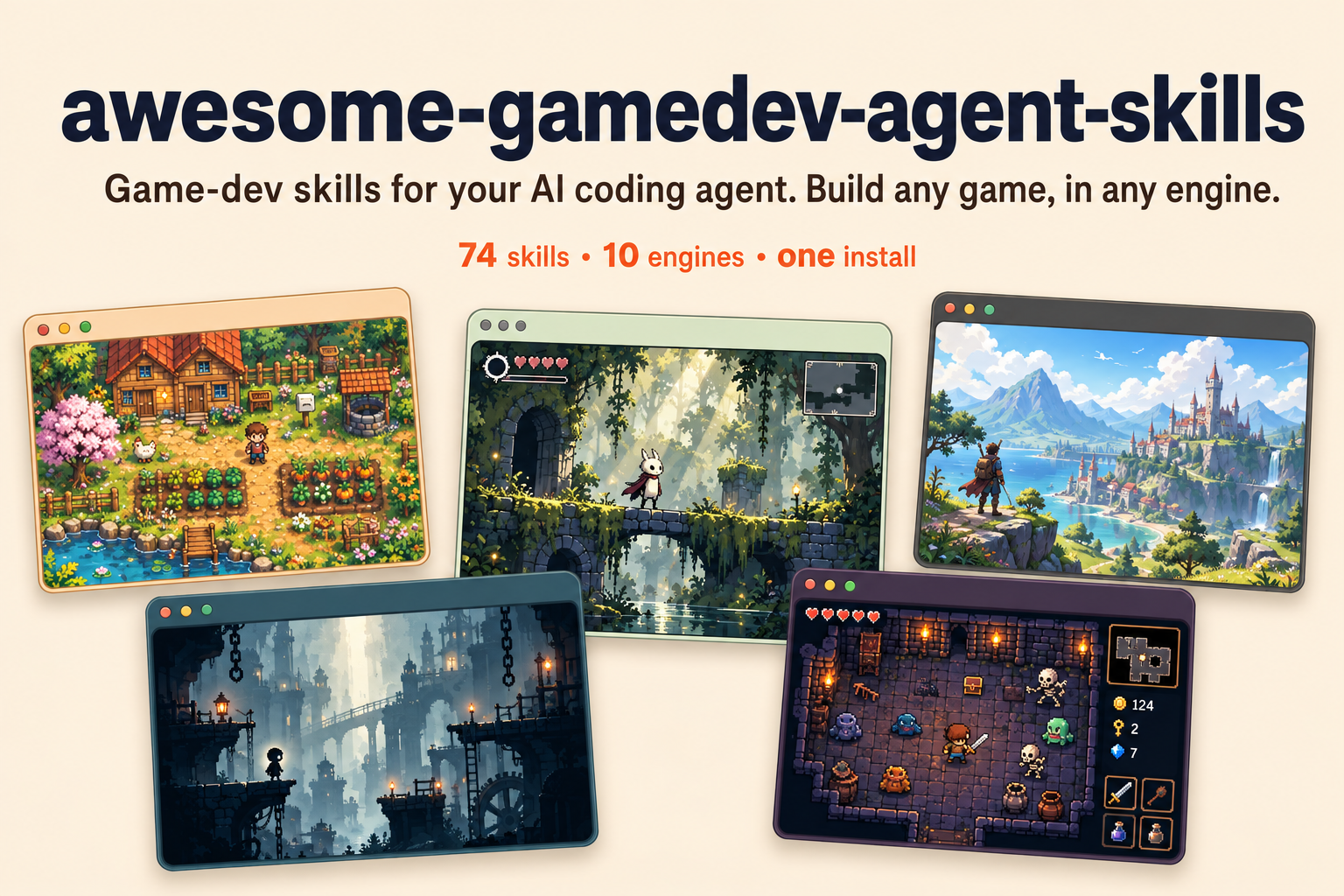
77 game-dev skills for your AI coding agent — install once, and a router loads the right skill for whatever you're building.




Agent Skills are small capability files an AI agent loads only when it needs them. This repo gives your agent 77 game-dev skills and a router that picks the right ones for you. You describe what you're building; the agent loads the matching engine and task skills before it writes code.
- Cross-engine. Godot, Unity, Unreal, Ebitengine, Phaser, PixiJS, three.js, Bevy, pygame, LÖVE, Defold, Roblox.
- You don't pick skills. The router detects your engine and task and loads only what fits.
- Art direction, not one-off generations. The asset workflow locks a visual target, builds families, normalizes outputs deterministically, and checks them inside the game.
- Built to trust. Every skill is written from primary docs, version-pinned to a stated engine release, and checked by a validator. Current baselines and upgrade policy live in version support.
Contents
Quick start
One command, any agent. The skills CLI detects the
coding agent you already use and installs the router plus all 77 skills into the right place:
npx skills add gamedev-skills/awesome-gamedev-agent-skills
Add --list to preview first, -g to install for every project, or -a <agent> to target a
specific tool (-a cursor, -a claude-code, -a gemini-cli, …). The CLI needs Node.js 22.20 or
later. The same SKILL.md files load
natively in Claude Code, Cursor, Windsurf, Cline, Codex, Gemini CLI, GitHub Copilot, Kiro, and
dozens more — there's nothing to convert.
Claude Code plugin (alternative). This repo is also a Claude Code plugin marketplace, so you can install it with Claude's own commands:
claude plugin marketplace add gamedev-skills/awesome-gamedev-agent-skills
claude plugin install gamedev@awesome-gamedev-agent-skills
Building in only one engine? Install a smaller bundle — router plus your engine:
claude plugin install router@awesome-gamedev-agent-skills
claude plugin install godot@awesome-gamedev-agent-skills    # or: unity · unreal · ebitengine · web-engines · other-engines
Prefer to copy the files by hand, or want the exact per-tool paths? See
docs/INSTALLATION.md.
Want to read the catalog as web pages instead? Every skill, engine group, and per-agent install
path is browsable at
gamedev-skills.github.io/awesome-gamedev-agent-skills,
generated straight from the SKILL.md files in this repo.
Then just talk to your agent — see below.
What you can ask
Describe the task in plain language. The router figures out the skills:
| You say | Skills it loads for you |
|---|---|
| "add a double jump to my Godot player" | godot-2d-movement + platformer |
| "make an inventory for my Unity RPG" | unity-scriptableobjects + rpg + save-systems |
| "build a 2D puzzle in Go with Ebitengine" | ebitengine-game + puzzle |
| "add player movement to my Defold game" | defold-core + input-systems |
| "procedural dungeon roguelike in Godot" | godot-tilemap + procedural-gen + roguelike |
| "make a cohesive pixel-art player, enemies, and tiles" | create-game-assets + the detected engine importer |
| "how should I design save slots?" | save-systems |
| "publish my game on itch with butler" | itch-publish |
You never type the skill names on the right. That's the router's job.
How the router picks skills
You never name a skill. On each request the router does three things:
- Detects your engine from project files — a
project.godotmeans Godot, a*.uprojectmeans Unreal, and so on. If it can't tell, it just asks. - Reads your request for the task — a concept (AI, shaders, saving), a genre (platformer, roguelike), or a shipping step (game jam, Steam).
- Loads only the matching skills, in order: engine basics first, then the concept, then any genre glue. It re-routes if you switch to something new.
That's why "add a double jump to my Godot player" loads godot-2d-movement + platformer and
nothing else.
The exact detection signals and routing table
The full algorithm — every engine fingerprint, the task-to-skill table, and how engine,
discipline, genre, and workflow skills compose — lives in the router skill itself:
router/SKILL.md. In short: engine selection is exclusive (exactly one
engine), while disciplines, genres, and workflows are additive on top.
Catalog
77 skills across 9 categories — each links to its SKILL.md below.
Engines
Godot — 16 (skills/godot/) · Godot 4.7
| Skill | Scope |
|---|---|
godot-gdscript |
GDScript language: typing, lifecycle, @export, signals, idioms |
godot-nodes-scenes |
Scene tree, node composition, instancing, autoloads, PackedScene |
godot-signals-groups |
Event-driven design with signals + groups |
godot-2d-movement |
CharacterBody2D kinematic movement, move_and_slide, slopes |
godot-tilemap |
TileMapLayer/TileSet: autotiling, terrain, collision/nav layers |
godot-physics |
Rigid/Area/Static bodies (2D+3D), collision layers, raycasts |
godot-ui-control |
Control nodes: anchors, containers, themes, focus nav |
godot-animation |
AnimationPlayer, AnimationTree, Tween |
godot-shaders |
Godot shading language: 2D canvas_item + 3D spatial shaders |
godot-3d-essentials |
3D nodes, cameras, lighting, environment/post, GridMap |
godot-resources |
Custom Resource classes, .tres, data-driven design |
godot-audio |
AudioStreamPlayer, buses, effects, sync-to-beat |
godot-multiplayer |
High-level multiplayer: MultiplayerAPI, RPCs, spawner/sync |
godot-export |
Export presets/templates, platform builds, headless CLI export |
godot-csharp |
C#/.NET in Godot: bindings, signals as events, GDScript interop |
godot-gdscript-headless-testing |
Run GDScript tests via godot --headless, exit codes for CI |
Unity — 8 (skills/unity/) · Unity 6.3 LTS (6000.3)
| Skill | Scope |
|---|---|
unity-csharp-scripting |
MonoBehaviour lifecycle, component model, coroutines, serialization |
unity-input-system |
New Input System: actions, bindings, action maps, devices |
unity-physics |
Rigidbody, colliders, layers, joints |
unity-animation |
Animator Controllers, state machines, blend trees, humanoid IK |
unity-scriptableobjects |
Data architecture with ScriptableObject |
unity-tilemap-2d |
2D Tilemap/Tile Palette, rule tiles, tilemap colliders |
unity-navmesh |
AI navigation: NavMesh bake, NavMeshAgent |
unity-build-pipeline |
Build/player/quality settings, code stripping, Addressables |
Unreal — 6 (skills/unreal/) · Unreal Engine 5.8
| Skill | Scope |
|---|---|
unreal-blueprints |
Blueprint visual scripting: classes, graphs, comms, common nodes |
unreal-cpp-gameplay |
C++ gameplay + Gameplay Framework (GameMode, Pawn, Controller) |
unreal-enhanced-input |
Enhanced Input: Input Actions, Mapping Contexts, Modifiers, Triggers |
unreal-behavior-trees |
AI Behavior Trees + Blackboard, tasks/decorators/services |
unreal-niagara |
Niagara VFX: systems, emitters, modules, parameters |
unreal-packaging |
Packaging/cooking projects, build configs, shipping builds |
Ebitengine — 1 (skills/ebitengine/) · Ebitengine v2.10.5 · Go 1.25+
| Skill | Scope |
|---|---|
ebitengine-game |
Playable Go 2D games: update/draw contracts, input, rendering, text, audio, gameplay tests, optional starter and platform builds |
Web engines — 6 (skills/web-engines/) · Phaser 4.2 · PixiJS 8.22 · three.js r186
| Skill | Scope |
|---|---|
phaser-core |
Phaser 4.2 game config, Scene lifecycle, loader, cameras |
phaser-arcade-physics |
Arcade Physics: bodies, velocity, colliders/overlap, groups |
pixijs-rendering |
PixiJS v8 scene graph: Application, Container, Sprite, events |
threejs-scene-setup |
Three.js scene/camera/renderer/animation-loop, resizing, controls |
threejs-gltf-loading |
Loading glTF/GLB + skinned animation (GLTFLoader/AnimationMixer) |
threejs-materials-lighting |
Materials (PBR), lights, shadows, environment maps |
Other engines — 12 (skills/other-engines/) · Bevy · pygame · LÖVE · Defold · Roblox
| Skill | Scope |
|---|---|
bevy-ecs |
Bevy app + ECS: components, systems, queries, resources, plugins (Bevy 0.20) |
pygame-core |
pygame loop, Surface/Rect, sprites/groups, events (pygame-ce 2.5.8) |
love2d-core |
LÖVE load/update/draw loop, dt-driven motion, input, states (LÖVE 11.5) |
defold-core |
Defold collections, game objects, script lifecycle, input, messages, factories, proxies, Bob build checks (Defold 1.14.0) |
roblox-luau |
Roblox Luau scripting: services, instances, client/server model |
roblox-datastores |
Persistent data with DataStoreService: sessions, limits, ordered stores |
roblox-ui |
Roblox UI: ScreenGui layout, responsive scaling, safe areas, gamepad/touch navigation |
roblox-networking |
Remotes, server-authoritative validation, rate limiting, replication boundaries |
roblox-characters |
Character lifecycle: spawn/respawn scopes, Humanoid, rigs, Animator tracks |
roblox-physics |
Assemblies, constraints, collision/query policy, raycasts, forces, network ownership |
roblox-studio-workflow |
Explorer-first place editing, structure preservation, multi-context Studio verification |
roblox-simulator-economy |
Simulator/tycoon/idle economy: cost curves, buy max, rebirths, offline earnings, big-number display, server-owned purchases, paid random item odds (Lune 0.11.0 pacing calculator) |
Disciplines — 15 (skills/disciplines/)
Cross-engine concepts that load alongside the detected engine skill.
| Skill | Scope |
|---|---|
create-game-assets |
Art direction and production pipeline for cohesive sprites, tiles, textures, icons, UI art, and 3D assets |
game-ai |
NPC decision-making: FSMs, behavior trees, steering, pathfinding |
ai-behavior-trees-utility-ai |
Production behavior-tree runtime (Blackboard, composites, decorators, leaves) + Utility AI (curves, considerations, evaluator) + hybrid AI |
procedural-gen |
Noise, RNG, seeds, grid/dungeon/terrain generation |
dialogue-systems |
Branching dialogue/narrative: nodes, conditions, variables (Yarn/Ink) |
save-systems |
Serialize/restore game state: formats, slots, versioning, autosave |
audio-design |
Buses/mixing, adaptive music, SFX, ducking |
shader-programming |
Cross-engine shader concepts: vertex/fragment, UVs, common effects |
physics-tuning |
Tuning feel: fixed timestep, mass/drag, CCD, stability, layers |
level-design |
Whitebox/blockout structure, tile/grid layout, pacing |
input-systems |
Input architecture: action mapping, rebinding, multi-device, buffering |
game-feel |
Juice: screen shake, hit-stop, tweening/easing, squash & stretch, feedback tiers |
game-ui-ux |
Cross-engine HUD/menus: anchors, resolution scaling, safe areas, focus navigation |
camera-systems |
2D follow/deadzone/look-ahead + bounds, 3D orbit/first-person, screen-shake hook |
performance-optimization |
Profile-first: frame budget, CPU/GPU triage, draw calls, pooling, GC, asset budgets |
Genres — 9 (skills/genres/)
Compositional templates that orchestrate engine + discipline skills; they never re-teach primitives.
| Skill | Scope |
|---|---|
platformer |
2D platformer: run/jump/coyote-time, tiled levels, hazards, goals |
roguelike |
Grid/turn movement, procedural dungeons, permadeath, FOV, loot |
rpg |
Stats/leveling, inventory, quests, dialogue, save/load, combat |
fps-shooter |
First-person controller, camera, shooting/hitscan, enemy AI |
tower-defense |
Wave spawning, lane pathing, towers/targeting, economy |
card-game |
Card data, deck/hand/discard zones, play rules, turn structure |
visual-novel |
Branching script, character/bg display, text box + choices, backlog |
survival-crafting |
Resource gathering, inventory, crafting, needs, base building |
puzzle |
Grid/board state, match/rule resolution, undo, level progression |
Workflows — 4 (skills/workflows/)
| Skill | Scope |
|---|---|
game-jam |
Scope/plan/execute a jam build under time limits; submit |
prototype-fast |
Greybox a playable vertical slice quickly; cut scope; validate the fun |
steam-publish |
Steamworks onboarding: app/depots, store page, builds, release checklist |
itch-publish |
Publish/update on itch.io: project page, channels, butler uploads |
Agent compatibility
Every skill here is a plain SKILL.md folder in the Agent Skills open
standard — the format Anthropic launched as Claude Skills — metadata plus a Markdown playbook the
agent reads on demand.
The same file loads natively across the ecosystem: Claude Code, Claude, Cursor, Windsurf, Cline, OpenAI Codex, Gemini CLI, GitHub Copilot, Kiro, Antigravity, VS Code, and many more. Oh My Pi (omp) reads the same format natively as well. There are no editor-specific rule files to maintain and nothing to convert.
Install with one command. The universal CLI detects your agent and writes the skills to the right place:
npx skills add gamedev-skills/awesome-gamedev-agent-skills
Or copy by hand. Drop a skill's <name>/ folder into your agent's skills directory:
| Agent | Skills directory |
|---|---|
| Claude Code | .claude/skills/ |
| Codex · Gemini CLI · GitHub Copilot · Antigravity | .agents/skills/ (shared path) |
| Cursor | .cursor/skills/ (also reads .agents/skills/) |
| Windsurf | .devin/skills/ (also reads .windsurf/skills/) |
| Cline | .cline/skills/ |
| Kiro | .kiro/skills/ |
| Oh My Pi (omp) | .omp/skills/ (also reads .agents/skills/) |
The exact per-agent paths, triggers, and the handful of optional fields that vary by agent are in
docs/COMPATIBILITY.md.
Demo
One plain-English request goes in; the minimal right skills come out, then version-pinned code. Here's the shape of a single exchange (illustrative):
> add a double jump to my player

Detected Godot (project.godot). Loading godot-2d-movement for the controller
and platformer for jump feel — skipping the other 75 skills.
extends CharacterBody2D

@export var speed := 220.0
@export var jump_velocity := -380.0
@export var max_jumps := 2

var _jumps_left := max_jumps

func _physics_process(delta: float) -> void:
    if not is_on_floor():
        velocity += get_gravity() * delta   # Godot 4.7 baseline
    else:
        _jumps_left = max_jumps

    if Input.is_action_just_pressed("ui_accept") and _jumps_left > 0:
        velocity.y = jump_velocity
        _jumps_left -= 1

    velocity.x = Input.get_axis("ui_left", "ui_right") * speed
    move_and_slide()
Repository layout
skills/        77 specialized skills, grouped by engine / discipline / genre / workflow
router/        the master router skill (+ references/)
docs/          authoring standard, installation, compatibility
templates/     SKILL.md template
scripts/       validate-skills.py, generate-site.py and tooling
tests/         regression tests for the validator
Contributing
Contributions are welcome. Read CONTRIBUTING.md and the authoring standard
in docs/SKILL-FORMAT.md. Every skill must pass the validator and the
rubric before merge:
python scripts/validate-skills.py
Maintainer
awesome-gamedev-agent-skills was created and is maintained by Abhishek Barali.
License
Apache-2.0. See NOTICE for attribution and trademark notes.
Releases