
Skill · #109 trending skills repo · ↗ +203 stars this week
Fonter Skill
qianyushen/fonter-skill
FONTER-SKILL — Codex skill: one reference image in, a real font out. Wordmark/letterform → installable TTF/OTF (A-Z, a-z, optional 0-9) + Pantone-contrast specimen poster + optional material render.
- Stars
- 261
- This week
- +203
- Forks
- 0
- Open issues
- 0
- Skills inside
- 1
Get started
Install the skills
npx skills add qianyushen/fonter-skillInstalls into Claude Code, Codex, Cursor, OpenCode and the other agents it finds on your machine.
git clone --depth 1 https://github.com/qianyushen/fonter-skill.git /tmp/fonter-skill
cp -r /tmp/fonter-skill ~/.claude/skills/fonter-skillClaude Code reads ~/.claude/skills/ (or .claude/skills/ in a project). Other agents read the same SKILL.md format from their own skills folder.
Inside this repo
1 skill
Documentation
README
FONTER — 设计师的福音
一张参考图,一次点击,生成一套直接可用的字体 · One reference image in, a real font out.
中文
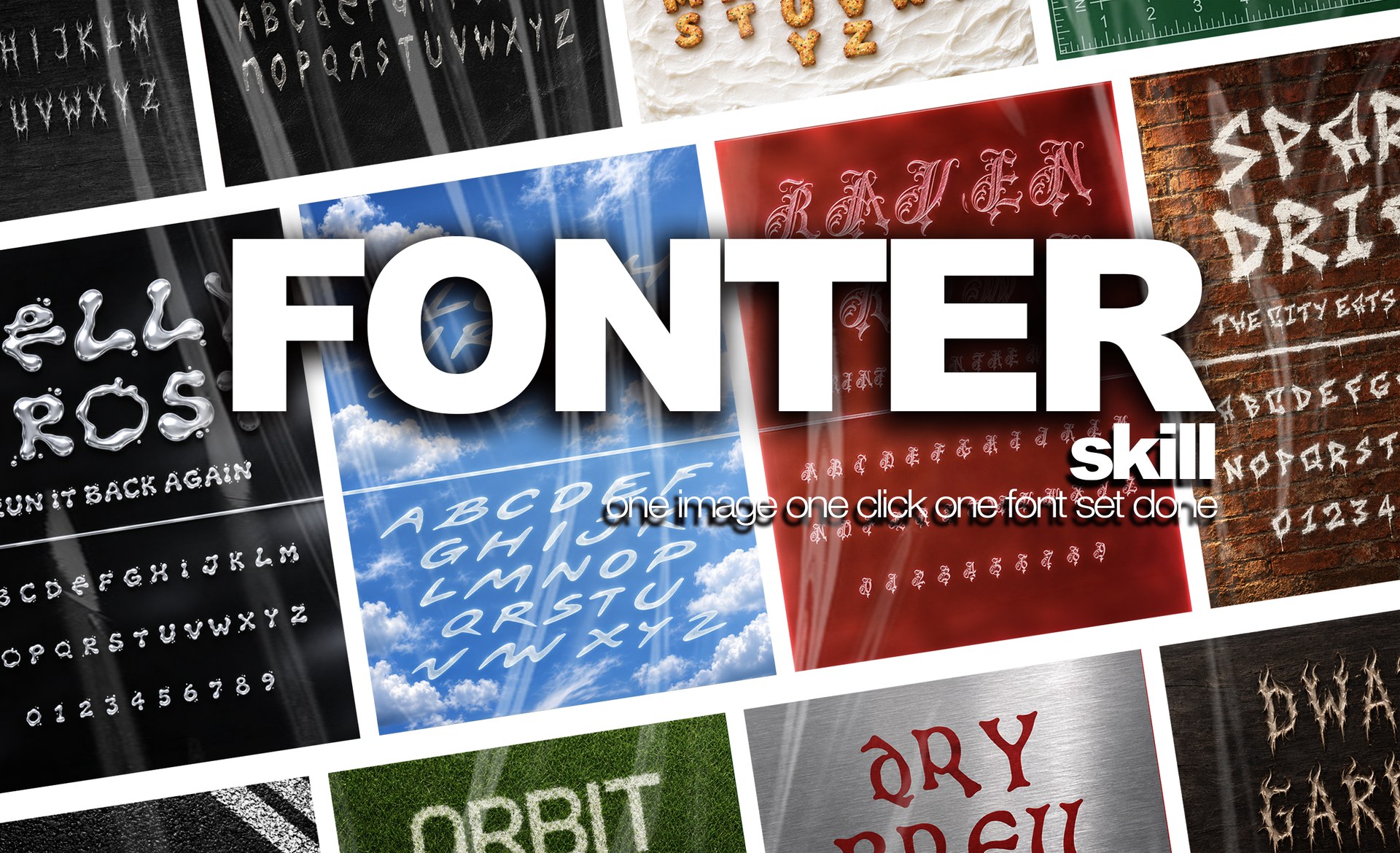
一个 Codex skill,只需要一张字体参考图,一次点击,一整套直接能用的字体。
One Codex skill. One font reference image. One click. A complete, ready-to-use font family.
效果参考图
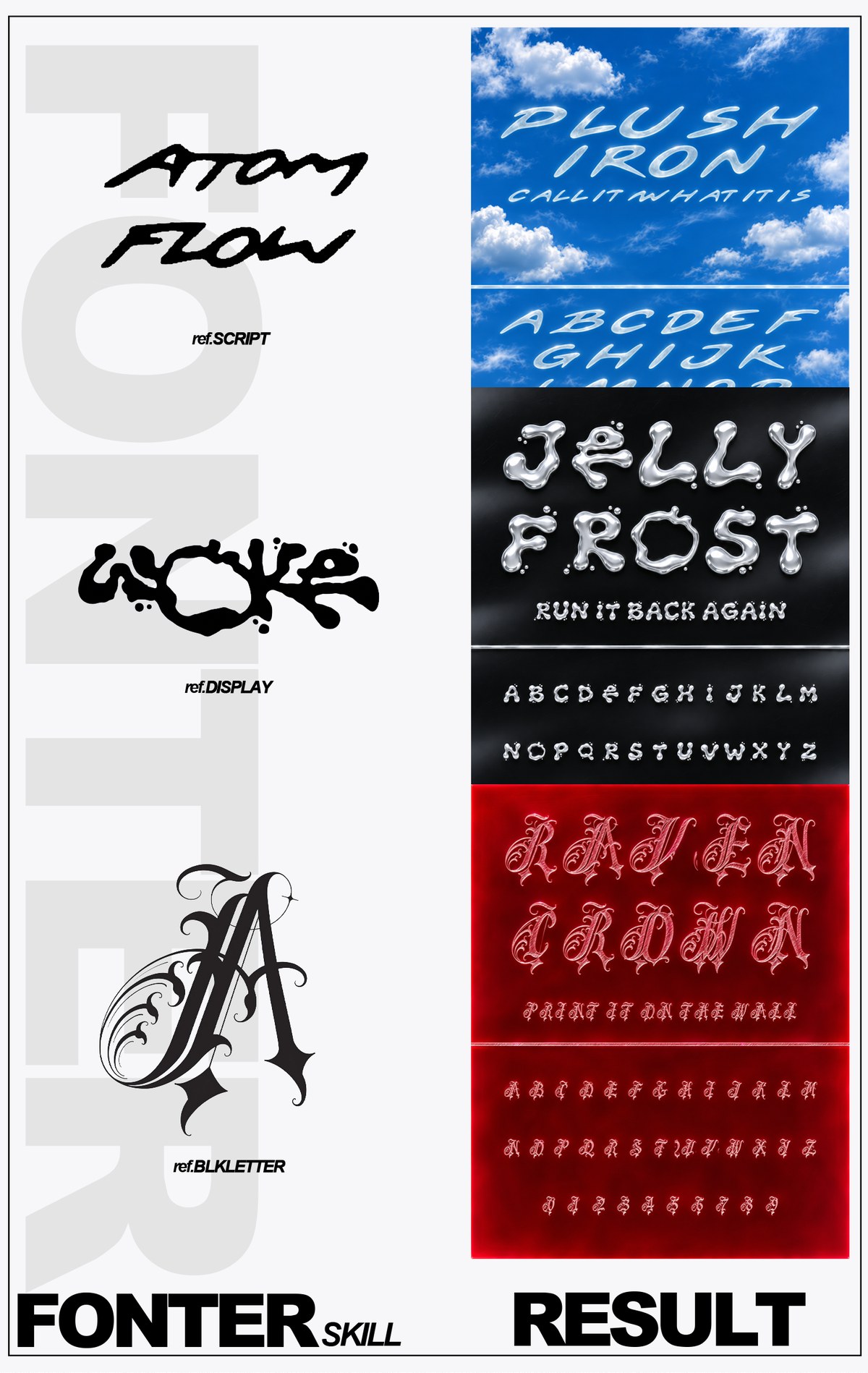
左边是参考字,右边是 FONTER 出来的结果 —— 同一套字形,换到不同材质上:
它做的事
| 你给 | 它还你 |
|---|---|
| 一张参考图(手绘草稿 / 特殊绘制的 logo 字体 / 你暂时还不想付费的字体 —— 剽窃可耻,但是你偷偷用我不会报警的) | .otf + .ttf 标准字体文件,含大小写与数字 |
| 一张矢量撞色风格的字体预览海报(Python 生成,不消耗额度) | |
| 一张带真实材质的渲染海报(可选,不想要就不生成) |
你只需要一张参考图。参考图的平面化、拆词、切字母、矢量化、字距字高统一、封装、体检,FONTER 一套直接解决好。
三条规定好的设计 Guideline
- 风格不变 —— 仅按照参考图的设计风格生成,不重新设计,不改设计。
- Token 消耗节流 —— 拆词方案经过设计,在保证效果的情况下消耗最少 token;后期用 Python 做,消耗无需担心。
- 安装包可以直接用 —— 测试已跑过 Adobe 全家桶,安装就能直接用。
最简单用法(没装过的从这里开始)
直接对你的 Codex 说这一句,别的都不用管:
帮我上 GitHub 装 fonter-skill,装好用我的参考图生成一套字体
(把参考图一起拖进对话即可。)它会自己 clone、自己装依赖、自查一遍,然后按 SKILL.md 直接开始做字体 —— 你不用开终端、不用手动 pip install、不用先配环境。
额外依赖只有一层:Python 3.9+ 和 requirements.txt 里 5 个纯 Python 包(numpy / scipy / pillow / fonttools / potracer),scripts/setup.sh 会自动装,不需要 brew、不需要 potrace 二进制、不需要 ImageMagick,也不需要 API key —— 出图那一步用 Codex 自带的 image_gen(或 ChatGPT 网页版)。
唯一前提:Codex 装依赖那一步要能联网(沙箱默认断网时它会先问你要权限,允许一次即可)。
装成 Codex skill(手动版)
不想让 Codex 代劳、要自己装的话:
git clone https://github.com/qianyushen/fonter-skill ~/fonter-skill
ln -s ~/fonter-skill ~/.codex/skills/fonter-skill
bash ~/.codex/skills/fonter-skill/scripts/setup.sh   # 装依赖 + 自查
macOS 也可以直接双击 setup.command。依赖:Python 3.9+、pip install -r requirements.txt(scripts/setup.sh 会自己装好)。
只有"画单词图"那一步需要模型(codex 内置 image_gen,或 ChatGPT 网页版),其余全部离线。
快速上手
python3 scripts/check_env.py                                   # 这台机器能不能直接跑
python3 scripts/segment_word.py --image 01_words/VAMPIRE/v2.png --word VAMPIRE --out 02_letters/VAMPIRE
python3 scripts/build_family.py --sources 02_letters/* --family MYFONT --out-dir 04_font --charset A-Z,0-9
python3 scripts/make_specimen.py --font 04_font/MYFONT.otf --out 05_preview/specimen.png
python3 scripts/render_material.py --project . --material "老旧红砖墙 + 街头喷漆"   # 可选:材质海报
海报默认把下半排满 5 行(26 个字 → 6 列 × 5 行,大字+数字 → 8 列 × 5 行,末行居中;--grid-rows 2 可回到旧版两行)。配色表共 115 套高饱和潘通撞色,--palette auto 会按字体风格散列取色并避开最近用过的 12 套,连着做几套也不会撞成同一张。
目录
SKILL.md            agent 照做的完整流程(闸门 / 词表规划 / 踩过的坑)
scripts/            切分 · 组字 · 海报 · 材质渲染 · 体检 · 环境自查
references/         生图提示词、海报与配色规范
docs/               头图 / 前后对比图
setup.command       macOS 一键装依赖
已知限制
- 生图模型偶尔会画错个别字母;字形真值以脚本渲那张海报为准,材质图只当氛围图。
- 装饰性极强的风格(哥特花体、重笔刷)比重几何无衬线更容易返工。
- 只在 Python 3.9 以上测过。
许可
MIT,见 LICENSE。
English
One Codex skill. One font reference image. One click. A complete, ready-to-use font family.
Reference → result
Left: the reference lettering. Right: what FONTER makes of it — the same typeface, re-rendered in different materials:
What it does
| You give | You get |
|---|---|
| Just one reference image. It could be a hand-drawn sketch, a custom logo typeface, or even that font you've been eyeing but aren't quite ready to pay for. Stealing is wrong, of course, but your little secret is safe with me. | Standard .otf + .ttf files, upper case + lower case + digits |
| A bold, high-contrast vector-style font preview poster (generated entirely with Python, so no extra tokens required) | |
| A real-material render of that poster (optional — skip it if you don't want one) |
All you need is one reference image. FONTER handles everything: flattening the reference, splitting words, extracting individual letters, vectorizing, standardizing letter spacing and height, packaging the font, and running quality checks.
One reference image. FONTER takes care of the rest.
Three Built-In Design Guidelines
- Style Fidelity — The reference is the source of truth. FONTER follows its original design language without redesigning, altering, or "improving" the style.
- Token Efficiency — The workflow is carefully designed to minimize token usage without compromising output quality. Later stages are handled by Python scripts, keeping additional token costs to a minimum.
- Install-Ready Fonts — Tested across the Adobe Creative Cloud suite. Install the font and start using it right away. No extra setup required.
The Easiest Way to Get Started (never installed it? start here)
Just say this to Codex — nothing else to figure out:
Install fonter-skill from GitHub, then build me a font from my reference image
(Drop the reference image into the same message.) It clones the repo, installs the dependencies, runs a self-check and starts building the font per SKILL.md — no terminal, no manual pip install, no environment setup.
The only dependency layer is Python 3.9+ plus five pure-Python packages (numpy / scipy / pillow / fonttools / potracer), installed automatically by scripts/setup.sh: no Homebrew, no potrace binary, no ImageMagick, no API key — the drawing step uses Codex's built-in image_gen (or ChatGPT web).
One prerequisite: Codex needs network access for that install step (if the sandbox blocks it, it asks for permission once — just allow it).
Install as a Codex skill (manual)
If you'd rather do it yourself:
git clone https://github.com/qianyushen/fonter-skill ~/fonter-skill
ln -s ~/fonter-skill ~/.codex/skills/fonter-skill
bash ~/.codex/skills/fonter-skill/scripts/setup.sh   # deps + self-check
On macOS you can also double-click setup.command. Requirements: Python 3.9+ and pip install -r requirements.txt (scripts/setup.sh installs both for you).
Only the drawing step needs a model (codex built-in image_gen, or ChatGPT web); everything else runs offline.
Quick start
python3 scripts/check_env.py                                   # is this machine ready?
python3 scripts/segment_word.py --image 01_words/VAMPIRE/v2.png --word VAMPIRE --out 02_letters/VAMPIRE
python3 scripts/build_family.py --sources 02_letters/* --family MYFONT --out-dir 04_font --charset A-Z,0-9
python3 scripts/make_specimen.py --font 04_font/MYFONT.otf --out 05_preview/specimen.png
python3 scripts/render_material.py --project . --material "old red brick + street spray paint"   # optional
The poster fills the lower half with 5 rows by default (26 glyphs → 6 × 5, plus digits → 8 × 5, last row centred; --grid-rows 2 restores the old two-row look). The palette sheet holds 115 high-contrast Pantone pairings; --palette auto hashes on the font's style and skips the last 12 used, so back-to-back fonts never land on the same sheet.
Repo layout
SKILL.md            the playbook an agent follows (gates, word planning, pitfalls)
scripts/            segment · build · poster · material render · doctor · env check
references/         image-model prompts, poster and palette spec
docs/               hero image / reference-vs-result image
setup.command       macOS one-click dependency install
Known limits
- The image model still misdraws a letter now and then; the poster rendered from the finished font is the ground truth, material renders are for atmosphere.
- Very illustrative styles (blackletter, heavy brush) need more retries than a geometric sans.
- Tested on Python 3.9+ only.
License
MIT — see LICENSE.
That's it. One image. One skill. A real font.