
Skill · #10 trending skills repo · ↗ +2.9k stars this week
Ffmpeg Skill
kajisho5/ffmpeg-skill
Local video editor for coding agents: 42 FFmpeg tools with a machine-readable contract and an MCP server, for Claude Code, Cursor and Codex. Cut, captions, reframe, loudness, platform exports. No cloud, no API keys.
- Stars
- 13k
- This week
- +2.9k
- Forks
- 1.0k
- Open issues
- 31
- Skills inside
- 19
Get started
Install the skills
npx skills add kajisho5/ffmpeg-skillInstalls into Claude Code, Codex, Cursor, OpenCode and the other agents it finds on your machine.
/plugin install ffmpeg-skill --marketplace kajisho5/ffmpeg-skill # in Claude Code 2.1.275 or laterRun inside Claude Code, then pick what to install from /plugin.
git clone --depth 1 https://github.com/kajisho5/ffmpeg-skill.git /tmp/ffmpeg-skill
cp -r /tmp/ffmpeg-skill ~/.claude/skills/ffmpeg-skillClaude Code reads ~/.claude/skills/ (or .claude/skills/ in a project). Other agents read the same SKILL.md format from their own skills folder.
Inside this repo
19 skills
.claude/skills/build-artifactsci-pipeline-synthesizerGenerate GitHub Actions CI/CD pipeline configurations for automated building and testing of library and package projects. Use when creating or updating CI workflows for npm packages, Python packages, Go modules, Rust crates, or other library projects that need automated build and test pipelines. Inc.claude/skills/ci-pipeline-synthesizerreviewing-ffmpeg-skill-changesReview a change to the ffmpeg-skill repository for the failures its own contract makes possible — a claim in a result document that is true at one layer and false at the layer a caller reads, a new flag that reaches the code but not the contract/docs/demo surfaces, a "bug" that docs/design-decisions.claude/skills/code-reviewconcurrent-branchesResolve conflicts and merges when several branches are open against one repo at the same time — the hotspot files every change must touch (registry manifests, a single version field, shared tool config, one aggregated test module, tracked build output), union-vs-recompute-vs-rebuild as three differe.claude/skills/concurrent-branchesshipping-across-surfacesLand a change everywhere the same fact is stated — enumerating the full surface inventory (landing copy, docs, machine-readable summaries, changelog badges repeated across every page, sitemap, README, descriptions embedded in code, and untyped frontend consumers of typed responses), generating a sur.claude/skills/cross-surface-changeswriting-defect-reportsEstablish a finding before you publish it, and correct it after — headlines that overstate what actually reproduces at the layer a user sees, reporting code that no entry point can reach or that is already dead, filing a caveat the project's own records already answered, re-verifying your prior note.claude/skills/defect-reportsguarding-destructive-operationsAdd and review preconditions on operations that delete, overwrite, rewrite history, or resolve a caller-supplied name to a filesystem path — refusing instead of warning, placing the guard ahead of the first mutation, structural classification rather than string-prefix matching, name validation plus .claude/skills/destructive-operationsprobing-edge-valuesFind the option values an ffmpeg-skill tool accepts without anyone having decided what they mean — zero, a negative number, a value far past any real frame or clip — by running tests/edge_values.py over every numeric option in the contract, then reading each call that ran or hung against the option'.claude/skills/edge-probeprobing-first-try-useFind the places where an agent that has not read the docs gets an ffmpeg-skill tool wrong on the first try — having a fresh agent write calls blind from each tool's name and one line about it, running them with tests/first_try.py, reading the calls that ran as carefully as the ones that failed, teac.claude/skills/first-try-probekeeping-git-repos-cleanPrevents, detects, and remediates files that should never be committed — secrets (.env, API tokens, hardcoded credentials) and dev artifacts (build output, scratch databases, editor/OS files). Covers .gitignore (and why it does not untrack), git rm --cached, auditing tracked files, history scrubbing.claude/skills/git-hygienerunning-github-actions-efficientlyCut GitHub Actions minutes and wall-clock time without losing coverage — the OS billing multiplier (macOS 10x / Windows 2x / Linux 1x), trigger hygiene that stops push+pull_request double-firing, concurrency that cancels superseded runs, dependency caching keyed on lockfiles, matrix discipline, and .claude/skills/github-actionsbuilding-python-mcp-serversBuilds robust Python MCP (Model Context Protocol) servers with FastMCP — tool design, error contracts, event-loop-safe blocking work, subprocess/CLI wrapping, single-file vs packaged distribution, global-state-free testing, and prompt-injection awareness. Use when writing an MCP server, exposing a t.claude/skills/mcp-server-designmanaging-python-releasesManages Python library releases including semantic versioning, changelog maintenance (Keep a Changelog format), release automation with GitHub Actions, and deprecation workflows. Use when planning releases, writing changelogs, automating release pipelines, or communicating breaking changes..claude/skills/release-managementreproducing-ci-locallyRun the CI gate on your machine so it agrees with the runner — deriving the exact command, paths, markers, and env from the workflow file instead of the Makefile, unblocking gate steps that short-circuit and hide the next failure, pinning the linter version CI resolves, building the interpreter/tool.claude/skills/reproducing-ci-locallybuilding-the-review-pageBuild or change the standalone review page (scripts/_review.py, `npx ffmpeg-skill review`) — the editor-style screen where a person looks at a render project and its result and composes an instruction for their agent. Covers the fixed constraints (one offline HTML file, nothing executed, no new depe.claude/skills/review-page-uisweeping-defect-siblingsTurn one reported defect in ffmpeg-skill into the full list of places the same thing happens — naming the defect's class (an input property, a shared step, a convention that differs between two code paths, an FFmpeg-version behaviour), sweeping every tool with tests/sweep.py and a path-parity probe,.claude/skills/sibling-sweepverifying-external-behaviorConfirms what a third-party library, remote API, build backend, or scraped document actually does before writing code that depends on it — throwaway probes that run in seconds, permissive clients that forward wrong arguments instead of rejecting them, per-endpoint docs that don't generalize, respons.claude/skills/verifying-external-behaviorffmpeg-skillEdit video and audio with local FFmpeg: cut, join, reframe, speed, captions, overlays, silence removal, sync, loudness, HDR to SDR, platform exports and checks. Use whenever the user mentions a video or audio file (mp4, mov, wav, m4a), footage, captions, a reel or short, YouTube/TikTok delivery, LUF/ffmpeg-skillEdit video and audio with local FFmpeg: cut, join, reframe, speed, captions, overlays, silence removal, sync, loudness, HDR to SDR, platform exports and checks. Use whenever the user mentions a video or audio file (mp4, mov, wav, m4a), footage, captions, a reel or short, YouTube/TikTok delivery, LUFskills/ffmpeg-skillDocumentation
README
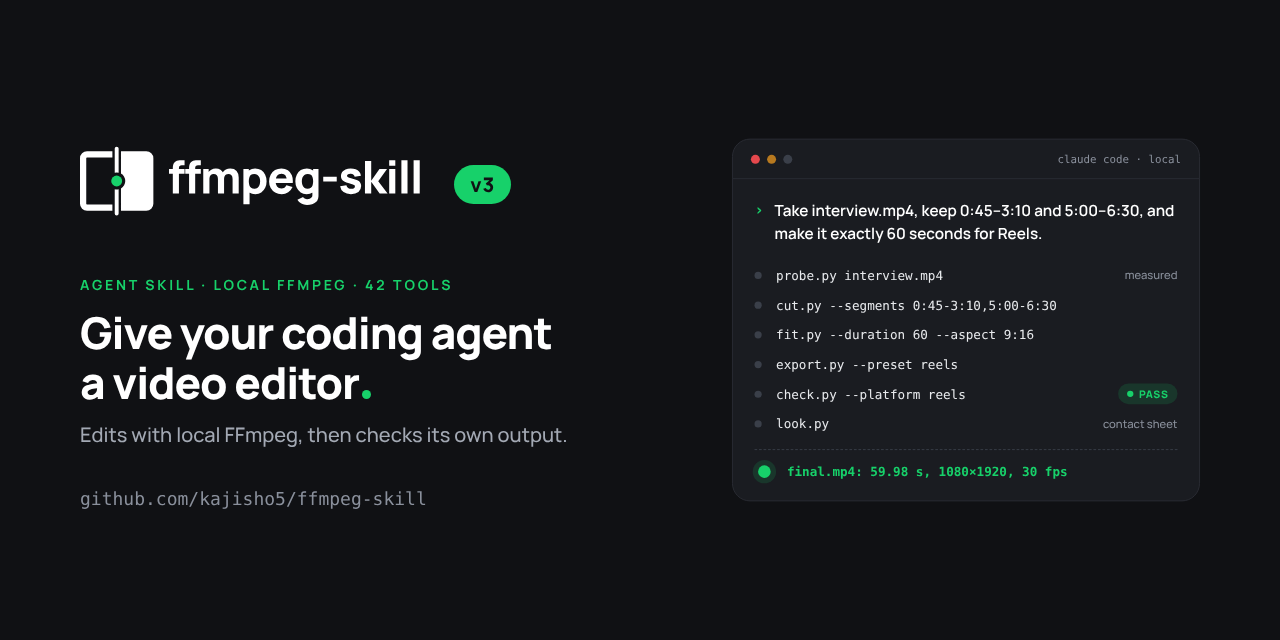
Give your coding agent a video editor.
Claude Code, Cursor, Codex or any MCP client edits your footage with local FFmpeg, then checks its own output.
No cloud · No API keys · Python standard library
What you install and what it touches
Website · Quick start · Use cases · Demos · Tools · MCP · npm








Use cases, end to end: a vertical short with captions · a podcast as an audiogram · cleaning a phone clip · a cut-down of a long recording · one master, several platforms · a talk from two cameras
npx ffmpeg-skill
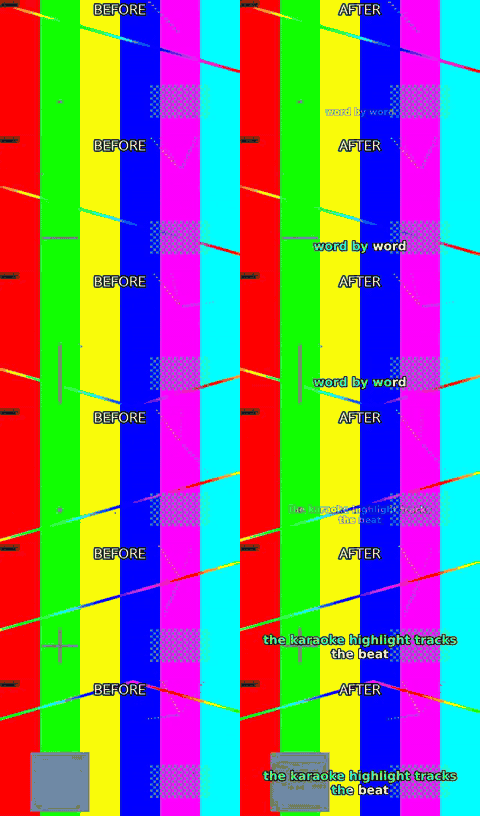 caption.py --animate pop --karaoke |
 fit.py --aspect 9:16 --fit crop |
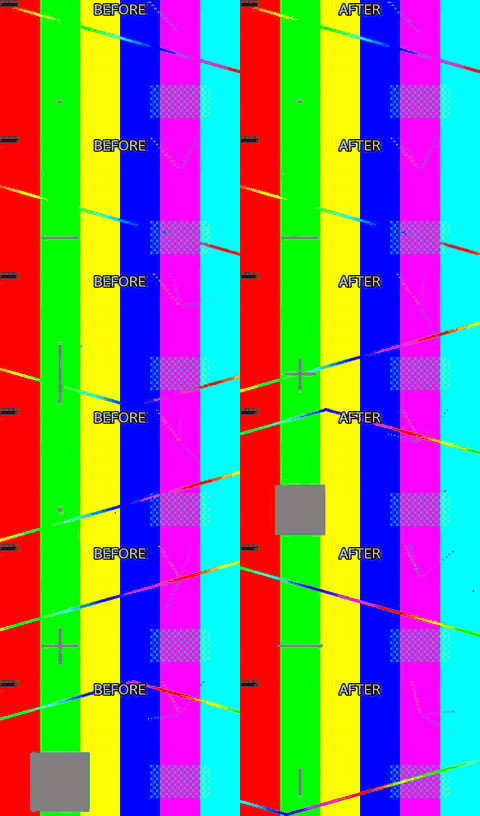 silence.py --threshold -35 |
 loudness.py -I -14 --tp -1 |
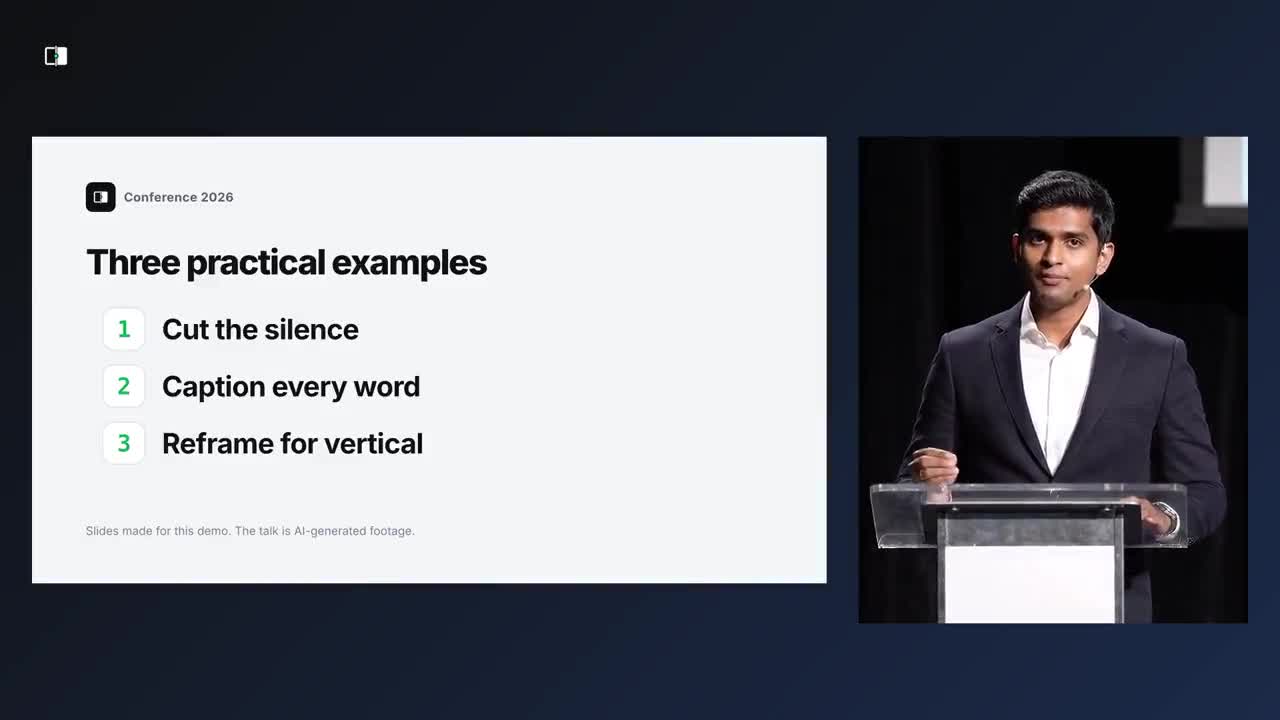
Twelve clips edited by asking: colour, slow motion and reframing, a talk laid out with its slides and cut into a captioned short, a pause removed, a green-screen composite, a levelled horizon, and three phone clips (stabilised, a night shot lifted and denoised, 60 fps slowed down). Watch them (English and Japanese) · the request and the exact commands. Nine clips are AI-generated with Google Veo; three are shot on a phone.
Review page
After an edit, ask your agent for the review page ("show me the review page"), or run npx ffmpeg-skill review project.json --result run.json yourself (python3 scripts/_review.py from a checkout). It writes one local HTML file. It shows the sources, every step with its checks, the result in a phone frame with the platform's safe area, and a timeline. Press the number of a clip or a caption, write what should change, and copy the instruction it builds back to your agent. Nothing is uploaded; the page speaks English, Japanese, Korean and Chinese.
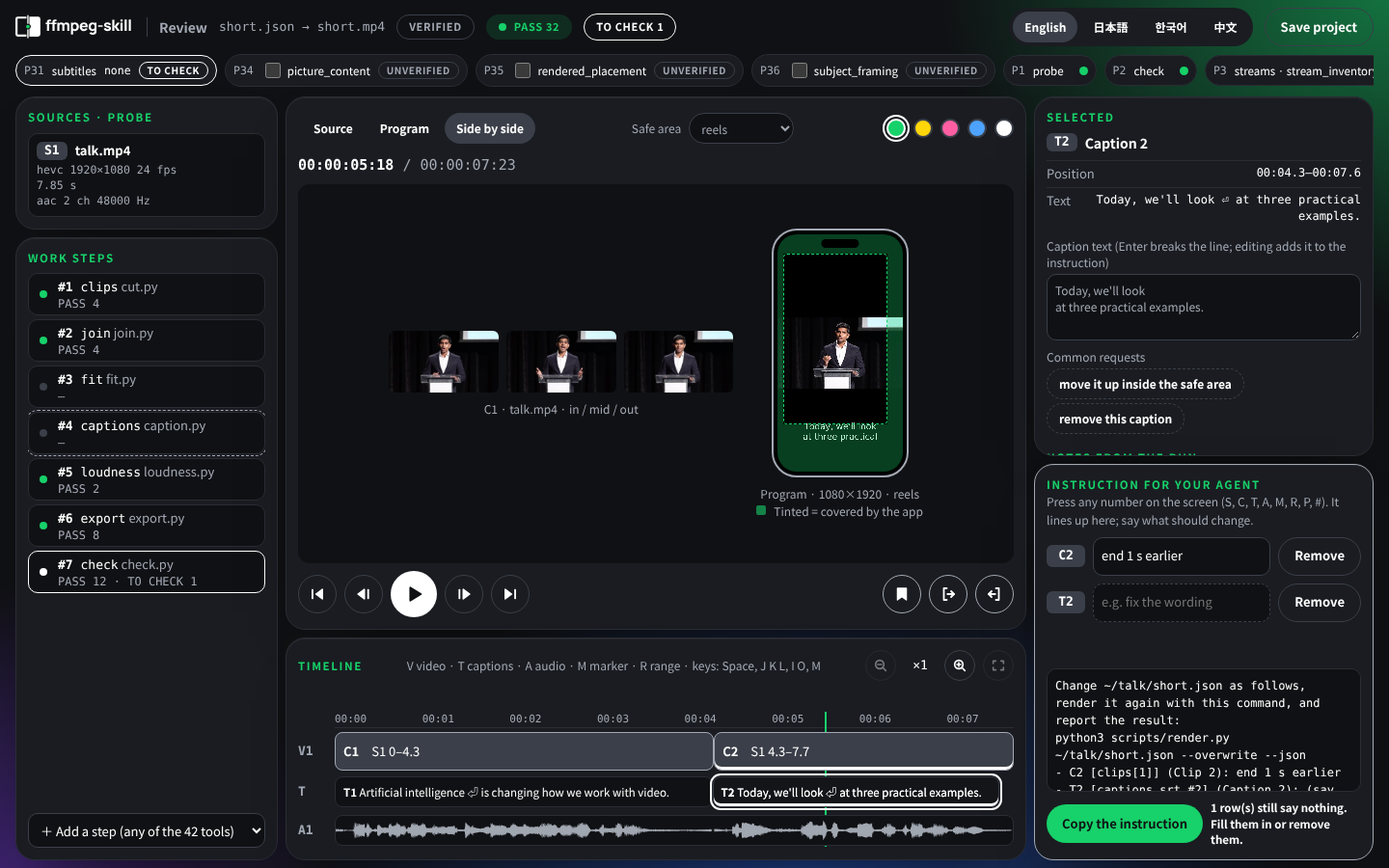
The talk above as a vertical short, on the review page (AI-generated footage).
Left half is the input, right half is what the command produced. Every before/after demo, with the exact command under each one → — all of it built by python3 demos/build.py, so you can rebuild every frame of it yourself. The pictures come from demos/footage/: clips AI-generated with Google Veo (the people and places do not exist) and a few shot on a phone. The sound is synthetic, and a few demos (HDR10, a panorama) use a synthetic picture.
ffmpeg-skill is an Agent Skill for Claude Code, Cursor, Codex and any agent that reads SKILL.md. It teaches the agent a fixed workflow (probe → edit losslessly where possible → check → verify) and ships 41 tools that do the actual work with ffmpeg / ffprobe: cut, join, silence removal, fit to duration and aspect, captions and karaoke, overlays and motion graphics, HDR → SDR and LUTs, audio clean-up and typed dynamics, sync with drift correction, multicam, loudness, delivery checks, whole-edit project rendering, batch folders. Every tool is also callable as an MCP tool (tools/list advertises a core 12 by default to keep client context small, with FFMPEG_SKILL_MCP_FULL=1 listing all 41; every tool is reachable by name through tools/call either way), and the whole set is described by a machine-readable contract.
If ffmpeg and python3 are on your PATH, it works: offline, on footage you would rather not upload.
- Protect your source files. A destination that matches a declared input is refused. Direct edits require
--overwriteto replace an existing output. Abatch --watchjob can replace an unchanged file it delivered on an earlier pass. The-yin the dry-run command takes effect only after the tool checks the destination. - Call typed tools. The agent supplies named options such as
--aspect 9:16and--fit pad. The tool builds the FFmpeg command and filter graph. - Verify the edit. The tools probe the source and the written file, so the agent can check the actual duration, frame size and audio before reporting success.
SPEC (Self-Producing Execution Contract): each tool's
input_schema— the part of its contract and MCP tool definition that has to track the CLI flag-for-flag — is never hand-authored beside the code. It is derived, at run time, from the sameargparseparser that already defines the CLI, and CI fails the build if any of it drifts. → full explanation
Standalone, and in an ecosystem
Standalone, this is a local FFmpeg engine: probe → edit → verify, npx ffmpeg-skill and nothing else. No API key, no account, no other repo required. Everything above and below this section describes that standalone tool, and none of it changes if you never read the rest of this one.
In kajisho5's wider video-production ecosystem, this repo is the hands: it cuts, measures and exports files, and reports back in structured JSON. It does not decide what to cut, whether a deliverable is approvable, what makes a highlight interesting, or what a caption should say (the user's cue text is burned as written, never rewritten to fit) — those are a brain's job, sitting in front of this engine, not inside it.
| You want to... | Use |
|---|---|
| Cut / join / measure / export a file right now | this repo (ffmpeg-skill), standalone |
| Decide cut points, approve a deliverable, plan a whole edit | video-production-agent / AI-video-production-OS |
Build a typed editing graph across a workspace, without writing raw ffmpeg |
video-editing-skill / audio-production-skill |
| Put Remotion motion graphics (animated captions, silence jump cuts, audio-peak motion) on a real recording | remotion-ffmpeg-skill: its compositions take their length, fps, frame, silences, scene cuts, audio peaks and beats from this repo's probe.py, silence.py and scenes.py. It verifies its render with check.py and look.py, composites a graphics layer with overlay.py (--place for its --sparse mode), and delivers through render.py --template |
Other repos in the ecosystem — media-analysis-skill, transcription-skill, subtitle-skill, thumbnail-skill, color-grading-skill, motion-graphics-skill, qc-skill — read this repo's contract --json, its tools' --json output and doctor, the same way any agent framework would; this repo does not call into any of them. The dependency runs one way.
Contents Standalone, and in an ecosystem · Why · Quick start · How it works · Design principles · Tools · Audio · Built for agents · FAQ · FFmpeg compatibility · Tested on real footage · Install · Requirements · Development · Docs
Why
An agent that "knows FFmpeg" still guesses: it assumes a frame rate, picks a codec the container cannot hold, re-encodes a file that only needed a stream copy, and reports "done" without opening the result. This skill takes the guessing out:
- Real files first. Every job starts with
probe.py; the agent decides from the measured duration, fps, resolution, colour and audio layout, not from the file name. - Structured tools, not shell strings. Each operation is a script with typed arguments. Nothing runs through a shell; no filter graph is accepted from the caller.
- A contract the agent can read.
contract --jsonstates, for every tool, what it takes, what it writes, which FFmpeg components it needs and how the result is verified. The MCP surface is derived from it. - Verification after execution. The result is probed, checked against the destination's spec and, when the picture changed, looked at as a contact sheet.
- Local first. No cloud, no API keys, no Python dependencies. Optional local transcription is used when a speech engine (Parakeet or a whisper) is installed, never required — by
caption.py --transcribeand, since 1.17, bysilence.py --transcribe(with--filler, or since 3.6 with--sentence-min-silence/--sentence-margin-tail); both take a transcript you already have instead, and both refuse with the install lines rather than guessing. Both take--engineand--model;FFMPEG_SKILL_ASR_ENGINEandFFMPEG_SKILL_ASR_MODELset this machine's defaults (e.g.large-v3-turbowhere that whisper.cpp model is installed; without either, auto andbase). The engine runs on your machine and the audio is never uploaded; parakeet-mlx, faster-whisper and openai-whisper download their model weights the first time they run (parakeet-mlx's default from Hugging Face).
Paper
The design discipline behind this skill — per-operation verification for AI agents — is written up as a position paper. The paper scores ffmpeg-skill itself as only partially conformant with the discipline it defines.
Kajiyama, S. (2026). What Is Verification-Driven Coding? — A Discipline for Not Trusting Generation. Zenodo. https://doi.org/10.5281/zenodo.23720216
Quick start
One command does steps 0 to 2 below: npx ffmpeg-skill setup installs the skill for every agent it finds on the machine (~/.claude, ~/.cursor, ~/.codex or ~/.agents; Claude Code when it finds none), installs FFmpeg when ffmpeg does not run (brew install ffmpeg-full, winget install --id Gyan.FFmpeg -e or sudo apt-get install -y ffmpeg, printed before it runs; --no-ffmpeg never runs a package manager), and ends with doctor, whose exit status it returns. On a system with none of those three package managers it installs the skill, says FFmpeg is still missing, and exits non-zero. It needs Node 16+ and Python 3.10+, and installs neither.
npx ffmpeg-skill setup
The same steps one at a time:
# 0. FFmpeg itself, once (Ubuntu/Debian shown; macOS and Windows are in the Install table below)
sudo apt install ffmpeg

# 1. install the skill for Claude Code (Cursor: --cursor, Codex: --codex, all three: --all)
npx ffmpeg-skill

# 2. check the machine: ffmpeg, ffprobe and every FFmpeg component the tools need
npx ffmpeg-skill doctor

# 3. (for agent frameworks) read the machine-readable contract
npx ffmpeg-skill contract --json | head -40
Captions from speech (caption.py --transcribe) need one local speech engine, installed separately. pip install faster-whisper is the simplest; the first run downloads its model, and the audio never leaves the machine. Without an engine, everything else works, doctor lists the engine as missing optional, and --transcribe refuses with the install line for each engine it supports.
Already installed? re-run npx ffmpeg-skill to refresh ~/.claude/skills/ffmpeg-skill. Copies are not updated automatically.
doctor's overall ok and a single tool's usable are different signals: ok is false when anything some tool requires is missing, so one missing filter (a plain Homebrew ffmpeg without subtitles, or a build without libvidstab) turns it false even though most tools still run. Check doctor --json's tools field for the per-tool answer, not just ok.
Then talk to your agent:
"Take
interview.mp4, keep 0:45–1:20 and 5:00–5:25, and make it a 60-second Reel."
The agent runs probe.py, cut.py --segments 0:45-1:20,5:00-5:25 --accurate, fit.py --aspect 9:16 --fit crop, export.py --preset reels, check.py --platform reels and look.py, then reports "final.mp4: 60.00 s, 1080×1920, 30 fps, AAC stereo" with the contact sheet it inspected.
Deliver to a platform
One command per destination, with the app's own UI taken into account:
python3 $S/render.py talk.mp4 --template tiktok --cues cues.txt
That fills the shipped templates/tiktok.json: 9:16 crop, captions popped word by word above
TikTok's description bar and clear of its like column, −14 LUFS, the tiktok export preset, and
a check.py --platform tiktok on the file it wrote. The caption size comes from the delivery
table, so since 1.17.1 the filled project also states "fit_size": "on": a size nobody asked for
shrinks to fit the cue instead of splitting the sentence across two cues. A template that states
its own fit_size, and a --brand that states a caption size, still win, and a project with
"fit_size": "off" renders the captions 1.17.0 rendered. Templates ship for tiktok, reels,
shorts, youtube-shorts, youtube, x, linkedin, facebook, podcast and audiogram;
--template all (or a comma-separated list) renders the seven video destinations (tiktok, reels, shorts, youtube, x, linkedin, facebook) from the same edit and
writes a <name>_pack.md table of what each one produced. Files land next to the input unless
-o says otherwise, and --dry-run shows every planned command rather than a result.
render.py --list-templates prints them with their frames, limits and safe zones. Alias
spellings work everywhere a platform is named (youtube-shorts = shorts, ig = reels,
twitter = x, fb = facebook).
The tools also work on their own, from any shell:
S=~/.claude/skills/ffmpeg-skill/scripts
python3 $S/probe.py input.mp4 --compact
python3 $S/fit.py input.mp4 --duration 60 --method trim --aspect 9:16 --dry-run    # plan a trim and reframe
python3 $S/export.py input.mp4 --preset reels --json                 # structured result with a probe of the output
On Windows in Git Bash, python3 is only on PATH if Python was installed from the Microsoft Store; a python.org install exposes python (or the py launcher) instead — replace python3 with python above if you see a "command not found". bin/install.js and doctor/contract already handle this for you; only the raw script examples above need it spelled out manually.
More requests and the commands behind them: examples/README.md. To see everything run end-to-end on generated footage: npm run demo (the gallery in docs/demos.md).
How it works
flowchart TD
U[User request] --> A[AI agent<br/>Claude Code · Cursor · Codex]
A -->|reads| S[SKILL.md<br/>workflow, request → tool map, report format]
A -->|runs| T[Structured tool<br/>scripts/<name>.py, typed argparse flags]
T --> C[Contract<br/>input schema · role · capabilities · verification policy]
C --> D[Capability detection<br/>doctor: available / missing / unknown]
D --> F[FFmpeg execution<br/>no shell, stream copy when possible]
F --> V[Verification<br/>probe · check · look.py contact sheet]
V --> R[Structured result<br/>--json: status, output, commands, probe]
R --> A
Over MCP the same tools are reached through a transport that holds no tool table of its own:
flowchart LR
M[MCP client<br/>Claude Desktop · Cursor · any client] --> P[mcp/server.py<br/>stdio JSON-RPC]
P -->|tools/list| C[Contract-derived ToolSpecs<br/>names · order · inputSchema]
P -->|tools/call| T[scripts/<name>.py]
C -.derived from.-> K[scripts/_contract.py]
T -.described by.-> K
Names, order and inputSchema in tools/list are translated from each tool's argparse parser at start-up, so a new flag or a new script appears in MCP with no edit to mcp/. A test copies the skill, adds, removes and edits a script, and reads tools/list again to prove it.
Design principles
These are the rules the skill file gives the agent and the code enforces.
- Probe first. No tool decides from the file name.
probe.pymeasures duration, fps (with variable-frame-rate detection), resolution, rotation, bit depth, HDR format including Dolby Vision, colour tags and every audio stream before anything is cut. - Lossless when possible.
cut.pyandloudness.pystream-copy what they do not need to touch (join.pyre-encodes so it can crossfade and conform mismatched clips;--copy --transition nonejoins clips that already match by stream copy). Re-encoding happens only when it must: frame-accurate cuts, filters, format changes, or a keyframe farther than the tolerance. - Plan before render. Every tool takes
--dry-run(print the ffmpeg command lines, write nothing;verifyignores it),--plan FILE(the dry run saved as a plan with fingerprinted inputs thatrender.py FILEexecutes later, refusing if an input changed;renderandverifyrefuse it),--json(structured result with a probe of the output),--fast(preview quality),--progress(percent and ETA),--timeout(a hung ffmpeg is killed and reported, never waited on forever; Ctrl-C or SIGTERM likewise stops the running ffmpeg, removes its partial output and reportskind: interrupted) and--overwrite(explicit consent before an existing output is replaced). A test runs every tool whose contract says its dry run runs no ffmpeg (ffmpeg_execution: none, pluscutandmetadatawithout their measuring flags) under--dry-runbehind a fake ffmpeg and asserts that no ffmpeg call happened and no file appeared; another runs every tool the contract says supports--dry-run(all butverify) behind an ffmpeg that logs each decode, and asserts that no file appeared and that every tool that decoded is one the contract lists asanalysis_only. - Machine-readable contract.
contract --jsondescribes all 41 tools (andcrop, an alias offit --rectsince 4.19, markedalias_of): input schema generated from the parser, output schema, role, required and conditional FFmpeg capabilities, dry-run support, the verification tools to run afterwards, whether a visual check is required,mutates_input: false.provideslists them by a cross-repository Capability id (ffmpeg-skill.cut,ffmpeg-skill.loudness, ...) forkajisho5/AI-video-production-OS'sCapabilityContract.provides— seedocs/contract.md. - Contract-derived MCP.
mcp/server.pybuilds itstools/listfrom the contract. Tool names, order andinputSchemacannot drift from the scripts; a test keeps the two byte-identical. - Capability detection.
doctorreadsffmpeg -encoders / -decoders / -filters / -bsfsand reports which of the components the tools need are present on this build (libx264, libass, zscale, loudnorm, xfade, …), before a job fails inside ffmpeg. - Unknown is not missing. When a listing cannot be read (a layout the parser does not know, ffmpeg exiting non-zero) the affected capabilities are
unknown: nevermissing, never silentlyavailable. An installed filter is not reported absent; a failed detection is not a pass. - Verify the result. The output is probed, and when the picture changed (captions, overlays, crops, colour, transitions) the agent runs
look.pyand inspects the PNG. The report is not finished until itsLook:line names that image; audio-only jobs sayLook: not needed. "Inspects" means the calling agent's own vision, not a feature of this skill:look.pyonly renders a PNG; nothing in this repository detects faces, products, subjects, or "the interesting part" of a frame or a scene. When a crop or reframe needs to keep a specific part of the frame (fit.py --fit crop --crop-x/-y, see Tools), it is the multimodal agent looking at that PNG and choosing the anchor — a non-visual caller (a script, a CLI user without eyes on the sheet) has to supply that decision itself, and the default is a plain centre crop. Likewisescenes.py --highlightsranks candidate scenes by a measured proxy (--rank-by audioor--rank-by duration), never by content; it is the agent that turns a look at the sheet into a judgement. - One label per report. A finished job is
Done:, a failure or a refusal isFailed:, and a partial result isDone:with the shortfall named inNotes:— never a third label such asDone (partially):. - Keep originals. No tool overwrites its input. Outputs are new files named
<input>_<operation>.<ext>unless told otherwise, and a test hashes every input after the run.
Tools
41 public tools, all Python 3.10+ standard library, all with --help, --dry-run, --json, --plan FILE (a dry run written as a plan render.py executes later), non-zero exit and a reason on stderr on failure. --json-brief (1.11.0) prints the same result document trimmed to what a caller acts on — status, output, verified, a compact summary of the output probe, the tool's own keys and the command count instead of the command lines — for roughly a third of the bytes; --json itself is unchanged. Every re-encoding tool except export.py, render.py and batch.py (a preset or the project decides there) takes --codec h264|hevc|av1|prores and --quality N (1.8) and, with export.py, --hw/--no-hw (Apple VideoToolbox on Apple Silicon, opt-in; see doctor below), and every time flag takes seconds, mm:ss, hh:mm:ss.fff or SMPTE hh:mm:ss:ff with an optional @fps suffix (1.9).
Analysis and inspection
| Tool | What it does |
|---|---|
probe.py |
Duration, fps (+ VFR detection), resolution, codecs, bit depth, HDR format incl. Dolby Vision (hdr for a real PQ/HLG/DV transfer only, bt2020_or_hdr also for BT.2020 SDR), colour space, rotation, every audio stream; --analyze flags Log footage |
scenes.py |
Scene changes, audio peaks, highlight proposals (--rank-by audio loudest, or --rank-by duration longest — both proxies, not "best") and a per-scene sheet; cut list for cut.py --segments; --beats measures the music's beat grid (tempo, beat times, confidence); --shots classifies each shot static/pan/motion by measured optical flow; --audio-peaks lists per-second dBFS; --speech reports a speech-vs-music ratio, not a classification; --find "TEXT" --words words.json says when a word or phrase is said (times and the word indices for cut.py --word-segments) |
look.py |
Contact sheet, single frames, side-by-side comparison as PNG so the agent can see what it made; --safe NAME shades the zones a platform's own UI covers; --guides title,action,4:3 outlines the broadcast safe areas (on the PNG only) |
Editing
| Tool | What it does |
|---|---|
cut.py |
In/out or multi-segment cuts, lossless -c copy first, re-encode fallback, --accurate for frame-exact video and sample-exact audio, --smart for a frame-exact H.264 cut that re-encodes only the partial GOPs at the cut points (matched to the source, verified against its packets and frames) and copies the rest, an SDR HEVC source re-encodes as HEVC (--no-keep-hevc for x264), a single .mp4/.mov copy keeps its edit list, so the picture starts at --start unless a keyframe lands later (start_snapped then says so; --no-edit-list for 2.x's shifted start), snapped_segments says where a copy can land, checked against the keyframes it was cut from (copy_drift_large suggests --accurate), --vfr-guard to choose the VFR check (sampled by default); reports precision; --snap beats moves the in/out points onto a measured beat, or refuses when there is no measurable pulse ; --remove A-B,... drops ranges and keeps the rest |
join.py |
Concatenate clips end to end (the default; --transition fade or another xfade transition crossfades), normalising size, fps, sample rate and channel layout (the widest clip's, or --channels); audio-only inputs are joined as audio; --list parts.txt reads generated segments (TTS lines) and checks every one first — missing, empty or unreadable parts are all named in one refusal, or skipped and reported with --on-missing skip ; --copy --transition none joins clips with matching streams by stream copy, measured afterwards, and refuses a mismatch by name; --transition none --audio-lead S / --audio-lag S make a J-cut / L-cut (the next sound starts S before its picture / the last sound runs S past the picture change; sync kept) |
silence.py |
Detect and remove dead air (jump cuts) with a margin around speech (--margin, 0.2 s each side); list or export the cut list, or a source-to-output time map (--timemap, JSON or CSV); reports the level at every cut and warns where one may land in a breath or a word's tail; --filler also removes filler words, but only where a speech engine timed them; --speech-aware keeps a breath inside a sentence and cuts only at sentence-boundary pauses, composing with --filler through the same keep_ranges(); --margin-lead / --margin-tail keep different amounts before and after speech, and with word timings --sentence-min-silence / --sentence-margin-tail give the pause after a sentence end (the transcript's punctuation) its own floor and tail |
fit.py |
Fit to a duration (choose a method for large speed changes), aspect ratio (pad, crop or blurred fill) or exact size; --rect W:H:X:Y cuts an exact pixel box, no scaling (W:H alone is centred; crop.py --x --y --width --height is an alias that runs the same code). picture measures the written frame. crop_check flags discarded motion or detail and can suggest --crop-x/--crop-y. Rotate 90/180/270, flip h/v and force constant fps. |
cropdetect.py |
Measure existing black letterbox/pillarbox bars and report the fit.py --rect-ready rectangle that removes them — analysis only, writes no file; --motion-centre reports the per-second motion centroid instead, for a 9:16 reframe — report only, the calling agent picks the crop, no auto-reframing |
deinterlace.py |
Deinterlace interlaced source footage (yadif), --mode frame/field, --parity |
denoise.py |
Reduce video noise/grain (hqdn3d), --strength low/medium/high or individual spatial/temporal overrides |
redact.py |
Blur, pixelate, or (--mode delogo) interpolate away an exact pixel rectangle for the whole clip. The box is given: nothing here finds a face, a plate or a logo, and delogo is a border blend, not inpainting |
sphere.py |
Extract a flat rectilinear viewport from a 360/spherical video (--yaw --pitch --roll --h-fov --v-fov); no subject tracking, only the aim you give it |
straighten.py |
Rotate by an arbitrary angle for horizon correction (--degrees, --fit crop/pad) — distinct from fit.py --rotate's exact 90-degree turns |
insert.py |
Turn a still image into a silent, fixed-duration video clip (title card, end slate) at an exact frame size / fps, with an optional Ken Burns zoom/pan |
background.py |
Generate a solid-colour or two-colour gradient clip at an exact size/duration — no input file; --transparent writes a fully transparent canvas (ProRes 4444, QuickTime Animation, PNG or VP9 with alpha) to draw graphics on |
reverse.py |
Reverse playback (video and, unless --no-audio, audio) |
stabilize.py |
Two-pass motion stabilisation (vidstabdetect/vidstabtransform) |
sequence.py |
Numbered (frame_%04d.png) or glob-matched still images into a video |
waveform.py |
Render an audio track as a waveform or spectrum video. Use --at for a waveform PNG at a cut time, or --image for a video audiogram with --platform, --title and burnt-in captions |
freeze.py |
Hold a frame for N seconds (--at, --hold, --mode insert/extend) — an end-card hold or a comedic beat |
pad.py |
Add black/silent padding at the start and/or end of the timeline (--start, --end) — distinct from fit.py --fit pad's per-frame letterbox bars |
speedramp.py |
Step through different constant speeds across a clip via --segment START-END:FACTOR (repeatable) — distinct from fit.py's single whole-clip speed factor |
loop.py |
Repeat a clip --times N or to a target --duration — for background loops and filling a fixed slot length; --crossfade smooths the seam, --boomerang plays it forward then backward |
…
Releases