
Skill · #380 trending skills repo · ↗ +1 stars this week
Industry-Digital-Software-AI-Tools
WYoseanLove/Industry-Digital-Software-AI-Tools
An AI automation toolkit for manufacturing software: the user states a need in natural language, the Agent reads the product manuals and API docs, generates a skill (a small C# / C++ program), builds and runs it inside the target software through a unified runner script, and, when needed, turns the results into an Excel / PowerPoint report.
- Stars
- 14
- This week
- +1
- Forks
- 2
- Open issues
- 0
- Latest release
v0.1.0
Get started
Install the skills
npx skills add WYoseanLove/Industry-Digital-Software-AI-ToolsInstalls into Claude Code, Codex, Cursor, OpenCode and the other agents it finds on your machine.
git clone --depth 1 https://github.com/WYoseanLove/Industry-Digital-Software-AI-Tools.git /tmp/industry-digital-software-ai-tools
cp -r /tmp/industry-digital-software-ai-tools ~/.claude/skills/industry-digital-software-ai-toolsClaude Code reads ~/.claude/skills/ (or .claude/skills/ in a project). Other agents read the same SKILL.md format from their own skills folder.
Documentation
README
Industry-Digital-Software-AI-Tools
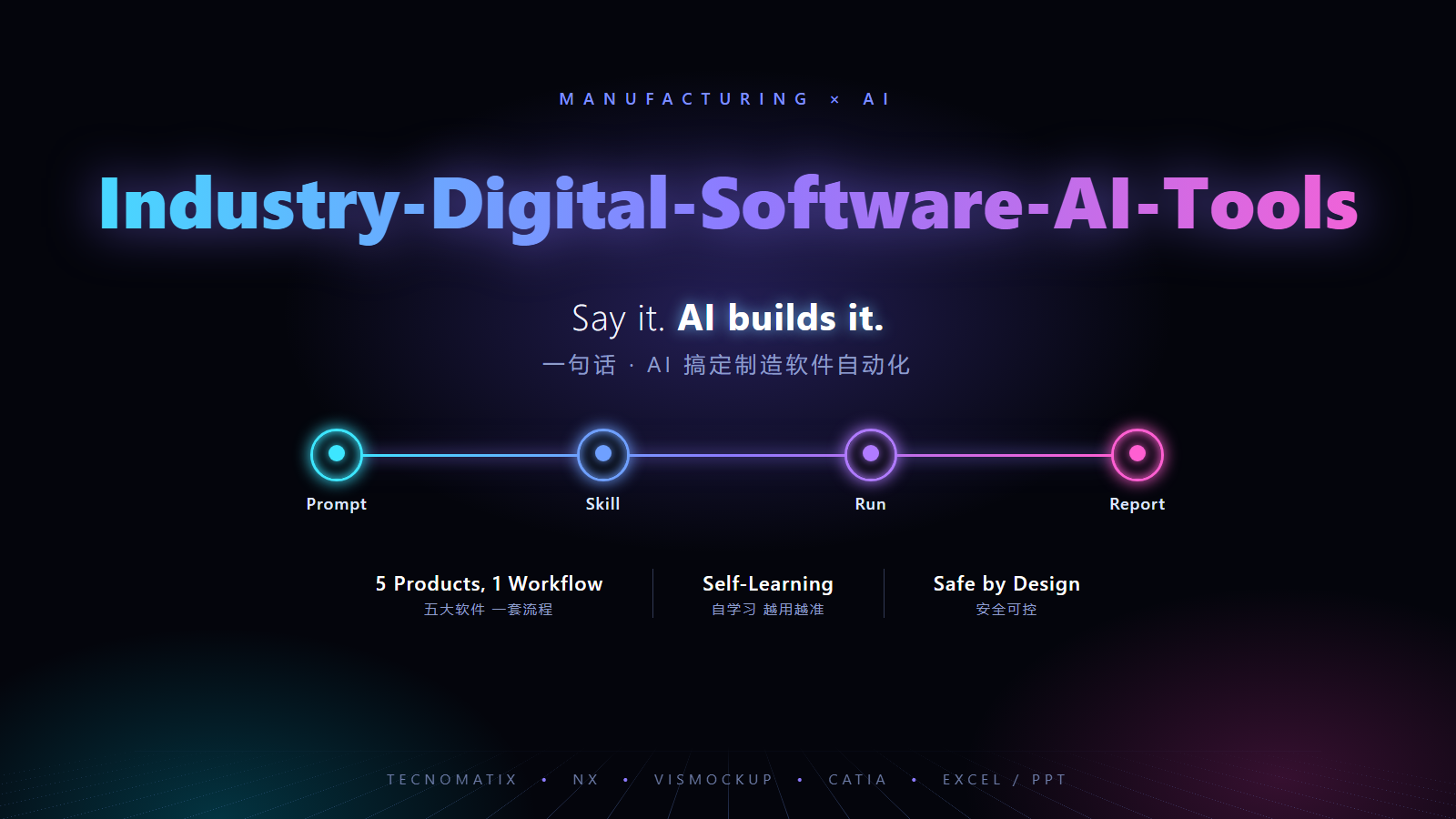
Say it. AI builds it.
Natural-language automation for manufacturing software.
English · 简体中文
Tecnomatix · NX · Vismockup · CATIA · Excel / PowerPoint
At a glance
| One workflow | Reusable knowledge | Controlled execution |
|---|---|---|
| Describe a need, generate a skill, build and run it, then report the results. | Product manuals, exact API references and topic-based Memory guide each task. | Environment checks, build-before-run and confirmation before data changes. |
Prompt → Skill → Run → Report
Explore
Overview · Setup & detection · NX development · Version adaptation · Memory · Repository layout · API documentation · MCP server
Documentation: English first, Chinese second. Main hand-written Markdown files are bilingual; reference material may retain its source language. Agent replies follow the user's language and include an estimated token / cost footer. See .github/copilot-instructions.md and token pricing.
Tecnomatix first-use reminder: the script is
txai.ps1. On detecting Tecnomatix, the Agent's environment check automatically runstxai.ps1 setupto build missing plugin DLLs and create%LOCALAPPDATA%\TxAi\txai.config.jsonwith the Task whitelist. Automatic preparation is not deployment: you must then run the printed copy command in an administrator PowerShell, restart Process Simulate, open a Study and click AI > AI Bridge. Setup must return 0 before skills can run. Full configuration and verification instructions are in section 2.3.
1. Purpose
An AI automation toolkit for manufacturing software: the user states a need in natural language, the Agent reads the product manuals and API docs, generates a skill (a small C# / C++ program), builds and runs it inside the target software through a unified runner script, and, when needed, turns the results into an Excel / PowerPoint report.
| Product | Method | Language | Runner | Manual | Output folder |
|---|---|---|---|---|---|
| Tecnomatix Process Simulate | AI Bridge add-in + named pipe | C# 5 / .NET 4.8 | Tecnomatix/Tecnomatix-AI-Client/tools/txai.ps1 |
Tecnomatix/Tecnomatix_ai_skills.md |
Tecnomatix/Task/<Skill>/ |
| Siemens NX | NX Open C++ (batch-loaded DLL) | C++17 | NX/tools/nxrun.ps1 |
NX/NX_ai_skills.md |
NX/Task/<Skill>/ |
| Vismockup (Teamcenter Visualization) | COM VFFrame.Application |
C# 5 / .NET 4.x x64 | Vismockup/tools/vmrun.ps1 |
Vismockup/Vismockup_ai_skills.md |
Vismockup/Task/<Skill>/ |
| CATIA V5 | COM CATIA.Application |
C# 5 / .NET 4.x x64 | Catia/tools/catrun.ps1 |
Catia/Catia_ai_skills.md |
Catia/Task/<Skill>/ |
| Office (Excel / PowerPoint reports) | COM, always a new independent instance | C# 5 / .NET 4.x x64 | Office/tools/officerun.ps1 |
Office/Office_ai_skills.md |
Office/Task/<Skill>/ |
Common conventions:
- Every runner provides
setup/build/run; asetupexit code of 10 means the environment is not ready and you must stop. - Invocation (
-Filemust be an absolute path):powershell -NoProfile -ExecutionPolicy Bypass -File <absolute path>\<product>\tools\<runner>.ps1 <command> - Before writing API code, check the product's API docs for exact signatures; a DLL whose
buildfailed must never berun; a skill that modifies / saves / overwrites data needs user confirmation first. - The Agent must never elevate by itself; steps that need administrator rights are only shown to the user.
- Full rules: .github/copilot-instructions.md.
- Claude Desktop: a local stdio MCP adapter is available in tools/mcp. It exposes repository text/skill tools and calls these existing runners without changing software execution. See the guide for dependency installation, generated JSON configuration, approvals and verification.
1.1 Required Software and API Authorization
Before generating, building or running a skill, users must hold a valid license for the target software and all API, SDK, automation, add-in and functional-module rights required by that specific use. Obtain software and development components through authorized channels. This repository does not supply or grant proprietary software licenses, API entitlements, SDK redistribution rights or permission to bypass licensing controls.
| Product | What the user must verify with their license administrator or vendor |
|---|---|
| Tecnomatix Process Simulate | The licensed edition and modules permit the intended Engineering API use, custom add-in deployment and automation. |
| Siemens NX | The licensed edition and modules permit the intended NX Open / Open C operations; obtain the matching UGOPEN development components lawfully and confirm any applicable development or execution entitlements. |
| Vismockup / Teamcenter Visualization | The licensed edition exposes and permits the required VFFrame.Application COM automation and target functions. |
| CATIA V5 | The licensed configuration permits the intended V5 Automation interfaces and functions. CAA development is a separate capability; do not assume COM Automation grants CAA SDK rights. |
| Excel / PowerPoint | A properly licensed supported desktop installation permits the intended COM automation in the deployment scenario; a web subscription alone is not proof of desktop automation rights. Review unattended / server-side deployment terms and support limitations separately. |
Exact requirements depend on the vendor agreement, software version, edition, modules and deployment scenario; not every API requires a separately purchased license. Ask the license administrator or vendor support to identify the applicable contract clauses and entitlements in writing. If permission is missing or unclear, stop the affected work until it is resolved.
USABLE, a successful setup, COM registration, installed headers / assemblies and a successful API call indicate technical readiness only. They do not verify legal authorization. The current scripts do not implement vendor entitlement verification; this README states usage conditions, not an enforceable license gate. Users must also obtain permission before sharing proprietary API documentation or customer data with an AI service.
2. Automatic Flow When the Project Is Opened (the Agent must run it)
Before handling the first request of every session, run the unified detection script and show the result to the user:
powershell -NoProfile -ExecutionPolicy Bypass -File <absolute path>\tools\envcheck.ps1
Flow:
- Detect and initialize (
envcheck.ps1, defaultdetect): prints the build-environment table and the detection result of the five software products. When Tecnomatix is detected, it automatically runstxai.ps1 setup: builds missing AI Bridge plugin artifacts and initializes the user-level JSON config (section 2.3). This first setup is automatic; do not ask the user to run it manually. - Report: tell the user in a table which software is
USABLE, which isDETECTED, NOT READY(with the reason) and which isNOT DETECTED. OnlyUSABLEsoftware may be used to generate and run skills; for the others, explain why and stop. - Missing items: if the build environment is missing, tell the user and ask whether to install; after consent run
envcheck.ps1 install(optionally-NxDeployDir <dir>).- Current PowerShell is administrator: the script installs missing build tools with
wingetand (NX) runs the UGOPEN deployment automatically. - Not administrator: the script only prints the commands for the user to run; it never elevates.
- Current PowerShell is administrator: the script installs missing build tools with
- Re-check: after installing / setting environment variables, run
envcheck.ps1again in a new terminal, then thesetupof the matching product runner.
2.1 Build environment (per skill needs)
| Need | Used by | Detection | Auto-install when missing (admin required) |
|---|---|---|---|
| 64-bit PowerShell 5.1+ | all | [Environment]::Is64BitProcess |
start 64-bit PowerShell / VS Code |
C# compiler csc.exe (.NET Framework 4.x, x64) |
Vismockup / CATIA / Office | %WINDIR%\Microsoft.NET\Framework64\v4.0.30319\csc.exe |
ships with Windows; otherwise enable .NET Framework 4.x |
| .NET Framework 4.8 Developer Pack | Tecnomatix | Reference Assemblies\...\v4.8 |
winget install --id Microsoft.DotNet.Framework.DeveloperPack_4 -e |
| .NET SDK | Tecnomatix | dotnet --version |
winget install --id Microsoft.DotNet.SDK.8 -e |
| MSVC C++ x64 (Build Tools, Desktop development with C++) | NX | vswhere -requires Microsoft.VisualStudio.Component.VC.Tools.x86.x64 |
winget install --id Microsoft.VisualStudio.2022.BuildTools -e --override "--passive --wait --add Microsoft.VisualStudio.Workload.VCTools --includeRecommended" |
Only install what the detected software needs; never install build tools for software that is not installed.
2.2 Software detection
envcheck.ps1 reports for each product: detected or not, version, usable or not, reason, runner path.
| Software | Detection basis | Usable when |
|---|---|---|
| Vismockup | COM ProgID VFFrame.Application -> CLSID -> server file exists |
registered and file exists + 64-bit PowerShell + csc |
| Office | COM Excel.Application / PowerPoint.Application -> server file exists |
Excel present + 64-bit PowerShell + csc (missing PowerPoint only affects PPT reports) |
| CATIA | COM CATIA.Application, fallback scan of Dassault Systemes\B*\win_b64\code\bin\CNEXT.exe |
installation found + 64-bit PowerShell + csc; files without COM registration are marked not ready |
| NX | UGII_BASE_DIR, fallback scan of Siemens\* under every Program Files root on all fixed drives (with NXBIN\ugraf.exe); version read from the file version |
see section 3: complete UGOPEN + environment variables + MSVC |
| Tecnomatix | TX_INSTALL_DIR, else scan Tecnomatix*\eMPower\Tecnomatix.Engineering.dll under every Program Files root on all fixed drives; newest version wins |
.NET SDK + .NET 4.8 Dev Pack + valid config + AI Bridge add-in installed and running (txai.ps1 setup exits 0) |
2.3 AI Bridge first-time setup (automatic preparation, administrator deployment)
When Tecnomatix is detected, envcheck.ps1 automatically invokes txai.ps1 setup, without elevation. With the .NET SDK and .NET Framework 4.8 Developer Pack available, setup builds missing TxAi.Addin.dll / TxAi.Contracts.dll into Tecnomatix\Tecnomatix-AI-Client\deploy\TxAi and creates %LOCALAPPDATA%\TxAi\txai.config.json. Existing complete build artifacts are reused. No manual first setup or JSON editing is needed. If prerequisites are missing or a build fails, the error is reported; deployment must wait until preparation succeeds.
- Missing fields receive these defaults:
PipeName = TxAiClient,DefaultTimeoutMs = 120000,AutoStart = false. AllowedDirectoriesreceives the absolute path of this checkout'sTecnomatix\Taskdirectory. No drive, user name or installation version is hard-coded; no parent directory or wildcard is added.- Existing settings and whitelist entries are preserved; repeated checks do not rewrite an unchanged config. Invalid JSON is reported without overwriting the file and must be corrected before continuing.
- Automatic setup prepares local files only; it does not install the add-in, start Process Simulate or elevate. Once preparation succeeds, the script prints the actual administrator copy command for the detected installation.
Remaining user steps (administrator deployment):
Open PowerShell using Run as administrator. Run the copy command printed by setup; its equivalent with placeholders is:
Copy-Item -LiteralPath '<RepoRoot>\Tecnomatix\Tecnomatix-AI-Client\deploy\TxAi' -Destination '<TxInstallDir>\DotNetCommands' -Recurse -Force<TxInstallDir>is the detectedeMPowerdirectory. Only the plugin is copied into the installation; config remains under the same Windows user's profile. The Agent never requests elevation or runs this copy automatically.Save your work and restart Process Simulate, open a Study, then click AI > AI Bridge.
Rerun the environment check or the verification commands below.
USABLErequires setup exit 0.
Initialize the config before starting AI Bridge for the first time. If Process Simulate is already running when the config changes, save your work and restart it, open a Study, then click AI > AI Bridge. Verify the connection with:
powershell -NoProfile -ExecutionPolicy Bypass -File <RepoRoot>\Tecnomatix\Tecnomatix-AI-Client\tools\txai.ps1 setup
powershell -NoProfile -ExecutionPolicy Bypass -File <RepoRoot>\Tecnomatix\Tecnomatix-AI-Client\tools\txai.ps1 ping
On the first automatic setup, exit 10 can mean local preparation succeeded but administrator deployment is still pending; follow the detailed output. Exit 11 means the Bridge is not running yet. Neither is runtime success. Exit 12 means compilation failed: fix the reported error before deploying. Exit 0 confirms the environment and connection, not just the presence of the JSON file. Repeated environment checks rerun setup, reuse complete staged DLLs and preserve unchanged config.
2.4 Antivirus notice (read before first use)
The runners build and load small programs on your machine, which is behaviour some antivirus / endpoint-protection products treat as suspicious. Nothing in this repo is signed, so a block is possible and cannot be ruled out in advance.
What is generated, and when:
| Item | Created by | Location |
|---|---|---|
ComRunHost.exe (Vismockup / CATIA / Office) and NxRunHost.exe (NX) |
compiled from tools/hosts/*.cs with csc on the first run (not by envcheck / setup); rebuilt only when missing or the source is newer |
%LOCALAPPDATA%\Industry-Digital-Software-AI-Tools\bin (fallback %TEMP%) |
| Skill DLLs | build of each skill (C# via csc, NX via MSVC) |
<Product>/Task/<Skill>/ |
The hosts load a skill DLL into a child process. The runner scripts contain no inline Add-Type / P/Invoke loader, which lowers the chance of a false positive, but the generated unsigned exe / DLL can still be flagged (cloud lookup, ASR rules, company policy).
Symptoms: the runner exits with code 3 (host build failed) or 13 (host / skill load failed), the exe or DLL disappears right after being built, or the antivirus shows a quarantine / block message.
How to avoid or fix it:
- Add an exclusion for
%LOCALAPPDATA%\Industry-Digital-Software-AI-Tools\binand for the repo folder in your antivirus (ask your IT team if it is centrally managed). - Restore the quarantined file, or delete the exe so the next
runrebuilds it. - If your organisation allows it, sign the exes and DLLs with your own code-signing certificate, or ask IT to allow-list them by hash / path.
- Do not run the runners from a network share or a temporary download folder; use a local path.
- Elevation is never used; if a step needs administrator rights, run it yourself.
- The scripts are plain text: no download, no obfuscation / encoded commands, no hidden windows, no Defender or registry changes (only the user-level
setxinenvcheck.ps1 install). Instead of-ExecutionPolicy Bypassyou can runUnblock-Fileon the repo scripts and use theRemoteSignedpolicy for the current user (Set-ExecutionPolicy -Scope CurrentUser RemoteSigned), or sign the scripts with your own certificate.
3. NX Development Environment (NX Open)
Based on NX/NXOpen_setup.png: after installation NX has no UGOPEN folder (NX Open headers and libraries) by default; it is only installed by running Section 3 of the CAD deployment package with administrator rights. The distilled logic:
Detect NX (UGII_BASE_DIR or C:\Program Files\Siemens\*)
 ├─ not installed -> report NX unusable, stop
 └─ installed -> check <NX root>\UGOPEN for
              NXOpen\Session.hxx, uf.h, libnxopencpp.lib, libufun.lib, libnxopencpp_assemblies.lib
      ├─ complete -> continue with environment variables and MSVC
      └─ missing  -> administrator must install UGOPEN:
            1. In the deployment folder (like CAD\<NX version>, e.g. CAD\2512) find the Siemens_NXCAD file
               and read its "software dump location" (where the software package is stored)
            2. Open a command prompt / PowerShell as administrator in that location
            3. Run: Deploy-Application.exe -Section 3
               (installs the ugopen folder in the NX installation; administrator mode required)
            4. Without permission, contact the local helpdesk and attach the steps above
Set environment variables (user level, no admin needed, open a new terminal afterwards):
   setx UGII_BASE_DIR "<NX root>"            e.g. C:\Program Files\Siemens\DesigncenterNX2512
   setx UGII_ROOT_DIR "<NX root>\NXBIN"
Finally run: NX\tools\nxrun.ps1 setup (exit code 0 before build / run)
How to run with administrator rights:
- The user starts VS Code (or PowerShell) with "Run as administrator" before starting the project, so the Agent can run administrator steps in the same session.
- The Agent first checks whether it is administrator (
envcheck.ps1printsAdmin: True/False):True:envcheck.ps1 install -NxDeployDir <deployment folder>runsDeploy-Application.exe -Section 3automatically.False: only print the commands above to the user and stop; re-check after the user is done. The Agent must never tryrunas/Start-Process -Verb RunAs.
4. Version Adaptation
Docs and scripts are written against NX 2512, Tecnomatix 2502, Teamcenter Visualization 2512, CATIA V5-6 B34 and Office 16, but do not depend on a fixed version:
- All paths are discovered dynamically through the registry (COM ProgID / CLSID / CurVer), environment variables (
UGII_BASE_DIR) and directory wildcards (Siemens\*,Tecnomatix_*,Dassault Systemes\B*, vswhere); with several versions installed the newest is used. - Version numbers are read live by
envcheck.ps1; when they differ from the documentation baseline the Agent must tell the user. - When writing code, check signatures against the locally installed headers / assemblies (NX:
UGII_BASE_DIR\UGOPEN; Tecnomatix:Tecnomatix.Engineering.dll; COM: object-model members). If the repo API docs differ from the local machine, the local machine wins; note it in the skill description. - Never hard-code version numbers in skill source; read them from environment variables or the registry when needed.
5. Self-learning and Correction
The Agent accumulates experience in the repo's Memory/ folder, shared through the repo:
- All lessons learnt / corrections / pitfalls live in
Memory/(learned.md= user traits + general / environment corrections; the rest are topic files split by topic / situation, such asenv_and_tooling.md,task_workflow_rules.md, and underCostomer/nx_weld_lfo_lwe.mdand topic files for OEM part-number rules;INDEX.mdis an auto-generated directory). Tier by subject: repository configuration (repo / tooling / environment / workflow rules) ->Memory/*.md; anything about the products (NX / Vismockup / CATIA / Tecnomatix, algorithms, API pitfalls, part-number rules) and anything produced by the user's own runs (paths, datasets, benchmark numbers, batch results) ->Memory/Costomer/. - Topic file format: front matter (
title,scope,triggers,always,updated); entries are## PREFIX-NN title+ Wrong / Right / Trigger / Evidence (English lines first, Chinese lines second). - Program-level gate: every runner (
envcheck.ps1,txai.ps1,nxrun.ps1,vmrun.ps1,catrun.ps1,officerun.ps1) first runstools/memcheck.ps1: it always printslearned.mdandalways: truefiles; topic files whose scope matches and whose triggers hit the task context ($env:MFG_TASK_HINT+ runner arguments) are printed in full, scope matches without a trigger hit list only entry titles, others list only file names; it also rebuildsINDEX.md; exit code 14 iflearned.mdis missing. - At session start read
INDEX.md+learned.md, then the topic files matching the request keywords. - When the user points out an error or states a preference, the Agent first appends a record (wrong -> right -> trigger) in the same turn, then fixes it.
- Before product tasks, check the entries of the matching scope to avoid repeating mistakes; update same-kind entries instead of duplicating; on conflict the user's latest statement wins.
- Never record passwords, tokens or other secrets; the user may ask to delete an entry at any time.
6. Layout
.github/copilot-instructions.md   Mandatory Agent rules (single source of truth)
AGENTS.md  CLAUDE.md             Entry points for Codex / Claude clients, pointing to the file above
tools/envcheck.ps1                Environment and software detection / install (section 2)
tools/memcheck.ps1                Memory gate (called by every runner)
tools/mcp/                        Local stdio MCP server, PowerShell adapter and tests (section 8)
tools/tokencost.ps1               Token and cost estimate (rule G2); see tools/token_pricing.md
tools/hostbuild.ps1  tools/hosts/ Source of the small run hosts (compiled with csc on first use into %LOCALAPPDATA%\Industry-Digital-Software-AI-Tools\bin; no inline Add-Type, no signing)
Memory/                           All lessons / corrections: learned.md + topic files + INDEX.md (section 5)
Tecnomatix/  NX/  Vismockup/  Catia/  Office/   Product manuals, API docs, runners, Task
Teamcenter/                       Reserved
7. API Documentation: Access and Local Configuration
For reference documentation, the public repository currently provides cookbook files only; the product API reference collections listed below are not included. Loading the matching software version's API Markdown files locally helps the Agent verify types, members and exact signatures, improving skill code generation and reducing guessed API calls. Cookbooks provide workflows and examples, but do not replace the complete API references.
Due to development-access and authorization restrictions, contact the author at wyosean1987@gmail.com to request the API documentation and configuration guidance. Include the product and version you use. Access and use remain subject to the applicable vendor permissions; contacting the author does not itself grant software or API rights.
After obtaining authorized documentation, extract it into the corresponding directory under the repository root, preserving its indexes and subdirectory structure:
| Product | Local API documentation directory |
|---|---|
| Tecnomatix Process Simulate | Tecnomatix/Tecnomatix_Engineering/ |
| Siemens NX | NX/api-md/ |
| CATIA V5 | Catia/api-md/ |
| Vismockup / Teamcenter Visualization | Vismockup/api_md/ |
Vismockup's current manual uses api_md (underscore), not api-md (hyphen). Both spellings are ignored by Git, but configure the files under api_md so existing lookup paths work. These API directories are local-only and excluded by .gitignore; adding the rules does not delete local files or untrack files already in Git. Before generating a skill, ensure the relevant API indexes can be read and that the documentation matches the installed software version.
8. Local MCP Server (Claude Desktop)
The local MCP server connects Claude Desktop to this checkout over stdio. It adds repository reading, skill source/document writing and runner job tools while reusing the existing PowerShell runners, COM automation, NX hosts and Tecnomatix AI Bridge. Direct runner use remains unchanged. It does not install manufacturing software or grant software/API licenses.
8.1 Installation and connection
Requirements: Node.js 20+ (LTS recommended), npm, 64-bit Windows PowerShell and the normal build/software prerequisites in section 2. Replace the placeholders below with absolute paths:
Set-Location '<RepoRoot>\tools\mcp'
& '<NpmCmdAbsolutePath>' ci --ignore-scripts --no-audit --no-fund
& '<NodeExeAbsolutePath>' '<RepoRoot>\tools\mcp\server.mjs' --print-config
Back up %APPDATA%\Claude\claude_desktop_config.json, then merge the generated mcpServers object into its existing top-level JSON object. Preserve other servers and settings; do not replace the entire file or duplicate the mcpServers key. Fully quit and restart Claude Desktop, then check Settings > Developer for industry-digital-software.
Claude starts Node automatically; no HTTP port, API key, global MCP package, cwd setting or manually started server is required. Regenerate the configuration after moving Node or the checkout. At the start of each conversation, explicitly request repository_context; Desktop must not be assumed to discover the repository's Agent instructions automatically.
8.2 Tools and execution workflow
| Tool | Purpose |
|---|---|
repository_context |
Read startup rules, README and Memory without running software. |
repository_read |
Read supported repository text files with pagination. |
repository_list |
List repository directories with pagination. |
skill_write |
Write source/Markdown only under a product's Task/<Skill>; overwrites require approval. |
runner_start |
Start environment, setup, ping (Tecnomatix only), build or run jobs. |
runner_status |
Retrieve job status, paginated output and the actual exit code. |
Follow this sequence: repository_context → environment detection → product setup → API reference checks and skill creation → build → approved run. Supply a meaningful taskHint to runner_start, read every Memory/output page, use only USABLE products, and require setup/build exit 0. Environment detection can perform the existing Tecnomatix local preparation; it is not purely read-only.
Build/run requires skill and authorized: true; every run also requires genuine user approval and userConfirmed: true, including read-only skills. Set overwriteConfirmed: true only after approval to overwrite a skill file. These flags are caller assertions, not independent permission checks or human approval dialogs; keep Desktop action-tool approvals enabled. NX/COM arguments use the string array args; Tecnomatix uses the JSON object argsJson.
A job ID means only that execution started. Success requires status: "completed" and exitCode: 0. Poll runner_status while running and read output until nextOffset reaches outputLength. Only one runner or skill write may be active at a time. Setup/build records reset when the MCP server restarts; an existing DLL cannot run without a successful build in that MCP session. The default timeout is 120 seconds (timeoutSeconds: 10–3600). Timeout, output above 4 MiB or MCP disconnection stops the runner process tree; inspect partial results before retrying.
8.3 Environment recovery, boundaries and verification
- Filtered Desktop environments: before launching runner PowerShell, the adapter restores missing Windows Machine/User settings and standard directories, and merges persistent
PATH/PATHEXTentries while preserving caller entries and nonempty scalar overrides. Recovery affects child processes only, not persistent Windows settings or existing runners. It cannot invent missing NX paths/licenses or install tools. Fully restart Claude after changing user environment variables; correct invalid explicit serverenvoverrides. - Access boundaries: text access stays inside the checkout; skill writes stay under product
Task/<Skill>directories. No arbitrary shell tool, automatic elevation or new DLL loader is exposed. Compiled skills are not sandboxed and may access external input/output paths through runner arguments; approval must cover those targets. Local MCP does not make the Claude model local; do not send secrets or proprietary/customer data without authorization. - Verification: from the MCP directory, run
& '<NpmCmdAbsolutePath>' test. Tests cover protocol/tools, path restrictions, execution gates, approval flags, pagination, timeouts, cancellation, filtered-environment recovery and PowerShell argument/JSON transport. Optional live checks and detailed troubleshooting are in the MCP guide. - Troubleshooting: for
ERR_MODULE_NOT_FOUND, install the locked dependencies withnpm ci; for a missing connection, check generated paths/JSON and fully restart Desktop. Read full runner output on setup failure rather than bypassing it. Logs are under%APPDATA%\Claude\logs(mcp.logandmcp-server-industry-digital-software.log).
Industry-Digital-Software-AI-Tools(中文)
一句话,AI 搞定制造软件自动化。
用自然语言连接需求、程序执行与结果报告。
English · 简体中文
Tecnomatix · NX · Vismockup · CATIA · Excel / PowerPoint
核心特点
| 统一工作流 | 可复用知识 | 可控执行 |
|---|---|---|
| 描述需求,生成 skill,编译并运行,再整理结果报告。 | 产品手册、精确 API 参考与按主题组织的 Memory 为每次任务提供依据。 | 环境检查、先编译后运行,修改数据前须确认。 |
需求 → Skill → 运行 → 报告
快速导航
项目用途 · 配置与检测 · NX 开发环境 · 版本适配 · Memory · 仓库目录 · API 文档 · MCP 服务器
**文档约定:**英文在前,中文在后。主要手写 Markdown 文件保持双语,参考资料可保留源语言。Agent 回复跟随用户输入语言,并附 Token 与费用估算。详见 .github/copilot-instructions.md 与 Token 计价说明。
**Tecnomatix 首次使用必读:**脚本名称为
txai.ps1。检测到 Tecnomatix 后,Agent 的环境检查会自动运行txai.ps1 setup,编译缺失的插件 DLL,并创建%LOCALAPPDATA%\TxAi\txai.config.json及 Task 白名单。**自动准备不等于部署完成:**随后必须由用户在管理员 PowerShell 中执行输出的复制命令,重启 Process Simulate,打开 Study 并点击 AI > AI Bridge。setup 返回 0 后才能运行 skill。完整配置与验证步骤见第 2.3 节。
1. 项目用途
面向制造软件的 AI 自动化工具集:用户用自然语言提出需求,Agent 读取各产品手册与 API 文档,生成 skill(C# / C++ 小程序),通过统一的 runner 脚本编译并在目标软件中执行,必要时把结果整理成 Excel / PowerPoint 报告。
| 产品 | 方式 | 语言 | Runner | 手册 | 产物目录 |
|---|---|---|---|---|---|
| Tecnomatix Process Simulate | AI Bridge 插件 + 命名管道 | C# 5 / .NET 4.8 | Tecnomatix/Tecnomatix-AI-Client/tools/txai.ps1 |
Tecnomatix/Tecnomatix_ai_skills.md |
Tecnomatix/Task/<Skill>/ |
| Siemens NX | NX Open C++(批处理加载 DLL) | C++17 | NX/tools/nxrun.ps1 |
NX/NX_ai_skills.md |
NX/Task/<Skill>/ |
| Vismockup(Teamcenter Visualization) | COM VFFrame.Application |
C# 5 / .NET 4.x x64 | Vismockup/tools/vmrun.ps1 |
Vismockup/Vismockup_ai_skills.md |
Vismockup/Task/<Skill>/ |
| CATIA V5 | COM CATIA.Application |
C# 5 / .NET 4.x x64 | Catia/tools/catrun.ps1 |
Catia/Catia_ai_skills.md |
Catia/Task/<Skill>/ |
| Office(Excel / PowerPoint 报告) | COM,每次新建独立实例 | C# 5 / .NET 4.x x64 | Office/tools/officerun.ps1 |
Office/Office_ai_skills.md |
Office/Task/<Skill>/ |
通用约定:
- 每个 runner 提供
setup/build/run;setup退出码 10 表示环境未就绪,必须停止。 - 调用方式(
-File必须是绝对路径):powershell -NoProfile -ExecutionPolicy Bypass -File <绝对路径>\<产品>\tools\<runner>.ps1 <command> - 写 API 代码前先查该产品的 API 文档核对精确签名;
build失败的 DLL 绝不能run;会修改 / 保存 / 覆盖数据的 skill 必须先获得用户确认。 - Agent 不得自行提权;需要管理员权限的步骤只提示用户执行。
- 详细规则见 .github/copilot-instructions.md。
- Claude Desktop:tools/mcp 提供本地 stdio MCP 适配器,开放仓库文本/技能工具并调用现有 runner,不改变软件执行方式。依赖安装、JSON 配置生成、审批与验证步骤见该说明。
1.1 软件与 API 授权前提
在生成、编译或运行 skill 前,用户必须拥有目标软件的有效许可证,以及该具体用途所需的 API、SDK、自动化、插件和功能模块使用权限。 软件与开发组件应通过授权渠道获取。本仓库不提供或授予商业软件许可证、API 使用权、SDK 再分发权,也不允许绕过许可控制。
| 产品 | 用户必须向许可证管理员或厂商核实的事项 |
|---|---|
| Tecnomatix Process Simulate | 已授权的版本与模块允许所需的 Engineering API 调用、自定义插件部署和自动化。 |
| Siemens NX |
…
Releases