
- Stars
- 5.2k
- This week
- —
- Forks
- 486
- Open issues
- 161
- Last push
- 13d ago
Get started
Install the skills
npx skills add <owner/repo> # Install skills (supports GitHub shorthand, full URL, local path)Installs into Claude Code, Codex, Cursor, OpenCode and the other agents it finds on your machine.
git clone --depth 1 https://github.com/libukai/awesome-agent-skills.git /tmp/awesome-agent-skills
cp -r /tmp/awesome-agent-skills ~/.claude/skills/awesome-agent-skillsClaude Code reads ~/.claude/skills/ (or .claude/skills/ in a project). Other agents read the same SKILL.md format from their own skills folder.
Documentation
README


This project follows the principle of quality over quantity, collecting and sharing the best Skill resources, tutorials, and practices to help more people take their first step toward building a personalized Agent.
Follow me on 𝕏 @libukai and 💬 WeChat Official Account @李不凯正在研究 for the latest Skills resources and practical tutorials!
Quick Start
Skill is a lightweight universal standard that packages workflows and professional knowledge to enhance AI's ability to perform specific tasks.
For recurring tasks, you no longer need to repeat the same background information in every conversation. Install the corresponding Skill, and the Agent can acquire the relevant capabilities.
After nearly a year of evolution, Skill has become a standard way to extend AI with domain-specific capabilities and is now supported by mainstream Agent Harness frameworks and AI products.
Support Status
The open Skill specification has been adopted by many hosts, including Claude Code, ChatGPT and Codex, GitHub Copilot, Cursor, Gemini CLI, VS Code, OpenCode, Kiro, and JetBrains Junie. Search paths and support for experimental fields vary by host; consult the Agent Skills Client Showcase and each product's documentation for current details.
Standard Structure
Agent Skills is an open specification initiated by Anthropic and maintained with the community. Each Skill is a standardized folder containing workflows, references, scripts, and other resources that an agent loads progressively.
my-skill/
├── SKILL.md          # Required: metadata + instructions
├── scripts/          # Optional: executable code
├── references/       # Optional: references and documentation
├── assets/           # Optional: templates, resources
└── ...               # Other files or directories
A minimal Skill needs only a SKILL.md file.
The YAML frontmatter in SKILL.md requires name and description; it may also declare license, compatibility, metadata, and the experimental allowed-tools.
name is limited to 64 characters, uses lowercase letters, numbers, and hyphens, and must match its parent directory. description is limited to 1,024 characters and should explain both what the Skill does and when to use it. Keep the body below 500 lines and 5,000 tokens, moving details into focused resource files.
In addition to SKILL.md, a Skill may include the following optional files or directories:
scripts/: directly executable code for repeated, complex, or deterministic operations such as data processing, format conversion, and output validation.references/: supporting material that the Agent reads only for relevant tasks, such as domain knowledge, technical documentation, examples, and data-format specifications.assets/: static resources used during execution or included in outputs, such as document templates, configuration templates, images, lookup tables, and schemas.- Other files: licenses, human-facing documentation, or any other files and directories needed to complete the task.
All of these are optional. Reference them from SKILL.md using paths relative to the Skill root, and state when the Agent should read or execute each one.
Agents usually load a Skill in three stages: at startup, they read only each Skill's name and description for discovery; when a task matches, they activate and load the full SKILL.md; during execution, they read scripts/, references/, and assets/ only as needed. This progressive disclosure keeps a large catalog available without consuming unnecessary context.
Install Skills
Skills can be used in GUI apps such as Claude and ChatGPT, IDEs such as Cursor, and TUI CLI tools such as Claude Code.
Installing a Skill essentially means placing its folder in a designated directory so that an Agent can load and use it on demand.
Shared Directory Convention
Many compatible clients scan .agents/skills/ at both project and user scope:
<project>/.agents/skills/<skill-name>/
~/.agents/skills/<skill-name>/
A project-level Skill normally overrides a user-level Skill with the same name. Clients may also scan their own native directories, so confirm exact paths in the product documentation. Because project Skills arrive with a repository, inspect the source and contents before loading Skills from an unfamiliar checkout.
Installing in Apps
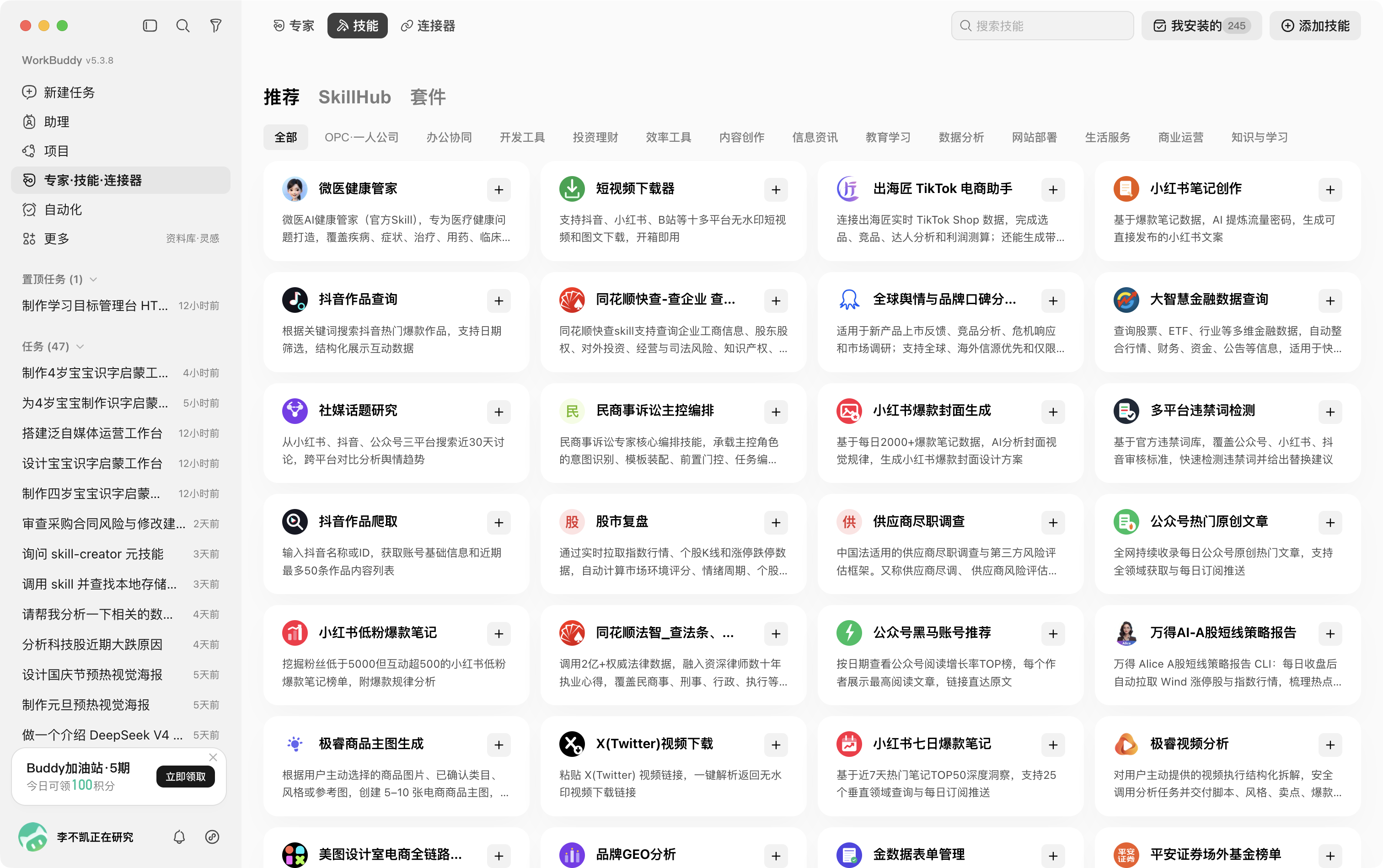
There are currently two main ways to use Skills in the App: install through the App's built-in Skill store, or install by uploading a zip file.
Some Apps now provide a built-in Skill store or management entry point for convenient installation and management.
For Skills not available in the official store, you can download them from the recommended third-party Skill stores below and install them manually.
Installing in the CLI
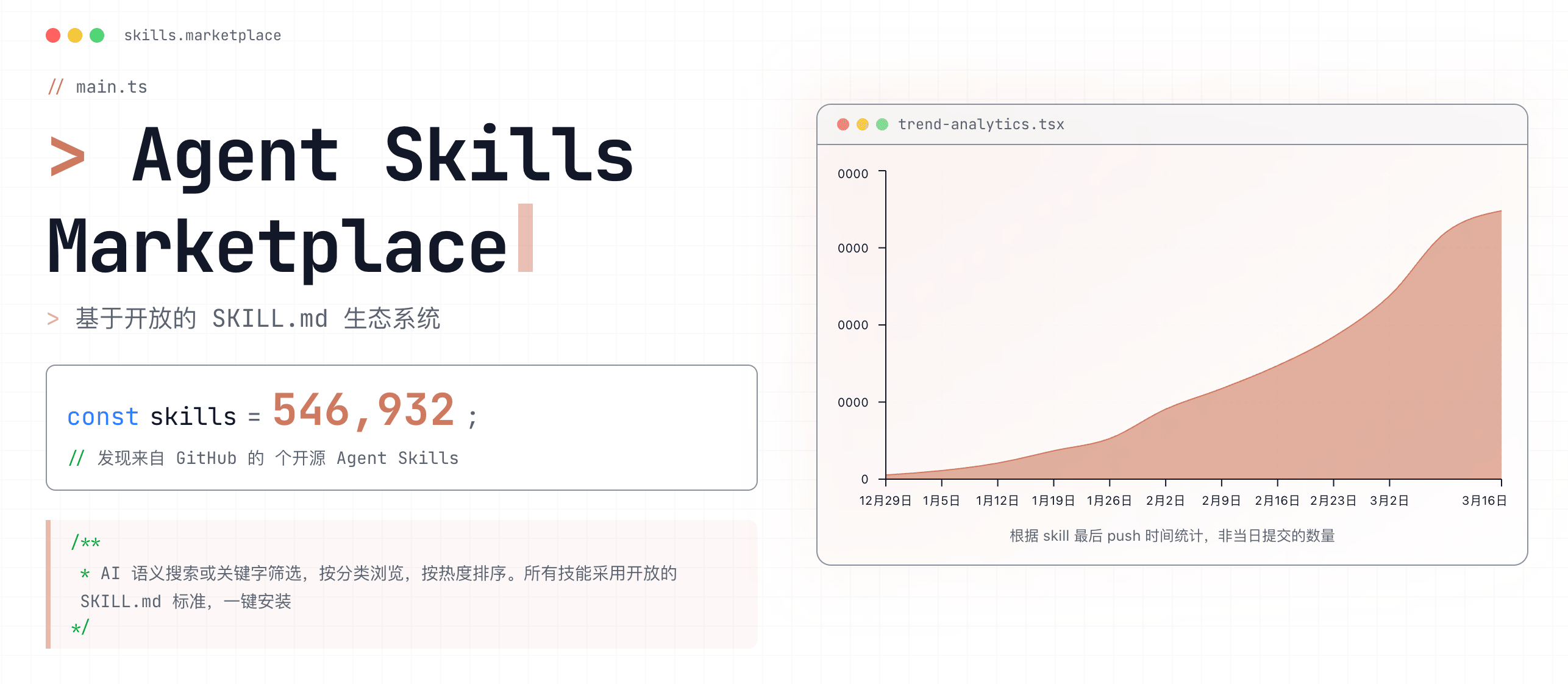
Use the skillsmp marketplace to discover Skill projects on GitHub and filter them by category, update time, star count, and other tags.
You can also use Vercel's skills.sh leaderboard to intuitively view the most popular Skills repositories and individual Skill usage.
For a specific Skill, use the npx skills command-line tool to quickly discover, add, and manage it. For detailed parameters, see vercel-labs/skills.
npx skills find [query]                          # Search for related skills
npx skills add <owner/repo>                      # Install skills (supports GitHub shorthand, full URL, local path)
npx skills add <owner/repo> --list               # Preview the skills in a repository
npx skills use <owner/repo@skill>                # Use temporarily without installing
npx skills list                                  # List installed skills
npx skills update [skill-name]                   # Update one or more skills
npx skills remove [skill-name]                   # Uninstall skills
npx skills init [skill-name]                     # Create a skill template
The current skills CLI supports more than 70 Agents and lets you choose project or global scope, target Agents, and copy or symbolic-link installation. See vercel-labs/skills for current parameters.
If version pinning and supply-chain provenance matter more, GitHub CLI 2.90.0 and later provide the public-preview gh skill commands:
gh skill search <query>                          # Search for Skills
gh skill preview <owner/repo> <skill>            # Inspect content before installation
gh skill install <owner/repo> <skill>@<tag>      # Install from a tag
gh skill install <owner/repo> <skill> --pin <sha> # Pin to a commit
gh skill update --all                            # Check for and install updates
gh skill publish                                 # Validate and publish a Skill
gh skill records the repository, ref, and Git tree SHA, and can be combined with immutable releases, secret scanning, and code scanning. See the GitHub announcement.
Quality Tutorials
Official Documentation
- @Agent Skills: Overview, Specification, and Quickstart
- @Agent Skills: Creator best practices, Quality evaluation, Description optimization, and Script design
- @Agent Skills: Add Skills support to an agent
- @Anthropic: Claude Skills Complete Build Guide
- @Anthropic: Claude Agent Skills Practical Experience
- @Google: 5 Agent Skill Design Patterns
Written Tutorials
- @libukai: Agent Skills Introduction Slides
- @Eze: Agent Skills Ultimate Guide: Getting Started, Mastery, and Predictions
- @deeptoai: Claude Agent Skills First Principles Deep Dive
Video Tutorials
- @Mark's Tech Workshop: Agent Skill: From Usage to Principles, All in One
- @BaiBai on LLMs: Stop Building Agents, the Future is Skills
- @01Coder: OpenCode + GLM + Agent Skills for High-Quality Dev Environment
Official Skills
| 🤖 AI Models & Platforms | ||||
|---|---|---|---|---|
| anthropics | openai | gemini | huggingface | replicates |
| elevenlabs | black-forest-labs | nvidia | ||
| ☁️ Cloud Services & Infrastructure | ||||
| cloudflare | hashicorp | databricks | clickhouse | supabase |
| stripe | launchdarkly | sentry | aws | amd |
| elastic | mongodb | redis | wandb | |
| 🛠️ Dev Frameworks & Tools | ||||
| vercel | microsoft | expo | better-auth | posit |
| remotion | slidev | agent-browser | browser-use | firecrawl |
| gsap | ||||
| 📝 Content & Collaboration | ||||
| notion | obsidian | wordpress | dify | sanity |
| podwise-cli | wps | listenhub | lark |
Featured Skills
Programming & Development
- superpowers: Complete programming project workflow
- frontend-design: Frontend design skills
- ui-ux-pro-max-skill: More refined and personalized UI/UX design
- archify: Verifiable, exportable architecture and workflow diagrams
- text-to-cad: CAD, CAE, and CAM agent skills
- native-feel-skill: Native-feeling cross-platform desktop app guidance
Content Creation
- baoyu-skills: Baoyu's personal Skills collection, including WeChat article writing, PPT creation, etc.
- libukai: Obsidian-related skill collection, tailored for Obsidian writing workflows
- guizang-ppt-skill: Polished HTML slide-deck generation
- cclank: Automatically fetch and summarize the latest news in specified domains
- huangserva: Generate and optimize AI portrait text-to-image prompts
- dontbesilent: Content creation framework by an X influencer based on their own tweets
- seekjourney: AI-assisted WeChat article writing from drafting to publishing
- cangjie-skill: Distill books, videos, and podcasts into executable Agent Skills
Product Usage
- wps: Control WPS office software
- notebooklm: Control NotebookLM
- n8n: Create n8n workflows
- threejs: Assist with Three.js development
- skills-manage: Manage local Skills across multiple agent hosts
Other Types
- pua: Drive AI to work harder in a PUA style
- office-hours: Provide startup advice from a YC perspective
- marketingskills: Enhance marketing capabilities
- scientific-skills: Improve skills for researchers
Security Audit
Skills are not passive documentation: descriptions influence discovery, instructions change agent behavior, and scripts may access files, networks, credentials, and external accounts. Review six layers of risk: provenance, content, dependencies, permissions, runtime, and updates.
Before installation, prefer official or trusted maintainers, inspect every file with gh skill preview or manually, and pin a tag or commit. At runtime, use least privilege, sandboxing, human approval for sensitive actions, and audit logs. Marketplace inclusion, stars, and spec compliance do not prove safety or effectiveness.
For an initial scan, use Cisco AI Defense Skill Scanner or slowmist-agent-security. Also see the provenance, skill-card, scanning, and signing model used by NVIDIA Verified Skills. Scanners are signals, not substitutes for review and isolation.
Create Skills
While you can directly install skills created by others through skill marketplaces, to improve skill fit and personalization, it is strongly recommended to create your own skills as needed, or fine-tune others' skills.
Design Principles
- Start from real work: extract successful steps, human corrections, project artifacts, failure cases, and historical fixes instead of generating generic procedures from model knowledge alone.
- Keep a coherent boundary: one Skill should cover a composable task with an independently verifiable outcome. Overly narrow skills add loading and conflict overhead; broad skills trigger imprecisely.
- Spend context carefully: include what an agent would otherwise miss or get wrong, move detail into focused reference files, and say exactly when each file should be read.
- Calibrate control: prescribe fragile, irreversible, or order-sensitive operations; explain goals and reasoning where several approaches are valid.
- Provide defaults: offer one reliable default with a clear escape hatch, favor reusable procedures, and avoid menus of equal options or answers tailored to one instance.
- Build a feedback loop with gotchas, output templates, checklists, validation loops, and plan-validate-execute workflows.
Scripts and Resources
Reference an existing command directly when it reliably handles a simple one-off operation. Move repeated or complex logic into tested scripts under scripts/. Use paths relative to the skill root and tell the agent exactly when to invoke each file.
- Pin dependency versions and declare runtime or network requirements in
compatibilityor the instructions. - Avoid interactive prompts. Accept input through flags, environment variables, or stdin, and provide concise
--helpoutput. - Make errors actionable. Write structured data to stdout and diagnostics or progress to stderr.
- Keep files in
references/focused and avoid deep chains of references.
See the official Using scripts in skills guide.
Testing and Evaluation
Skill evaluation has two dimensions. description evaluation checks whether the Agent activates the Skill when it should and avoids false triggers when it should not. Skill effectiveness evaluation checks whether loading the Skill genuinely improves task quality, stability, or efficiency. The first asks, “Can the Agent find the right Skill?” The second asks, “Is the Skill useful once found?” Use a set of realistic tasks with explicit success criteria for regression testing, and compare results against runs without the Skill or with the previous version.
For the complete workflow, see the official guides to evaluating Skill output and optimizing descriptions.
- SkillsBench: cross-domain benchmark and leaderboard
- microsoft/waza: create, test, measure, and improve Skills
- microsoft/SkillOpt: trajectory- and validation-driven text optimization
- alibaba/skill-up: evaluation and evolution tooling
- rpamis/comet: turn ideas into evaluated agent workflows
Existing research points to the same conclusion: a focused Skill with explicit acceptance criteria and continuous regression testing is usually more reliable than an all-encompassing knowledge bundle; an outdated or mismatched Skill can increase cost and even reduce success rates.
Special Thanks

Project History
