
Pack · #369 trending skills repo · ↗ +1 stars this week
Claude Excel Skills
andreworia/claude-excel-skills
12 Claude skills for building financial models in Excel: model architecture, driver builds, scenarios, sensitivity analysis and formula audit. Built by Oria.
- Stars
- 17
- This week
- +1
- Forks
- 5
- Open issues
- 0
- Skills inside
- 12
Get started
Install the skills
npx skills add andreworia/claude-excel-skillsInstalls into Claude Code, Codex, Cursor, OpenCode and the other agents it finds on your machine.
git clone --depth 1 https://github.com/andreworia/claude-excel-skills.git /tmp/claude-excel-skills
cp -r /tmp/claude-excel-skills ~/.claude/skills/claude-excel-skillsClaude Code reads ~/.claude/skills/ (or .claude/skills/ in a project). Other agents read the same SKILL.md format from their own skills folder.
Inside this repo
12 skills
skills/assumption-registry-builderdata-cleaning-for-excelTurns pasted or exported data with mixed formats, blank rows, or duplicates into a clean, consistently formatted range ready for analysis. Use it right after pasting raw data into a worksheet.skills/data-cleaning-for-excelformula-audit-checkerProvides a systematic audit checklist for Excel model formula logic, hardcoded values, circular references, and error handling, with step-by-step instructions for using Excel's native auditing tools.skills/formula-audit-checkerinputs-calcs-outputs-designEnforces the three-tab separation principle for any Excel model, producing a full design for a dedicated Inputs tab, one or more Calculations tabs, and a clean Outputs tab with a conventions checklist.skills/inputs-calcs-outputs-designmodel-architecture-templateDefines the master tab structure, naming conventions, color codes, number formats, and print area setup for any new strategy or finance Excel model, serving as the structural template before any content is added.skills/model-architecture-templateoutput-summary-tabDesigns the executive summary tab of an Excel model with KPI tiles, a narrative block, a sensitivity summary, and an assumption log, formatted for print or screenshot use in a board pack.skills/output-summary-tabpivot-table-builderSpecifies and builds a pivot table from a flat data range, choosing rows, columns, values, and filters. Use it when you have raw tabular data and need a summary view without building it cell by cell.skills/pivot-table-builderrevenue-buildBuilds a driver-based revenue forecast .xlsx with live formulas across separate drivers, build, and output tabs plus checks, rolling a customer or units schedule (beginning, adds, churn, ending) into revenue with Base/Bull/Bear scenario toggles. Use when someone needs a bottom-up revenue model, an Askills/revenue-buildscenario-managerBuilds a Base/Bull/Bear scenario switching layer for a model in a .xlsx with a live selector, CHOOSE or INDEX assumption links, a side-by-side output comparison, and a recalc check, then delivers the workbook. Use when someone wants an auditable scenario toggle instead of Excel's hidden Scenario Manskills/scenario-managersensitivity-tablesBuilds one- and two-variable sensitivity (Data Table) analysis on a model output in a .xlsx with live formulas and a recalc check, then delivers the workbook. Use when someone wants to see how an output (NPV, IRR, EPS, margin) moves as one or two inputs change. Do not trigger for editing an existingskills/sensitivity-tablessensitivity-tornadoRanks variable sensitivities to a key output and builds a tornado chart by swinging each input over a defined range, computing output impact, and producing a horizontal bar chart data structure.skills/sensitivity-tornadounit-economicsBuilds a unit-economics and cohort .xlsx with live formulas across separate assumptions, cohort, and output tabs plus checks, computing CAC, LTV, LTV/CAC, and CAC payback from a monthly cohort retention grid. Use when someone needs unit economics, an LTV/CAC analysis, a payback model, or a cohort reskills/unit-economicsDocumentation
README



Built by Oria
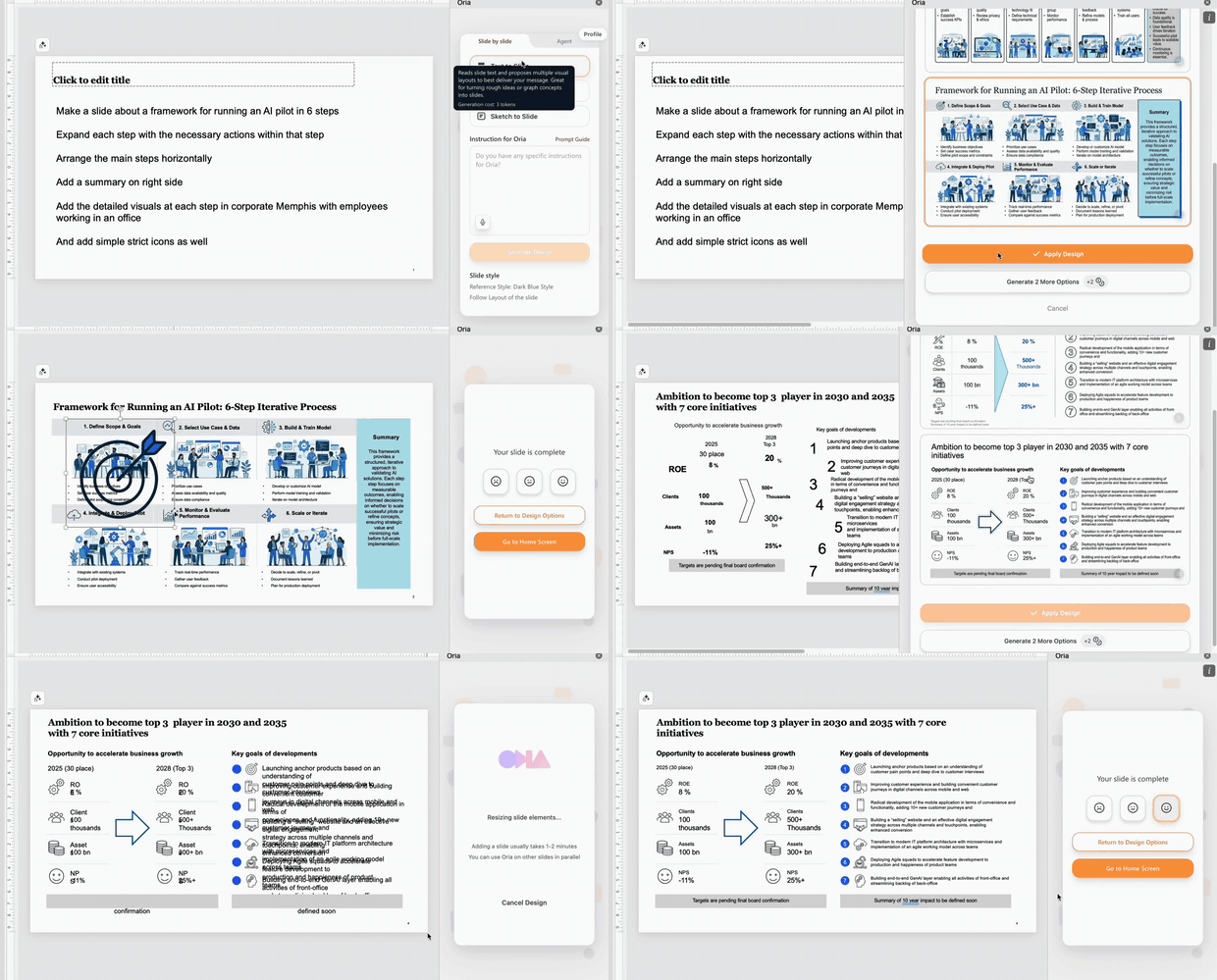
Build Professional Slides That Do Not Feel Like AI
Consulting-grade complex slides that follow the exact look and feel of your company.
Made for consultants, bankers and strategy teams who build boardroom-style decks
inside PowerPoint, Claude and ChatGPT.


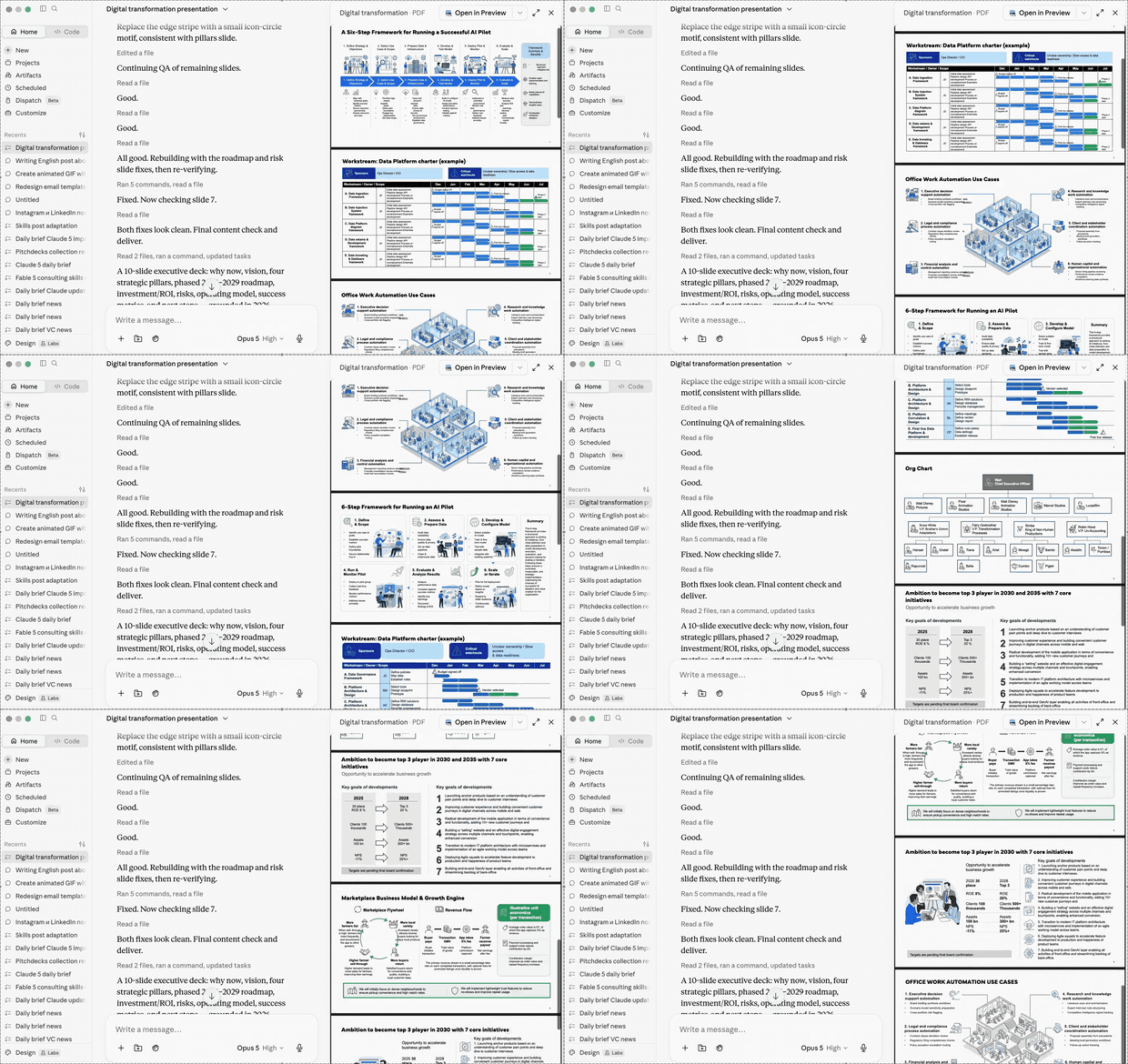
Create stunning slides in PowerPoint — and CEO-ready documents in Claude and ChatGPT


What Oria does
| Feature | What it means | |
|---|---|---|
| 01 | Slides that do not look AI-generated | None of the boxy, template-stacked look. Layouts structured to consulting standards. |
| 02 | Multiple design options with one click | Compare distinct design options instantly. Never settle for a single default draft. |
| 03 | Precisely follows the brand | Well beyond base colours and fonts — your firm's exact look and feel. |
| 04 | Fully editable, native output | Real PowerPoint shapes, never images. Refine every element as you always do. |
Built for every slide scenario — turn rough ideas, an audio note or a brain dump into CEO-ready slides · paste structured output from Claude or ChatGPT and get polished designs · upload an existing slide and get a cleaner one back · snap a photo of handwritten notes and get fully editable slides.
Enterprise-grade security — zero data retention, working artifacts self-destruct within one hour · Oria does not use your content to train or fine-tune models · enterprise agreements with leading AI providers · fully private cloud or on-premise deployments.
"I've been looking for AI tools to create PowerPoint slides. The best one I've found so far is Oria."
— Will Bachman, Founder and CEO of Umbrex, Global Community of Top-Tier Management Consultants
Claude Excel Skills
12 Claude skills for building financial models and clean workbooks that survive a review.
These cover the discipline behind a model that someone else can open: a tab structure agreed before the first formula, inputs separated from calculations, a driver-based revenue build, a scenario toggle you can actually audit, and a formula check run before the model reaches an investment committee. Underneath it all is the unglamorous part — cleaning the pasted export and pivoting it — because that is where most models really start.
Several of these skills build a real .xlsx from scratch through Claude using openpyxl, with live formulas and a recalculate-and-verify pass, and hand you the file. They say so explicitly, and they say equally explicitly that they are not the Claude for Excel add-in. The rest are method skills: structure, conventions and audit routines that make Claude reason about a workbook the way a modeller does.
They were written by Oria and published free. Oria is not an Excel tool — it is what happens after the model is finished, when the output has to become a board-ready exhibit.
The skills
Structure — lay out the workbook before a formula goes in
| Skill | What it does |
|---|---|
model-architecture-template |
Sets the master tab set, naming conventions, colour codes, number formats and print setup for a new model — the empty shell every other skill fills. |
inputs-calcs-outputs-design |
Enforces the three-zone separation: an Inputs tab of editable assumptions, Calculation tabs with no hardcodes, and an Outputs tab that only references. |
assumption-registry-builder |
Builds the assumption register — name, category, base value, source, Bull and Bear cases, sensitivity rank and owner — so every number has a provenance and a signature. |
Build — clean the data, then drive the numbers
| Skill | What it does |
|---|---|
data-cleaning-for-excel |
Turns a pasted export with mixed date formats, text numbers, duplicates and stray whitespace into a consistent range, with a change log so the cleaning is auditable. |
pivot-table-builder |
Specifies and builds a pivot from a flat range — rows, columns, values, filters — and flags the fields that will not aggregate cleanly. |
revenue-build |
Builds a driver-based revenue .xlsx: a customer or units schedule of beginning, adds, churn and ending rolled into revenue, across drivers, build and output tabs. |
unit-economics |
Builds a unit-economics and cohort .xlsx — CAC, LTV, LTV/CAC and CAC payback computed off a monthly retention grid rather than asserted. |
Stress it, audit it, hand it over
| Skill | What it does |
|---|---|
scenario-manager |
Builds a live Base/Bull/Bear switching layer with a selector and CHOOSE or INDEX assumption pulls — visible on the sheet, unlike Excel's hidden Scenario Manager. |
sensitivity-tables |
Builds one- and two-variable Data Tables on a key output, so you can show how NPV, IRR, EPS or margin moves as one or two drivers change. |
sensitivity-tornado |
Swings each input over a defined range, ranks the drivers by absolute impact and specifies the tornado chart that answers "which assumption actually matters?". |
formula-audit-checker |
Runs the pre-submission audit — trace precedents and dependents, hardcodes buried in formulas, circular references, inconsistent IFERROR — and returns a prioritised fix list. |
output-summary-tab |
Designs the one-page executive summary tab: KPI tiles, the so-what narrative, a compact sensitivity table and the key assumptions, sized for one landscape page. |
Install
Each skill is a folder containing a SKILL.md with YAML frontmatter, following the Agent Skills format.
Claude Code — clone into your skills directory:
git clone https://github.com/andreworia/claude-excel-skills.git
cp -r claude-excel-skills/skills/* ~/.claude/skills/
Claude app (web, desktop, mobile) — go to Settings → Capabilities → Skills and upload a skill folder, or zip one and upload it.
A single skill — copy just the folder you want. Each one is self-contained.
Usage
Skills load themselves when the conversation matches their description. You can also name one directly:
Use the model-architecture-template skill. I'm starting a three-year
operating model for a B2B SaaS business.
Use data-cleaning-for-excel on this pasted CRM export, then pivot it by region and month.
A natural chain for a full model:
data-cleaning-for-excel  →  model-architecture-template  →  inputs-calcs-outputs-design
                         →  revenue-build  →  unit-economics
                         →  scenario-manager  →  sensitivity-tables  →  sensitivity-tornado
                         →  formula-audit-checker  →  assumption-registry-builder
                         →  output-summary-tab
Clean the data first, agree the structure, build the drivers, then stress the model and audit it before anyone else sees it. The register and the summary tab are what you actually hand over.
Then take the numbers off the summary tab and turn them into slides with Oria — native, editable PowerPoint exhibits rather than a screenshot of a spreadsheet.
Why these exist
Oria builds the AI that renders complex, professional slides inside PowerPoint, and almost every deck we see is downstream of a model. So we ended up writing down a lot of modelling craft — why inputs belong on their own tab, what a sensitivity actually has to show, what a partner looks for in a formula audit. None of it is proprietary, so it is published here for free.
More skill packs and prompt libraries: oria.one/resources.
Related repositories
- claude-powerpoint-skills — storyline, action titles, exhibits and deck review
- claude-finance-skills — investment banking, PE and valuation skills
- claude-consulting-skills — strategy and problem-solving skills
- claude-pptx-skills — corporate template and brand-compliance skills
Contributing
Issues and pull requests are welcome. If a skill is wrong, or you have a sharper version, open a PR.
License
MIT — use them commercially, modify them, redistribute them. Attribution appreciated, not required.
Built by Oria — AI for complex professional slides