
Server · #422 trending MCP repo
Vecline
shunyagatha/Vecline
Measurable image + document toolkit. Bit-exact SVG from flat art (SSIM 1.0000, verified by rendering it back); beats potrace, imagetracerjs and vtracer on photographs. 11 raster formats, every pair convertible. Cut-ready DXF with real physical size, EPS, PDF, G-code. PDF & Office rendering. MCP server for agents. Zero-dependency portable core.
- Stars
- 18
- This week
- +0
- Forks
- 2
- Open issues
- 0
- Latest release
v2.1.4
Get started
Add it to your agent
claude mcp add vecline -- npx -y vecline mcp # Claude CodeRun in your terminal. Add --scope project to share it with your team through .mcp.json.
codex mcp add vecline -- npx -y vecline mcp # CodexSaved to ~/.codex/config.toml.
{
  "mcpServers": {
    "vecline": {
      "command": "npx",
      "args": [
        "vecline",
        "mcp"
      ]
    }
  }
}Add to ~/.cursor/mcp.json (or .cursor/mcp.json in a project).
{
  "servers": {
    "vecline": {
      "type": "stdio",
      "command": "npx",
      "args": [
        "vecline",
        "mcp"
      ]
    }
  }
}Add to .vscode/mcp.json, then start it from the MCP view in Copilot Chat.
gemini mcp add vecline npx vecline mcpSaved to .gemini/settings.json.
Documentation
README
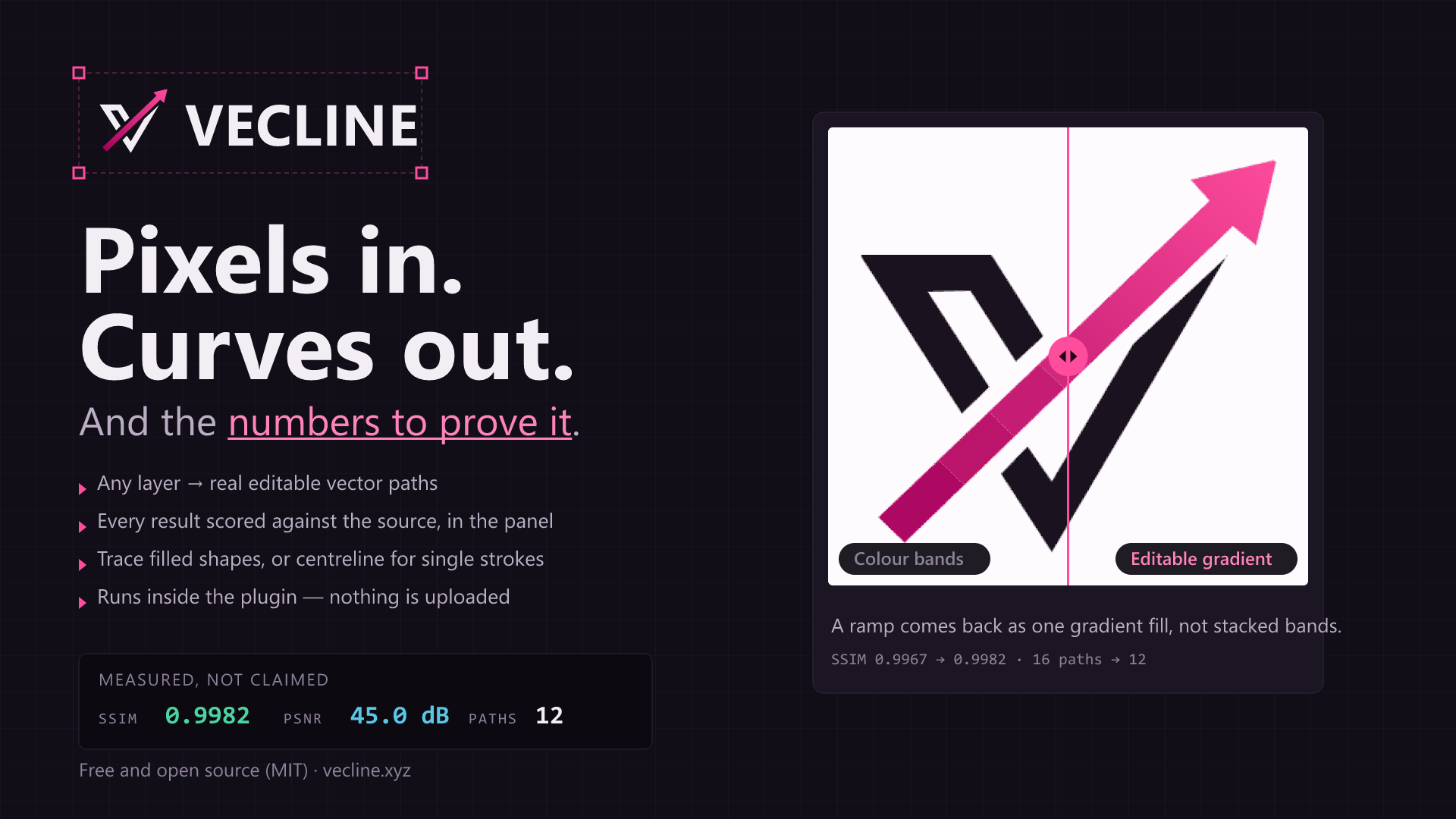
Vecline
Measurable raster ⇄ SVG conversion — and a broad image + document toolkit. Ten raster formats, every one convertible to every other, with the accuracy of every conversion actually measured rather than asserted; plus PDF & Office (docx/xlsx/pptx) rendering and conversion, images → PDF, DXF at a real physical cut size alongside EPS and G-code for makers, centerline tracing and content-aware crop — most of it in a zero-dependency core that is CI-proven to bundle for a browser.
On flat artwork — logos, icons, UI, screenshots, pixel art — the output is bit-exact: SSIM 1.0000, PSNR ∞, zero differing pixels, and on a real logo smaller than imagetracerjs or vtracer manage while still only approximating — 24 KB against their 60 and 64. That comes from recognising the image is cheaper to encode exactly than to approximate, not from a better curve fit. Tracing now emits real curves by default — sub-pixel edge placement is on, which is the only thing that lets the curve fitter run at all; before this the default returned a staircase with zero curve commands on real artwork. It costs about 2.35x the gzipped bytes, because moving coordinates off the integer lattice costs compression, and --no-subpixel buys the old smaller output back. Pixel and exact modes are untouched and stay bit-exact. potrace is smaller than everyone and much less accurate, which is a real trade and not one this README will hide. On real photographs it leads all three on SSIM by 0.05–0.18 at their default settings; one documented vtracer flag closes part of that. It is not the fastest — imagetracerjs is quicker on every fixture measured. Every number in this README is reproducible: node scripts/fetch-corpus.mjs && npm run compare. (The corpus is fetched rather than committed — the photographs are not ours to redistribute.)


▶ Vecline Studio — vecline.xyz — the whole toolkit in your browser. Drop an image, a PDF, or a TGA/PNM/ICO no browser can read; tune it; watch live SSIM / PSNR / CIEDE2000; export SVG, DXF at a real cut size, EPS, PDF, G-code, React/Vue/Svelte/Solid components, colour separations, sprite sheets, favicons, BlurHash, or just re-encode between ten raster formats. Free, unlimited, no signup, works offline, and nothing is uploaded — every conversion runs in your tab, not on a server. (How it compares · dev playground)
vecline vectorize logo.png --verify
✓ logo.svg  400×300  pixel mode  4 shapes  2.1 KB → 7.5 KB  228 ms
  · Auto-selected pixel mode: 4 distinct colours, 1.0% run density. Output is bit-exact.

Accuracy  bit-exact (lossless)
  PSNR        ∞
  SSIM        1.000000 (luma 1.000000)
  RMSE        0.0000
The lossless guarantee
vecline vectorize anything.png --lossless
--lossless returns a bit-exact SVG or it fails. It never silently gives you a near-miss.
That is enforced by measurement, not by construction. Every candidate encoding is rendered back to pixels and compared against the source; anything that is not bit-identical is discarded, and if nothing survives, the command errors out. Candidates are tried in order of how useful the result is:
- Exact geometry — real, editable, infinitely scalable paths. Rectangles or contours, whichever encodes smaller.
- Embed, original bytes preserved — a byte-identical round trip of the source file, not just of its pixels.
- Embed, re-encoded as PNG — always renders exactly, but no longer carries the original file.
Measured across every fixture in the test suite — flat artwork, pixel art, soft alpha, photographs, JPEG sources, a single pixel — all of them come back PSNR ∞, maxChannelDiff 0.
Byte-identical, and provable
When the original file is preserved, the SVG records its SHA-256. extract hands the file back and checks the digest:
vecline vectorize logo.png -o keep.svg --mode embed --embed-strategy preserve
vecline extract keep.svg -o recovered.png --against logo.png
✓ recovered.png  image/png  2.1 KB
  sha256   1c4f95f66b28a40a75672614796de762f6ef8a6afec3191b460dbbd556f10366
  digest   matches the value recorded when the SVG was written
  payload  the original file, preserved byte for byte
  vs source byte-identical to logo.png
extract exits non-zero on any mismatch, so it works as a CI gate. Note the honest caveat: an embedded JPEG survives byte for byte but does not render bit-identically, because resvg's decoder rounds its inverse DCT differently. Strict --lossless detects that, discards the candidate, and says so.
Which one you get
| Input | Result | Size | Exact? |
|---|---|---|---|
| Flat artwork 400×300 | real geometry (contours) | 3.9 KB | ✅ |
| Pixel art 128×128 | real geometry (rectangles) | 0.6 KB | ✅ |
favicon.ico 64×64 |
real geometry (rectangles) | 0.5 KB | ✅ |
| BMP 400×300 | real geometry (contours) | 3.9 KB | ✅ |
| Photo 320×240 | embedded PNG | 230 KB | ✅ |
A photograph can be emitted as exact geometry, and --prefer geometry will do it — but it costs one rectangle per pixel, so that same photo becomes a 1.99 MB file of 42,933 shapes. It is vector in name only, so auto uses the bitmap and tells you the ratio it measured. Nothing is hidden.
The honest version of "100% accuracy"
Most vectorizers claim perfect accuracy. Here is what is actually true, because it determines which tool you should use:
| Direction | Can it be exact? | Why |
|---|---|---|
| SVG → raster | Yes, at any resolution you name | Rendering is a well-defined computation. Ask for 4000px wide and you get exactly that, correct to the renderer's rasterisation rules. |
| Raster → SVG, lossless | Yes | Two different ways, both bit-exact. See pixel and embed below. |
| Raster → SVG, traced into curves | No, and it never can be | A photograph holds more independent information than any compact set of Bézier curves can encode. Tracing is approximation by definition. |
Anyone promising exact photo-to-curves vectorization is either embedding a bitmap and calling it vector, or is wrong. Vecline does both exact conversions properly, does the approximate one well, and always tells you which one you got and how close it landed.
Three strategies, and when each is right
| Mode | Output | Exact? | Use it for |
|---|---|---|---|
lossless |
Real geometry, or an embedded bitmap | Bit-exact, verified | Anything, when exactness is non-negotiable |
pixel |
Real vector geometry (rectangles or contours) | Bit-exact | Logos, icons, pixel art, screenshots, diagrams, flat colour |
trace |
Real Bézier curves | Approximate, measured | Photos, complex art, anything you want to scale or edit |
embed |
Bitmap inside an SVG wrapper | Bit-exact | You need this exact image, in an SVG container |
auto (the default) inspects the image and picks between pixel and trace. --lossless overrides everything with the guarantee described above.
pixel mode is the one people don't expect. It produces genuine, editable, infinitely-scalable vector paths that rasterise back to your input with zero differing pixels — not "visually identical", literally identical. For flat artwork it is usually what you actually wanted.
Install
npm install -g vecline        # the CLI
npm install vecline           # the library
Node.js 18.17+. The native dependencies (sharp, resvg) ship prebuilt binaries for Linux, macOS and Windows.
Any project architecture
| You want | Import | Native deps |
|---|---|---|
| The full Node toolkit | import { vectorize } from 'vecline' |
yes |
| … from CommonJS | const { vectorize } = require('vecline') |
yes |
| Just the vectoriser | import { trace } from 'vecline/vectorize' |
none |
| Just the metrics | import { compareImages } from 'vecline/metrics' |
none |
| Just the pure-TS codecs | import { encodeBmp } from 'vecline/formats' |
none |
| Everything portable | import { vectorizeExact } from 'vecline/core' |
none |
| Image editing (resize, rotate…) | import { editImage } from 'vecline/ops' |
sharp only |
| Register a custom codec | import { registerDecoder } from 'vecline/codecs' |
none |
Install only what you use. Every none subpath imports in isolation with the native codecs omitted (npm install vecline --omit=optional), and the package is "sideEffects": false, so a bundler drops everything you never import. vecline/core is the vectorisation and measurement engine with zero dependencies and no Node built-ins. It takes a plain { width, height, data } — byte-for-byte the layout of the browser's ImageData — so canvas pixels go straight in:
import { vectorizeExact } from 'vecline/core';

const { data, width, height } = ctx.getImageData(0, 0, canvas.width, canvas.height);
const { svg } = vectorizeExact({ width, height, data });   // bit-exact, no codec needed
The zero-dependency claim is CI-asserted, not stated. Every commit bundles vecline/core for a browser with esbuild — no Node platform, no externals — and fails if a single node: specifier or Node global survives into the output. It comes to 96 KB minified, with a size tripwire either side so nothing large can arrive unnoticed. Reading the import graph would only prove that the imports we can see are clean; bundling proves the thing users actually do works.
Install without the optional native packages (npm install vecline --omit=optional) and core still works, at 2 MB instead of ~100 MB. Reading image files, rendering SVG back to pixels, and the verified lossless guarantee all need real codecs, so those live in the main entry point.
The BMP, ICO, PNM and TGA codecs are written from scratch in this package, so they work with the native packages omitted — no libvips required to read or write any of them. One caveat worth stating rather than discovering: an ICO entry may hold a complete PNG instead of raw pixels (most 256×256 icons do), and decoding that still needs a real PNG codec. The ICO container is parsed here either way; it is the payload inside that has to go somewhere. Entries storing a raw DIB — which is what smaller icons normally use — read with nothing installed.
Formats
| Read | Write | |
|---|---|---|
| PNG | ✅ | ✅ |
| JPEG | ✅ | ✅ |
| WebP | ✅ | ✅ lossy + lossless |
| AVIF | ✅ | ✅ lossy + lossless |
| TIFF | ✅ | ✅ |
| GIF | ✅ first frame | ✅ |
| BMP | ✅ all depths, RLE, BITFIELDS | ✅ 24/32-bit |
| ICO / CUR | ✅ largest entry | ✅ PNG or DIB payload |
| PNM (PBM/PGM/PPM) | ✅ P1–P6 | ✅ P4/P5/P6 |
| TGA | ✅ RLE, colour-mapped | ✅ RLE optional |
| SVG | ✅ | ✅ |
The matrix is square: every format it reads, it writes. That is 11 × 11 = 121 conversions, and the test suite runs all of them on every commit — PNG→TGA, ICO→WebP, TGA→SVG, SVG→BMP, whatever you need. Every cell is reachable from one command:
vecline convert photo.png thumb.webp   # raster → raster
vecline convert logo.png logo.svg      # raster → vector
vecline convert logo.svg logo@2x.png   # vector → raster
convert decides from the input bytes and the output extension, not the extension alone — a file named .txt that contains <svg> is treated as an SVG, and a .svg that contains PNG bytes is not.
BMP, ICO, PNM and TGA are decoded in pure TypeScript — libvips is not built with them, and each is simple and stable enough to implement completely rather than adding another native dependency. All four are lossless formats, so the test suite asserts bit-exact decoding rather than approximate agreement.
Not built in: HEIC, JPEG XL, JPEG 2000, PSD, PDF and camera RAW. The prebuilt libvips that ships with sharp cannot read or write them — HEIC because HEVC is patent-encumbered, JXL and JP2 because they simply are not compiled in (verified: heifsave: Unsupported compression, jxlsave_buffer not found, JP2 output requires OpenJPEG). Bundling a WASM codec for each would add tens of megabytes to every install, for formats most users never touch.
But you can plug one in. Rather than ship the codecs, Vecline ships the socket. Install a WASM decoder yourself and register it, and that format then reads and writes everywhere any built-in format does:
import decodeJxl from '@jsquash/jxl/decode.js';
import { registerDecoder } from 'vecline/codecs';

registerDecoder({
  format: 'jxl',
  canDecode: (b) => b.length > 2 && b[0] === 0xff && b[1] === 0x0a, // JXL signature
  decode: async (bytes) => {
    const { data, width, height } = await decodeJxl(bytes);
    return { width, height, data: new Uint8ClampedArray(data.buffer) };
  },
});
// vecline can now vectorize, convert, and edit .jxl files.
Everyone who does not need it pays nothing. For a one-off, converting via ImageMagick or libheif first is still the simplest path.
Quick start
# Convert, letting vecline choose the strategy
vecline vectorize logo.png

# Prove the result is what it claims
vecline vectorize logo.png --verify

# Guarantee a bit-exact result whatever the input, or fail
vecline vectorize photo.jpg --lossless

# Trace to curves, escalating settings until it hits a quality target
vecline vectorize portrait.jpg --target-ssim 0.95

# SVG back to raster at any size
vecline rasterize logo.svg -o logo@4x.png --scale 4
vecline rasterize logo.svg -o hero.webp --width 2400 --lossless

# Ask what a file is and what to do with it
vecline info photo.jpg

# Measure any two images against each other — raster or SVG, in any combination
vecline verify original.png result.svg

# Whole directories
vecline batch 'assets/**/*.png' -o dist/ --to svg
Transparent output
--transparent removes a solid background and leaves real transparency behind:
vecline vectorize logo.png --transparent             # detect the background colour
vecline vectorize logo.png --transparent '#ffffff'   # or name it
vecline rasterize icon.svg -o icon.png --transparent
Two details make this safe rather than destructive:
- It flood-fills from the edges. Removing "every white pixel" also punches holes through the whites inside a logo — the glint in an eye, the counter of an
o. Only colour reachable from the border is background.--bg-everywhereopts into the blunt global version. - Tolerance is perceptual. A JPEG's white is never exactly
#ffffff, and an RGB threshold loose enough to catch it also eats pale yellows.--bg-toleranceis an Oklab distance, so "slightly off-white" and "a genuinely different colour" stay on opposite sides of the line.--feathersoftens the cut.
Available in core too, so it works in a browser: removeBackground(image, { tolerance: 0.02 }).
Accuracy, measured
Every number below is produced by --verify: the generated SVG is rendered back to pixels and compared against the source. Reproduce them with npm run bench.
| Input | Mode | In | Out | Pixels exact | PSNR | SSIM | Mean ΔE₀₀ |
|---|---|---|---|---|---|---|---|
| Flat artwork, 400×300 | pixel |
2.1 KB | 7.5 KB | 100.00% | ∞ | 1.0000 | 0.000 |
| Pixel art sprite, 128×128 | pixel |
0.5 KB | 0.6 KB | 100.00% | ∞ | 1.0000 | 0.000 |
| Flat artwork, 400×300 | embed |
2.1 KB | 3.2 KB | 100.00% | ∞ | 1.0000 | 0.000 |
| Photo, 320×240 | embed |
14.5 KB | 19.7 KB | 87.94% | 58.04 dB | 0.9982 | 0.060 |
| Photo, 320×240 | trace (auto and --preset photo alike) |
14.5 KB | 49.3 KB | 0.01% | 31.31 dB | 0.8476 | 2.931 |
| Flat artwork, 400×300 | lossless → pixel |
2.1 KB | 3.9 KB | 100.00% | ∞ | 1.0000 | 0.000 |
| Pixel art sprite, 128×128 | lossless → pixel |
0.5 KB | 0.6 KB | 100.00% | ∞ | 1.0000 | 0.000 |
| Photo, 320×240 | lossless → embed |
14.5 KB | 230.5 KB | 100.00% | ∞ | 1.0000 | 0.000 |
The traced photo row moved again — 49.3 KB to 93.8 KB, 31.31 to 30.82 dB, 0.8476 to 0.8116 SSIM — and it is worth being exact about what that means. Sub-pixel edge placement is now on by default, which is what lets the curve fitter run at all; without it the traced output carries zero curve commands and is a bitmap in an SVG wrapper.
This column scores the SVG against the source at the source's own size, and at 1x the pixel lattice cannot lose: it is the source, resampled. So this row gets worse whenever the output becomes more of a vector and less of a copy. That is not a hidden cost being explained away — it is the wrong question for a tracer, and the right one for the three modes above it, which are bit-exact and stay so.
Judged on the instrument that is not circular —
npm run bench:scale, which scores against real vector originals the tracer never sees, at a magnification the input never contained — refinement is worth +3.01 dB across 300 real logos. If you want the input reproduced rather than recovered as a shape,pixel,embedandlosslessdo that exactly, and--no-subpixelreturns the older lattice trace at roughly a third of the gzipped bytes.
The traced photo row moved from 52.9 KB to 49.3 KB, and every accuracy figure on it is unchanged to the digit. Closed polygons were re-stating their closing edge before the
zthat already draws it —zreturns to the subpath's initial point by definition, so the explicit return leg only gave it a zero-length gap to cover. Removing it dropped 16.9% of all path commands across the corpus with 0 differing subpixel channels out of ~40 million, at two magnifications, with and without strokes.
Two rows deserve comment, because glossing over them is how tools mislead you:
- Photo +
embedis not 100% exact, even though the original JPEG bytes are preserved verbatim inside the SVG. The residual (max 3/255 per channel) is the SVG renderer's JPEG decoder rounding its inverse DCT differently from the reference decoder. No data was lost; two decoders simply disagree in the last bit. Vecline reports the measurement, not the claim. - Photo +
traceis genuinely approximate. 0.01% pixels exact is not a bug — it is what tracing a photograph means. If that number matters to you, you wantembed.
Compared with other vectorizers
On speed, and why this table has no Time column.
scripts/compare.mjsrecords a per-toolmsand prints it; these tables drop it, and that omission flattered us. Measured min-of-5 cold processes, PNG in to SVG on disk, vecline is slower than imagetracerjs on every fixture — 1.10× to 1.55× — and 4.08× slower than vtracer on a small logo (280 ms against 69 ms), where ~83 ms of ours is Node loading the module graph before any work starts. On the two heavier photographs vecline is faster in wall clock than vtracer (portrait 1001 ms vs 1386, motorcycles 1160 vs 1970) while also scoring higher.The
mscolumn is deliberately left out of the tables rather than published misleadingly: the harness timesproduce(), but the work inside differs per entrant — vecline pays a full PNG encode and decode inside the timed window, imagetracerjs is handed raw pixels and pays no codec at all, and vtracer pays a process spawn. Fixing that methodology is tracked; until then the numbers above are the honest summary andnpm run comparewill print the raw column for anyone who wants it.
Run it yourself with npm run compare. Every tool's SVG is rendered with the same renderer and scored with the same metrics, on the same white ground, so nothing here depends on Vecline's own view of quality. The field is potrace, imagetracerjs, and — the strongest modern open-source rival — vtracer (VisionCortex, Rust). Point VECLINE_VTRACER at vtracer's released binary to score the tool its authors actually ship; failing that the harness falls back to the @neplex/vectorizer binding, and if neither is present the row is simply absent rather than guessed at.
Synthetic fixtures — reproducible without licensing anyone's photographs:
| Fixture | Tool | Size | PSNR | SSIM | Mean ΔE₀₀ |
|---|---|---|---|---|---|
| Bilevel | potrace | 1.5 KB | 24.67 dB | 0.9511 | 0.702 |
| imagetracerjs | 1.7 KB | 19.75 dB | 0.8607 | 1.667 | |
| vecline (auto) | 1.4 KB | ∞ | 1.0000 | 0.000 | |
| Colour art | potrace posterize | 1.9 KB | 14.61 dB | 0.8010 | 21.302 |
| imagetracerjs | 1.6 KB | 26.56 dB | 0.9363 | 0.662 | |
| vtracer | 1.2 KB | 27.88 dB | 0.9490 | 0.582 | |
| vecline (auto) | 1.8 KB | ∞ | 1.0000 | 0.000 | |
| Photo (gradient + noise) | potrace posterize | 11.5 KB | 13.19 dB | 0.6024 | 23.911 |
| imagetracerjs | 11.8 KB | 26.85 dB | 0.7143 | 5.623 | |
| vtracer | 42.7 KB | 32.53 dB | 0.7979 | 3.049 | |
| vecline (auto / photo) | 19 KB | 31.12 dB | 0.7750 | 2.940 | |
| vecline lossless | 43.7 KB | ∞ | 1.0000 | 0.000 |
Real photographs — the Kodak set at 480px, the test that actually matters. vecline (auto) is the zero-config default: vecline convert photo.png out.svg, which scales the palette to the content on its own.
| Photo | Tool | Size | PSNR | SSIM | Mean ΔE₀₀ |
|---|---|---|---|---|---|
| Portrait (skin, soft) | imagetracerjs | 1621 KB | 25.47 dB | 0.7093 | 5.957 |
| vtracer | 987 KB | 25.88 dB | 0.7652 | 4.743 | |
| vecline (auto) | 1338 KB | 34.80 dB | 0.9140 | 2.663 | |
| Lighthouse (sky) | imagetracerjs | 2010 KB | 24.58 dB | 0.7465 | 4.900 |
| vtracer | 1032 KB | 24.25 dB | 0.7624 | 5.665 | |
| vecline (auto) | 1743 KB | 36.26 dB | 0.9453 | 2.575 | |
| Parrots (fine detail) | imagetracerjs | 301 KB | 25.81 dB | 0.7615 | 6.317 |
| vtracer | 344 KB | 23.17 dB | 0.7949 | 7.728 | |
| vecline (auto) | 309 KB | 31.18 dB | 0.8460 | 3.686 |
Bilevel and colour art are bit-exact for vecline (SSIM 1.0000), against potrace's and imagetracerjs's approximations and, on colour art, vtracer's 0.9490 — in a smaller or comparable file.
Both of those fixtures are synthetic, and for a long time this section rested on them alone. Real flat artwork is added below because the story is genuinely different there, and worse for us in one direction.
Real flat artwork — this project's own corpus images, now part of npm run compare so these rows are produced by the same harness, renderer and metrics as every other table here.
| Fixture | Tool | Size | PSNR | SSIM | Mean ΔE₀₀ |
|---|---|---|---|---|---|
| logo-tux (real logo) | potrace posterize | 7.7 KB | 14.41 dB | 0.7649 | 6.146 |
| imagetracerjs | 59.8 KB | 24.17 dB | 0.8861 | 1.975 | |
| vtracer (cli) | 64.0 KB | 23.51 dB | 0.8907 | 1.517 | |
vecline --preset logo |
53.4 KB | 26.43 dB | 0.9032 | 1.073 | |
| vecline (auto) | 25.8 KB | ∞ | 1.0000 | 0.000 | |
| vecline lossless | 24.0 KB | ∞ | 1.0000 | 0.000 | |
| alpha-dice (real, alpha) | potrace posterize | 11.1 KB | 11.69 dB | 0.6857 | 14.690 |
| imagetracerjs | 72.1 KB | 26.05 dB | 0.8685 | 2.108 | |
| vtracer (cli) | 167.8 KB | 20.90 dB | 0.8577 | 3.213 | |
vecline --preset logo |
139.9 KB | 28.39 dB | 0.8823 | 1.682 | |
| vecline (auto) | 189.1 KB | 35.85 dB | 0.9537 | 0.862 | |
| vecline lossless | 209.6 KB | ∞ | 1.0000 | 0.000 |
Three honest readings, and they do not all point the same way.
On a real logo, bit-exact is also smallest. lossless returns 24.0 KB at SSIM 1.0000 — a third of what imagetracerjs and vtracer spend to be approximate. That is the flat-artwork headline, and it holds. But it holds because the image is cheaper to encode exactly than to approximate, and vecline recognises that and emits an exact copy — not because the curve fit is better. Ask for curves and you get the row above it.
--preset logo leads on quality, and the margin is narrower than a synthetic fixture suggests. +2.9 dB and +0.013 SSIM over vtracer on logo-tux with a third less colour error, in a smaller file (53.4 KB against 64.0). On alpha-dice it leads on all three quality axes at 17% less than vtracer. Good, but not the 15–19 dB gap the synthetic fixtures imply — logo quantises to 16 colours, and on real artwork that costs more than it does on a four-colour test pattern.
potrace is far smaller than everyone, and that is a real trade. 7.7 KB against our 24–53. It is bilevel by design and its colour numbers are poor (SSIM 0.7649, ΔE 6.1), but if a few kilobytes matter more than colour fidelity it wins on size and this table should say so.
The synthetic photo — a pure gradient plus noise — is vtracer's best case, and it takes the SSIM with fine colour-precision tracing. vecline reaches 0.7750 at under half the file size (19 KB vs 42.7 KB) and comfortably beats imagetracerjs (0.7143). More colours would close the last gap; it is not worth 2.2× the bytes on a synthetic worst case.
This row moved in v1.33.1, and downwards, so it is worth saying why. The
photopreset used to score 0.7923 here — butnpm run compareshowed the same preset scoring below plain auto on every real photograph, and taking up to 136 seconds to do it, because it forced a despeckle threshold that erases the fine detail photographs are made of. Fixing that cost ~0.017 SSIM on this one synthetic fixture and gained +0.25 SSIM at ~75× the speed on the Kodak set below. A gradient-plus-noise pattern is not a photograph, and where the two disagree the real photographs win.photoandautonow resolve to the same measured-best configuration, so they are reported as one row.
On real photographs vecline is ahead on every quality axis — out of the box, against every rival's out of the box. Auto mode scales the palette to the content, so the zero-config default leads SSIM on every photo by 0.05–0.18: 0.9140 / 0.9453 / 0.8460 against vtracer's 0.7652 / 0.7624 / 0.7949 and imagetracerjs's 0.7093 / 0.7465 / 0.7615 — with far better PSNR (34.8 / 36.3 / 31.2 dB against 25.9 / 24.3 / 23.2) and roughly half the colour error. The synthetic-worst-case story does not survive contact with actual photographs.
The comparison above is defaults against defaults, and that flatters us. vtracer takes flags, and one documented preset changes the verdict on part of the table — same binary, same harness, same renderer and metrics:
| Fixture | vtracer setting | Size | PSNR | SSIM | Mean ΔE₀₀ |
|---|---|---|---|---|---|
| kodak-parrots | --preset poster |
534 KB | 29.86 dB | 0.8643 | 2.560 |
| vecline (auto) | 309 KB | 31.18 dB | 0.8460 | 3.686 |
…
Releases
Recent versions
v2.1.4v2.1.4 — a false-positive fix, and a browser worker gets the same clean preset the CLI doesv2.1.3v2.1.3 — closing most, not all, of a real gapv2.1.2v2.1.2 — a mosaic that actually curves, and the metric bug that hid itv2.1.1v2.1.1 — the npm homepage points at the thing you can usev2.1.0v2.1.0 — APNG animation, and a crash that became a sentencev2.0.0v2.0.0 — the CLI keeps its promises to a machine