
Server · #22 trending MCP repo
holaOS
holaboss-ai/holaOS
Open-source agentic workspace enterprises can make their own. Connect the systems you already run — 100+ integrations, MCP, chat tools, apps, browser, local files — with shared memory. Any agent (Claude Code, Codex), any model, or BYOK. Set up in clicks, not months. Local-first: your data never leaves your machines.
- Stars
- 11k
- This week
- —
- Forks
- 721
- Open issues
- 13
- Skills inside
- 32
Inside this repo
32 skills
apps/desktop/electron/default-skills/audience-analystcontent-plannerPlan and organize your content calendar with AI-driven scheduling and topic suggestions.apps/desktop/electron/default-skills/content-plannercontent-writerGenerate high-quality written content for any platform with AI-powered drafting and editing.apps/desktop/electron/default-skills/content-writerdata-analystAnalyze a dataset or table, surface the insights that matter, and recommend how to show them.apps/desktop/electron/default-skills/data-analystemail-writerDraft clear, well-structured emails — replies, outreach, and follow-ups — in the right tone.apps/desktop/electron/default-skills/email-writeridea-generatorBrainstorm creative content ideas tailored to your niche, audience, and goals.apps/desktop/electron/default-skills/idea-generatorimage-generatorCreate custom images, graphics, and visual content using AI image generation.apps/desktop/electron/default-skills/image-generatormeeting-notesTurn raw notes or a transcript into a clean summary with decisions and action items.apps/desktop/electron/default-skills/meeting-notesperformance-reporterGenerate comprehensive performance reports with insights and actionable recommendations.apps/desktop/electron/default-skills/performance-reporterprd-writerTurn a feature idea into a clear PRD — problem, users, requirements, and success metrics.apps/desktop/electron/default-skills/prd-writerproposal-writerDraft client proposals and statements of work that scope, price, and win the project.apps/desktop/electron/default-skills/proposal-writersummarizerCondense long articles, reports, and documents into clear, concise summaries.apps/desktop/electron/default-skills/summarizertone-adapterTransform content tone to match any audience — professional, casual, witty, or formal.apps/desktop/electron/default-skills/tone-adaptertranslatorTranslate content across languages while preserving brand voice and cultural nuance.apps/desktop/electron/default-skills/translatortrend-spotterIdentify emerging trends and viral topics relevant to your niche before they peak.apps/desktop/electron/default-skills/trend-spottervideo-generatorCreate short videos and motion clips from a text description using AI video generation.apps/desktop/electron/default-skills/video-generatorweb-researcherResearch topics across the web and compile structured insights for content creation.apps/desktop/electron/default-skills/web-researchercompetitor-analysisResearch competitors and produce a weekly digest of their positioning, launches, and messaging.runtime/api-server/src/embedded-capabilities/competitor-watch/skills/competitor-analysisrepurpose-contentTurn one source piece (blog, newsletter, transcript) into platform-native posts for X and LinkedIn.runtime/api-server/src/embedded-capabilities/content-repurposer/skills/repurpose-contentlinkedin-postDraft a LinkedIn post in the user's voice from a topic, note, or rough idea.runtime/api-server/src/embedded-capabilities/linkedin-ghostwriter/skills/linkedin-postapp-builder-sdkBuild a new holaOS app using @holaboss/app-builder-sdk (5 backend primitives + optional shadcn dashboard UI). The canonical path for vibe-coded apps — integration modules AND dashboard apps both live here.runtime/harnesses/src/embedded-skills/app-builder-sdkbrowser-core-efficientUse when working in the embedded browser and you want the cheapest reliable interaction loop.runtime/harnesses/src/embedded-skills/browser-core-efficientbrowser-qaUse when validating or debugging a workflow in the embedded browser and you need a reproducible, evidence-first loop.runtime/harnesses/src/embedded-skills/browser-qabuild-dashboardBuild the visual layer of a holaOS dashboard app — TanStack Start + @holaboss/ui + workspace tokens. Use when an app has SDK primitives wired (via app-builder-sdk) AND needs a `src/client/` UI surface. NOT for marketing pages, NOT for snapshot HTML reports.runtime/harnesses/src/embedded-skills/build-dashboardcapability-creatorGuide for assembling a workspace capability (skills + integrations). Use when the user wants to create a capability.runtime/harnesses/src/embedded-skills/capability-creatorcustomize-capabilityGuide for modifying an already-installed workspace capability — adding or editing its MCP servers, skills, integrations, or agent guidance. Use when the user wants to customize, change, or extend an existing capability.runtime/harnesses/src/embedded-skills/customize-capabilityfrontend-designCreate distinctive, production-grade frontend interfaces with high design quality. Use this skill when the user asks to build web components, pages, artifacts, posters, or applications. Generates creative, polished code that avoids generic AI aesthetics.runtime/harnesses/src/embedded-skills/frontend-designinterface-designThis skill is for interface design — dashboards, admin panels, apps, tools, and interactive products. NOT for marketing design (landing pages, marketing sites, campaigns).runtime/harnesses/src/embedded-skills/interface-designmcp-configuratorAdd or update workspace MCP servers using holaOS mcp_registry syntax.runtime/harnesses/src/embedded-skills/mcp-configuratorskill-creatorGuide for creating effective skills. Use when creating or updating a skill.runtime/harnesses/src/embedded-skills/skill-creatorskill-installerInstall workspace skills from curated sources or import open-source skills from GitHub.runtime/harnesses/src/embedded-skills/skill-installerstop-slopRemove AI writing patterns from prose. Use when drafting, editing, or reviewing text to eliminate predictable AI tells.runtime/harnesses/src/embedded-skills/stop-slopDocumentation
README
The Agentic Workspace Where Your Apps and Your Agent Sit Side by Side
Every company works differently. HolaOS is the workspace you shape to fit — connect the systems and chat tools you already run, add the skills and apps your team needs, run any model or agent. Set up in clicks, not months. Local-first, so none of it leaves your machines.







Website · Docs · Sign in · Quick Start
⭐ If holaOS is useful, a star helps more builders find it.
✨ Why HolaOS is different
Most agent products hand you a finished product and hope it fits your work. HolaOS hands you the parts. Apps, chat tools, skills, integrations, models, agents, memory — you assemble the workspace around how your work actually runs, and change it whenever the work changes. Because everything runs locally, customizing it never means handing your work to someone else's cloud.
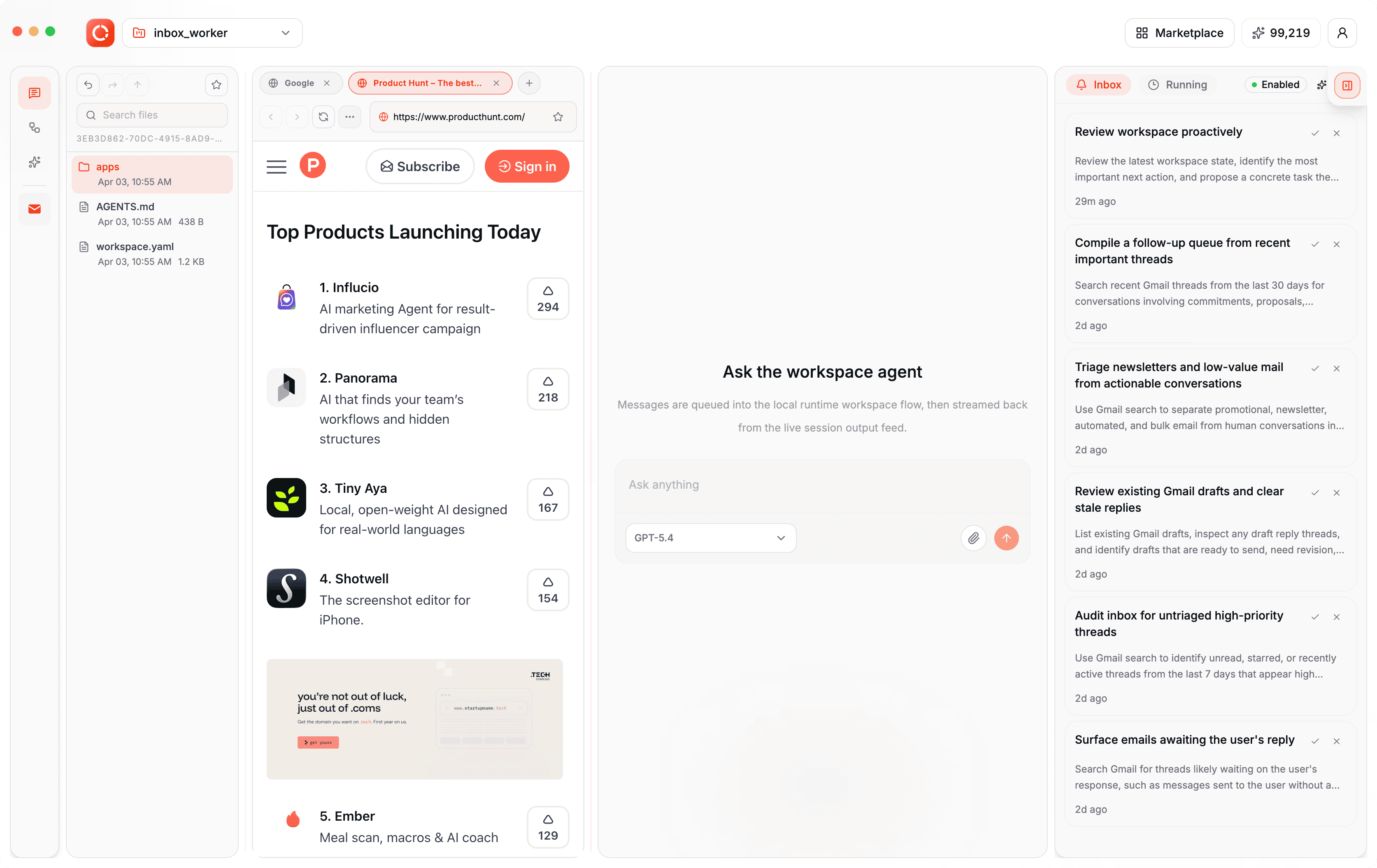
🪟 HolaApps — apps and agent, side by side
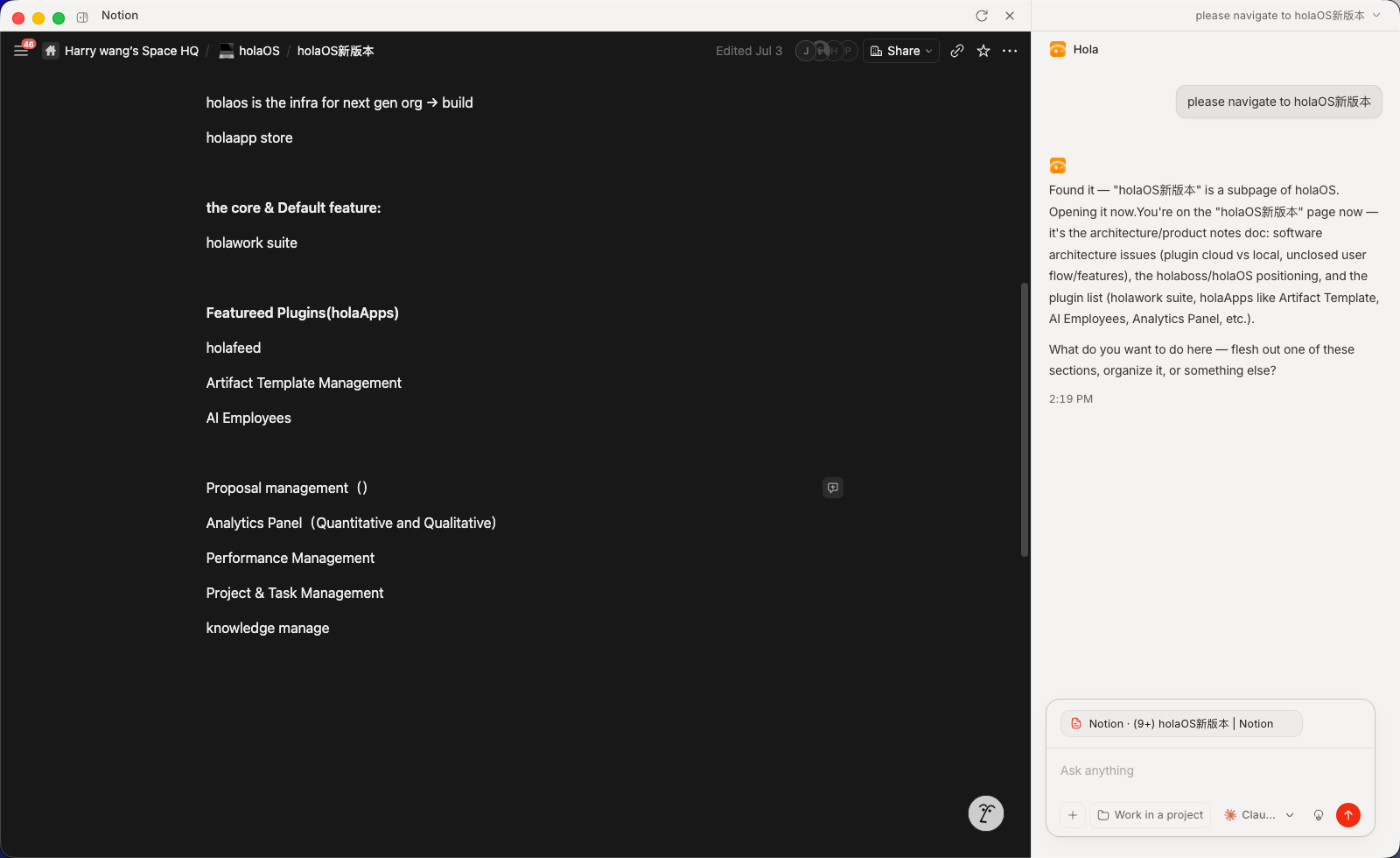
Install apps from the in-workspace marketplace and they open as real, interactive surfaces right beside your agent. Watch it work inside the app, step in whenever you want, and the result lands in place — not a wall of chat text, but the actual app, driven by the agent, next to the agent.
- Real surfaces, not chat — every app is a live UI (Notion, a browser, your own app), not a transcript.
- Side-by-side by design — app and agent share the screen, so you always see what's happening and can take over.
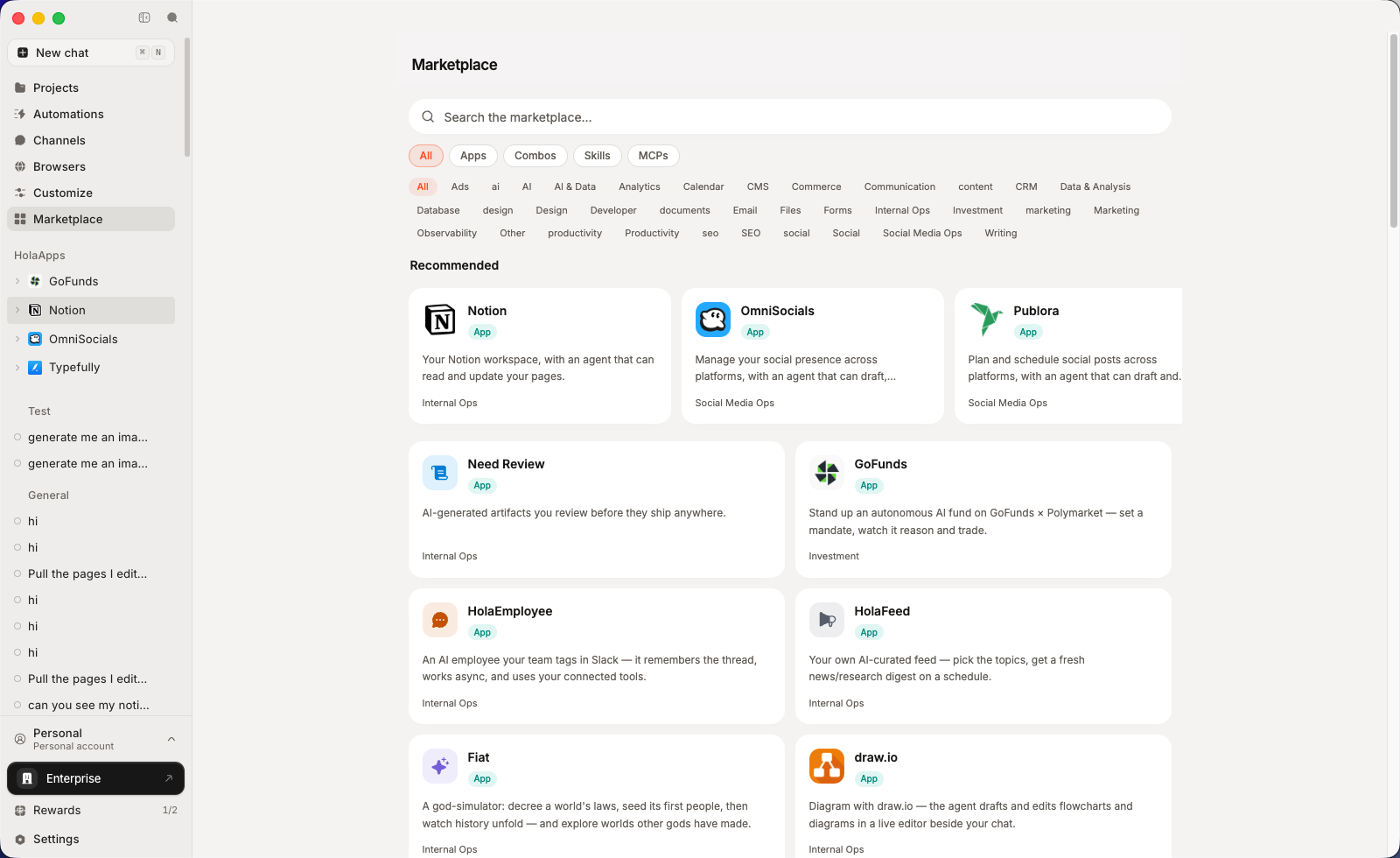
- One click to install — browse the in-workspace marketplace and open any app instantly.
- Bring your own — point a HolaApp at any URL and MCP server; it lives on your machine, yours to open and drive.
- Context stays in sync both ways — drive the app by hand and the agent keeps up. Whatever you click, type, or open in the UI becomes context the agent already has, so you never stop to re-explain what you just did.
💬 IM — plug in the chat tools your team already lives in
Most work context never makes it into a document. It's in a Slack thread, a Feishu group, a DingTalk message. Connect the chat tools your team already uses and your agent works from the real conversation — not from your summary of it.
Where the context really is — decisions, requirements, and changes get made in chat and stay there. The agent reads them directly, so you stop re-explaining what was already said.
The tools your team is already in — Slack, Feishu, DingTalk, WeChat. Connect the ones you use, skip the ones you don't.
You decide what it can see — access is granted per tool and per scope, and the agent reads nothing until you approve it.
🧩 Skills, integrations, and MCP — add any capability without building one
- Integrations — connect Gmail, Notion, Slack, GitHub, Linear and 50+ more with one-click OAuth. Agents read and act across your tools, no glue code — and every agent inherits the same connections.
- MCP — plug in any Model Context Protocol server to give your agents new tools. Bring your own, or install community MCP servers in one click.
- Skills — package a workflow once; any agent runs it on demand.
- Combos — bundle skills and integrations into a single one-click install.
💸 Models your way — pick the right one per task, or bring your own
One account, every model — no keys, no setup, no switching between providers. The latest frontier models are built in: cost-efficient Kimi K3 and GLM 5.2 for everyday volume, plus top-tier GPT 5.6, Claude Opus 5, and Fable 5 for the hard problems. Prefer your own provider? Bring your own keys for OpenAI, Anthropic, or any OpenAI- or Anthropic-compatible endpoint — those run on your account, not your holaOS plan.
- Zero-setup default — one account, every SOTA model, no API keys to manage.
- BYOK when you want it — your keys, your providers, your rates.
- Right model per task — pick per job, per agent.
🔀 Agents — run the agent you prefer, not the one we picked
Claude Code, Codex, and the built-in holaOS agent — side by side, no switching. Whichever you run, it shares the same memory, tools, skills, and apps. Use the best agent for the job without rebuilding your setup every time.
- No lock-in — run Claude Code, Codex, or holaOS's own agent in the same workspace, over the same tools, files, and memory.
- Shared everything — one context, one set of tools, one workspace.
- Consistent results — the same skills and integrations, whatever's driving.
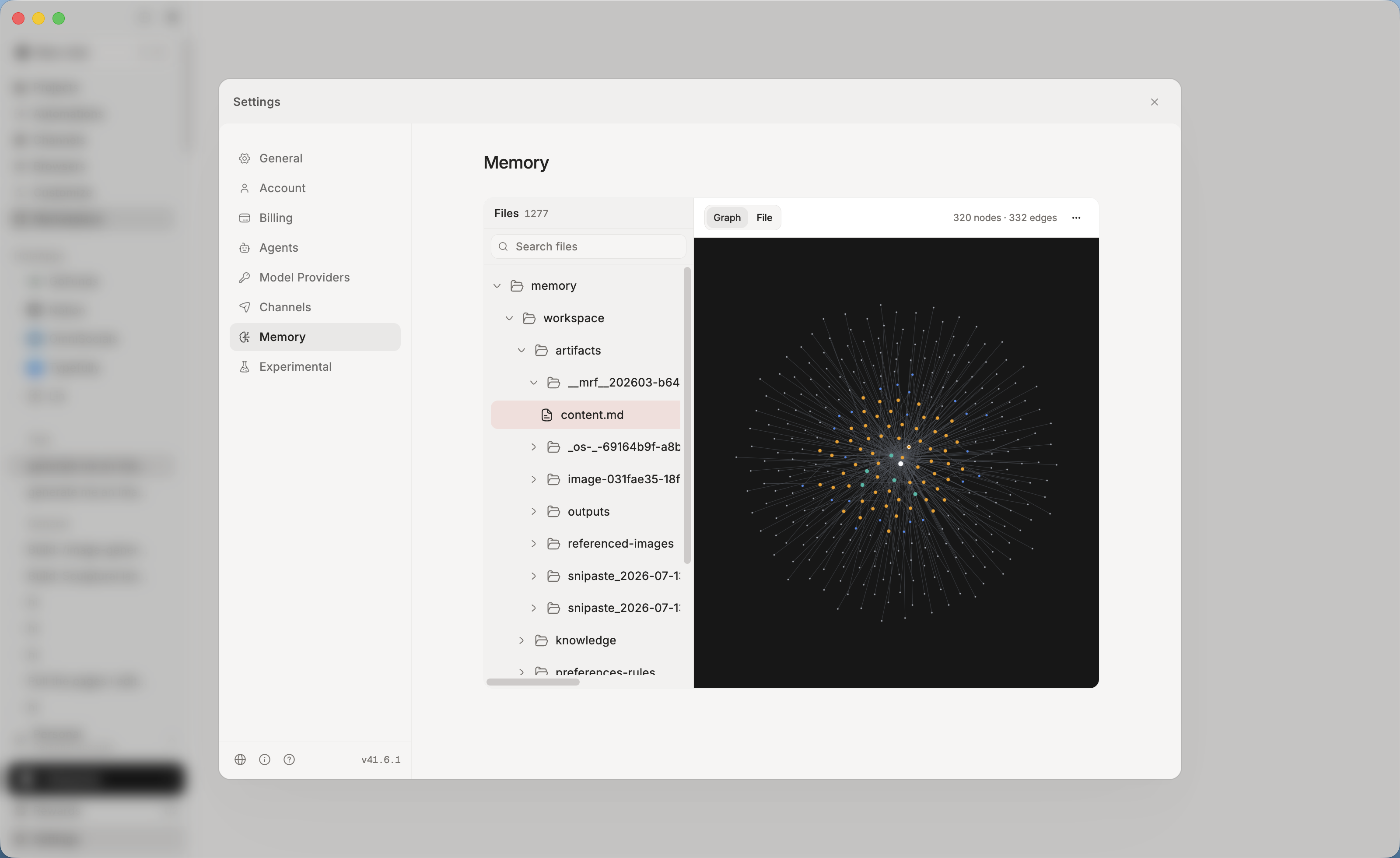
🧠 One memory, every agent
Context, preferences, and project history live in a single shared memory — stored locally, as plain files you can read and edit. Switch agents, close the app, come back next week: it already knows where you left off.
- Never start from zero — durable memory across sessions and agents.
- Local-first & yours — on your machine, visible and editable, not locked in someone else's cloud.
- Actually recallable — structured and embedded, so the right context returns when it's needed.
🛠️ Your entire workstation, agent-operable
- 🌐 A real browser, driven by agents — signed-in browsers your agents drive to browse, click, and extract — under your control.
- 🎨 Frontier generation built in — the latest image, video, and audio models inside every agent. Storyboard a video, design a poster, voice a script — one prompt.
- 📄 Real deliverables — reports, spreadsheets, and slides saved as real
.xlsx,.pptx, and.docxfiles you can send, not text stuck in a chat. - ⏰ Automation — run on a schedule or a trigger. Digests, monitors, and reports finish and file themselves.
🔒 Your work stays on your side
An agent that can reach your tools, your chats, and your whole machine only makes sense if you stay in control of it. That control is built into how HolaOS works, not bolted on as a setting.
Local-first, not cloud-first — workspace files, memory, embeddings, and session history all live on your own disk. There is no copy of your work on our servers.
We can't see your data — not your files, not your memory, not your conversations. It isn't a policy we promise; it's a place your data never goes.
Every action is approved by you — connecting a tool, reading a thread, editing a file. The agent asks first, and you decide what it can reach and what stays off limits.
Visible and reversible — open what the agent remembers, edit it, delete it. Memory is a folder you can read, not a black box.
Your own keys, your own contracts — route inference through your own model provider if that's what your policy requires.
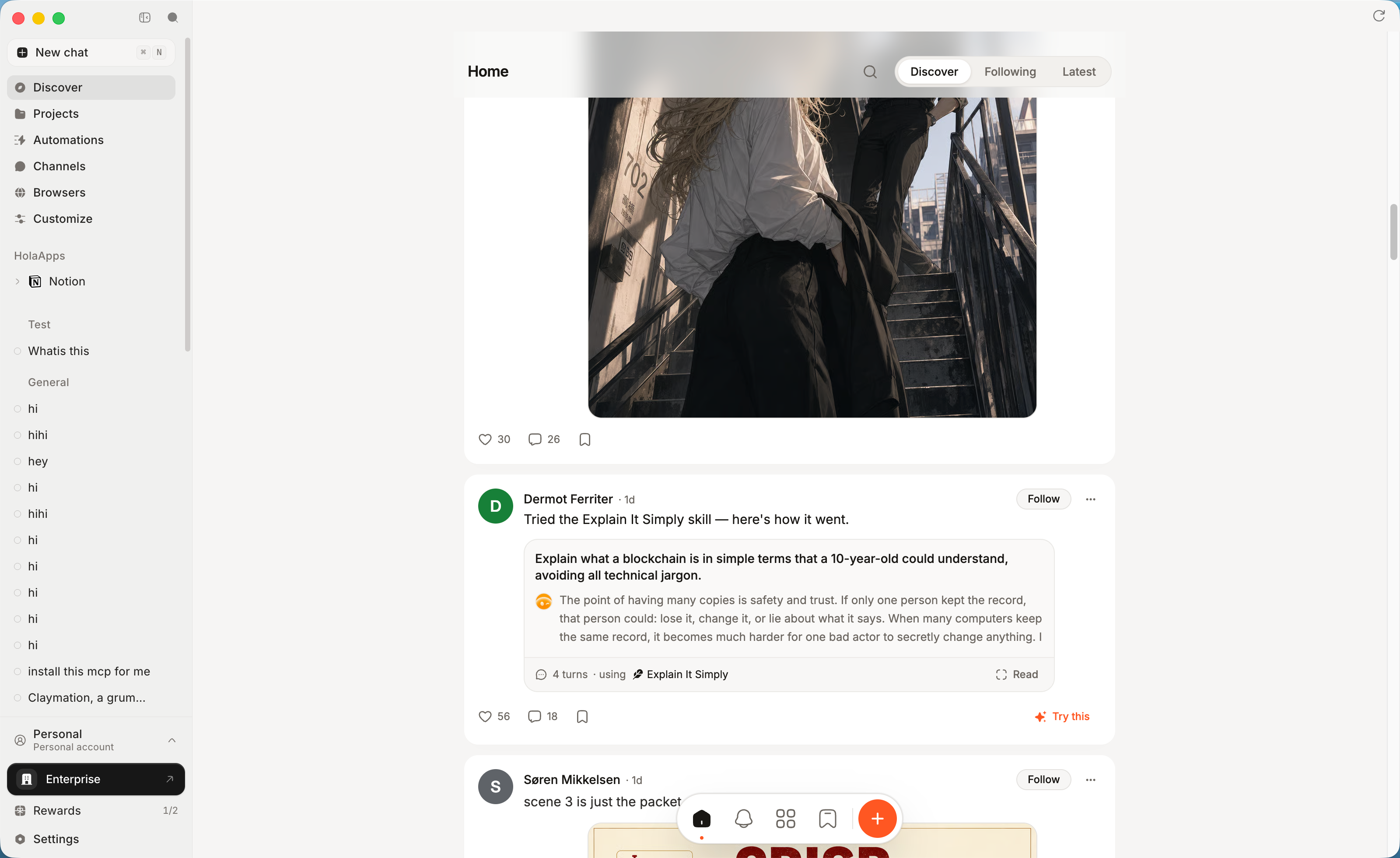
🌐 HolaHub — the recipe platform for agents, inside HolaOS
The fastest way to set up your workspace is to start from someone else's working setup. On HolaHub, creators publish agent recipes that already run — model, prompt, skills, MCP, integrations — and anyone installs one in a click and gets the same result. Share what you built, run what other people built.
One click to share — package any run in HolaOS and post it to the Hub, process and result together. No export, no rewrite, no second account.
One click to reproduce — every skill, MCP, image, or video on the Hub runs in your own workspace instantly. Discovery and installation are the same gesture.
Recipes, not just outputs — each post opens up into how it was made: the session behind a skill, the prompt behind an image or video. You see the ingredients of a result, not only the result.
🚀 Run it your way
| 🖥️ Desktop app | Download and go. Nothing to set up — frontier models built in, free to start. |
| 🔓 Open source | Self-host it. Modified Apache 2.0, bring your own keys, run it entirely on your machine. |
| 🏢 Enterprise | SSO with per-role permissions for every agent, skill, and app. Connect internal systems without exposing them. Audit logs on every action. On-prem or your own cloud. |
Table of Contents
Quick Start
One-Line Install
For a fresh-machine bootstrap on macOS, Linux, or WSL, use the repository installer:
curl -fsSL https://raw.githubusercontent.com/holaboss-ai/holaOS/refs/heads/main/scripts/install.sh | bash -s -- --launch
You can also follow the manual path if you want to control each setup step.
Star the Repository
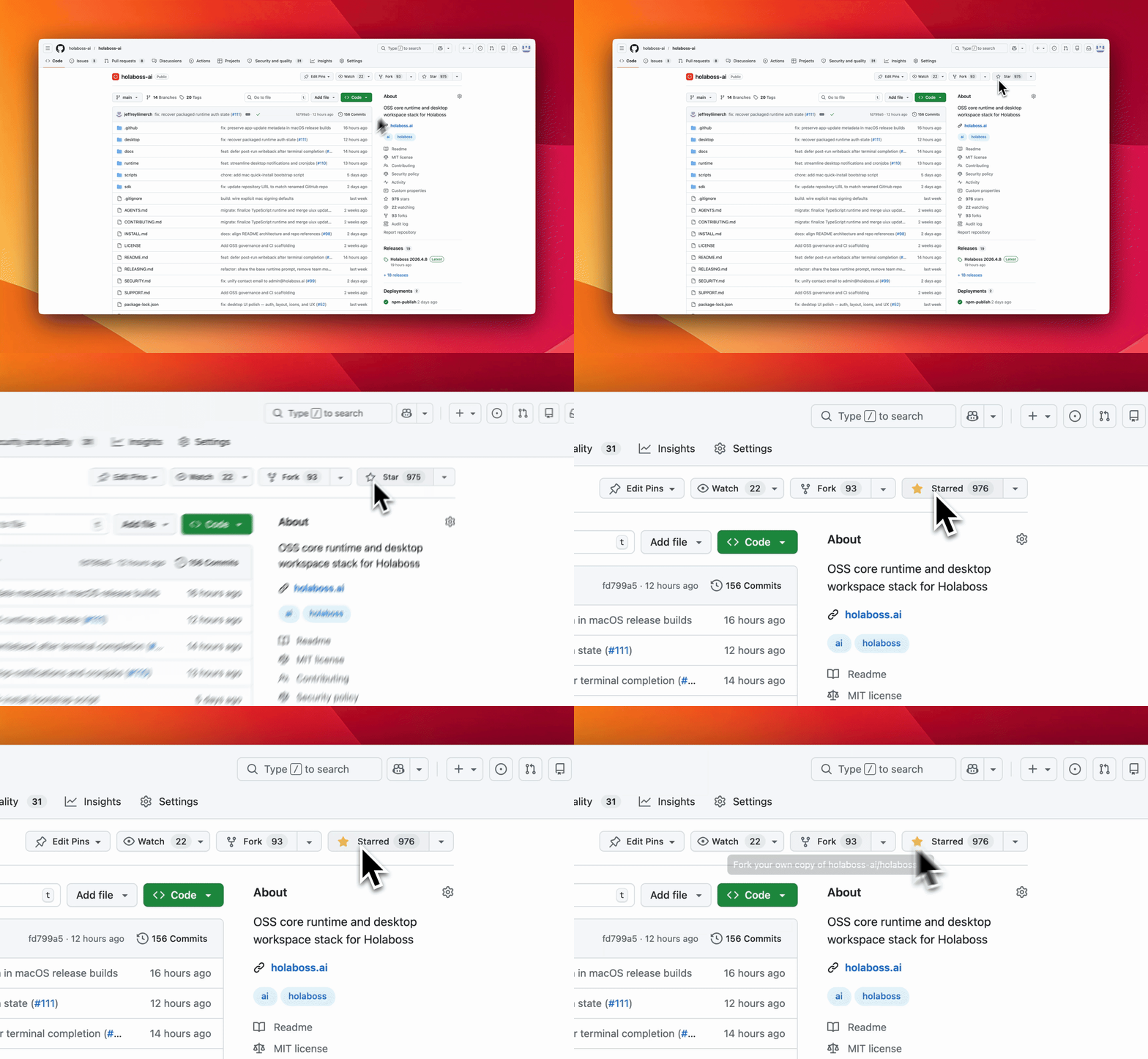
If holaOS is useful or interesting, a GitHub Star would be greatly appreciated.
Manual Install
You likely will not need this section because One-Line Install runs the same setup. Use Manual Install when you want to inspect or control each step. If you use the manual path, verify the usual prerequisites first:
git --version
node --version
npm --version
The repo pins its Node version in a root .nvmrc. If you already use nvm, running nvm use in the repo root will pick it up automatically — nvm is optional and not required to set up holaOS.
One-Line Agent Setup
If you use Codex, Claude Code, Cursor, Windsurf, or another coding agent, you can hand it the setup instructions in one sentence:
Run the holaOS install script from https://raw.githubusercontent.com/holaboss-ai/holaOS/refs/heads/main/scripts/install.sh. It should install git and Node.js 24.14.1/npm if they are missing, clone or update the repo into ~/holaboss-ai unless I specify another --dir, run desktop:install, create apps/desktop/.env from apps/desktop/.env.example if needed, run desktop:prepare-runtime:local and desktop:typecheck, and only run desktop:dev if I ask for --launch. If Electron cannot open, stop after verification and tell me the next manual step.
That handoff keeps the installation flow self-contained while leaving the detailed bootstrap steps in the repo-local INSTALL.md runbook.
This is the baseline installation flow for local desktop development.
- Install the desktop dependencies from the repository root:
npm run desktop:install
- Create your local environment file:
cp apps/desktop/.env.example apps/desktop/.env
If you are following the repo exactly, keep the file close to the template and only change the values that your provider or machine needs.
The canonical path is apps/desktop/.env. Existing legacy desktop/.env files are still accepted for now, but new setups should use apps/desktop/.env.
- Prepare the local runtime bundle:
npm run desktop:prepare-runtime:local
- If you want a quick validation pass before launching Electron, run:
npm run desktop:typecheck
- Start the desktop app in development mode:
npm run desktop:dev
The predev hook will validate the environment, rebuild native modules, and make sure a staged runtime bundle exists.
If you want to stage the runtime before opening the desktop app, there are two common paths:
Build from local runtime:
npm run desktop:prepare-runtime:local
Fetch the latest published runtime:
npm run desktop:prepare-runtime
Use the local path when you are actively changing runtime code. Use the published bundle when you want to verify the desktop against a known release artifact.
Use One-Line Install when you want the fastest path to a working local desktop environment. Use Manual Install when you need to inspect or control each setup step yourself.
OSS Release Notes
- License: modified Apache 2.0 with additional commercial-distribution and branding conditions. See LICENSE.
- Security issues: report privately to
admin@holaboss.ai. See SECURITY.md.
Star History
Releases