
Server · #431 trending MCP repo
Comfy Agent
IvenKooLab/comfy-agent
Local-first desktop studio for ComfyUI, built for AI short-drama production - zero-dependency 10MB exe: creation, gallery, 600+ templates, model hub, character assets (LoRA binding), episodic pipeline, MCP server
- Stars
- 31
- This week
- -1
- Forks
- 2
- Open issues
- 0
- Latest release
v1.8.0
Get started
Add it to your agent
claude mcp add comfy-agent -- python '<repo>/mcp_server.py'Run in your terminal. Add --scope project to share it with your team through .mcp.json.
codex mcp add comfy-agent -- python '<repo>/mcp_server.py'Saved to ~/.codex/config.toml.
{
  "mcpServers": {
    "comfy-agent": {
      "command": "python",
      "args": [
        "<repo>/mcp_server.py"
      ]
    }
  }
}Add to ~/.cursor/mcp.json (or .cursor/mcp.json in a project).
{
  "servers": {
    "comfy-agent": {
      "type": "stdio",
      "command": "python",
      "args": [
        "<repo>/mcp_server.py"
      ]
    }
  }
}Add to .vscode/mcp.json, then start it from the MCP view in Copilot Chat.
gemini mcp add comfy-agent python '<repo>/mcp_server.py'Saved to .gemini/settings.json.
Documentation
README
ComfyAgent
A local-first desktop studio for ComfyUI — pure-stdlib Python, vanilla JS, zero dependencies, one 10 MB exe




English | 简体中文
One native window that runs your local ComfyUI end to end: prompt-to-image/video creation, a gallery, a visual workflow editor, 600+ official templates, a model manager with resumable downloads, batch pipelines for episodic video, and an MCP server so external agents can drive it too.
Highlights
- 🖥️ Real desktop app — double-click the exe: native window + system tray. Closing the window minimizes it; single instance; no console box
- 🔒 Local-first — generation runs on your GPU, data never leaves your machine
- 🪶 Zero dependencies — pure Python standard library backend + vanilla JS frontend, ~10 MB installed
- 🌐 Bilingual — full UI and built-in help in English & Chinese
Features
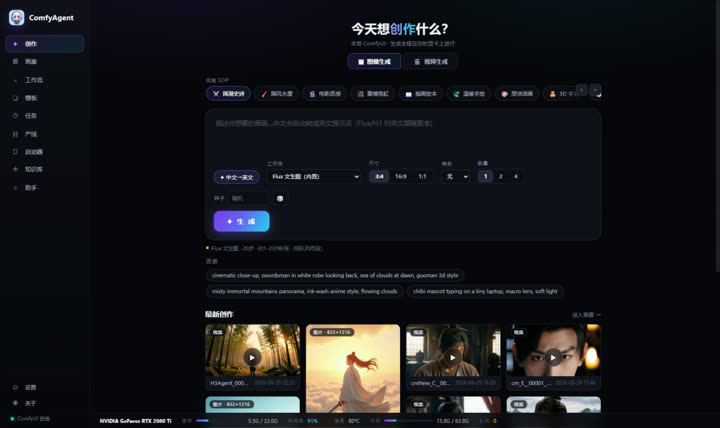
- 🎨 Create — prompt-to-image (Flux, MOSS-Image, FLUX 3 Klein — the two open-source October releases, built in) and prompt-to-video (MiniMax H3, native audio); Chinese prompts are auto-enhanced into English (LLM-powered, dictionary fallback); 12 style presets, character lock strings, image & video modes
- 👤 Characters — lock strings, reference images and character LoRA binding (auto-injected into image workflows, strength adjustable); ControlNet plan notes per character
- 🖼️ Gallery — live masonry, hover video preview, batch archive/delete, PNG parameter parsing, folder filters
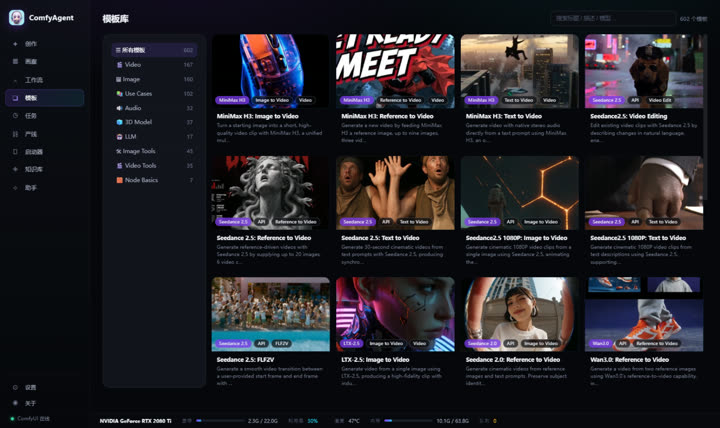
- 📚 Templates — 600+ official ComfyUI templates with real previews, one-click load into the editor; new subgraph-based templates (e.g. SCAIL-2 character animation) are auto-flattened and load like any other
- 🔧 Workflows — SVG node editor (drag/link/snap/validation); built-in Flux + H3 workflows; import UI/API JSON or extract from PNG
- 📋 Runs — queue, progress, ETA, one-click retry, GPU time ledger
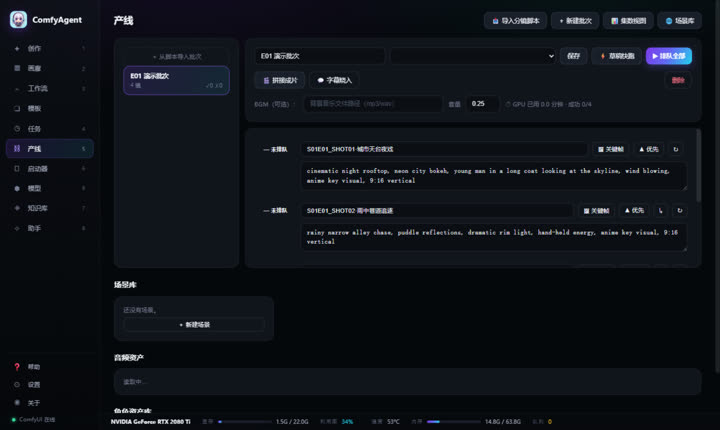
- 🎬 Pipeline — episodic script → shot list → batch queue → concat with BGM; shot-to-shot chaining (seamless long takes via last-frame continuation), priority queue, scene library, audio assets, subtitle burn-in, per-episode stats
- Pre-flight gate — first/last-frame anchoring (H3 FL2V, auto-selected per shot), seven-section prompt check, filmability lint, first/last frame size + SSIM checks; blockers stop the queue (force-submittable), plus an optional vision-model audit, a palette sheet with B&W value check, beat/BPM alignment from the original track, and a per-batch retrospective
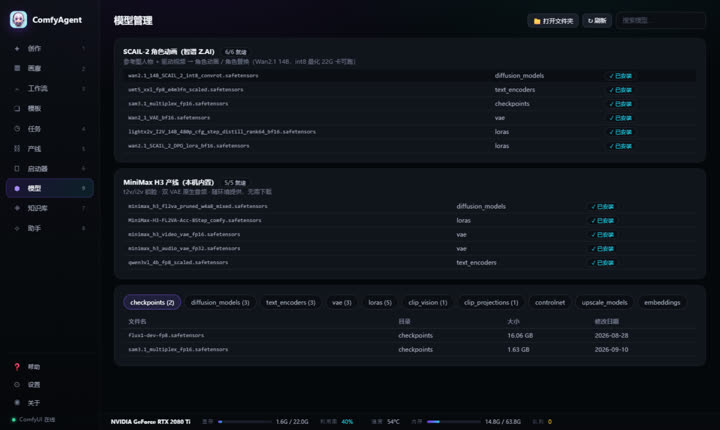
- ⬢ Models — preset suites (SCAIL-2, MiniMax H3, MOSS-Image, FLUX 3 Klein) with one-click resumable downloads and live progress; browse local model dirs by category with search; opening a template that needs missing models offers a one-jump download
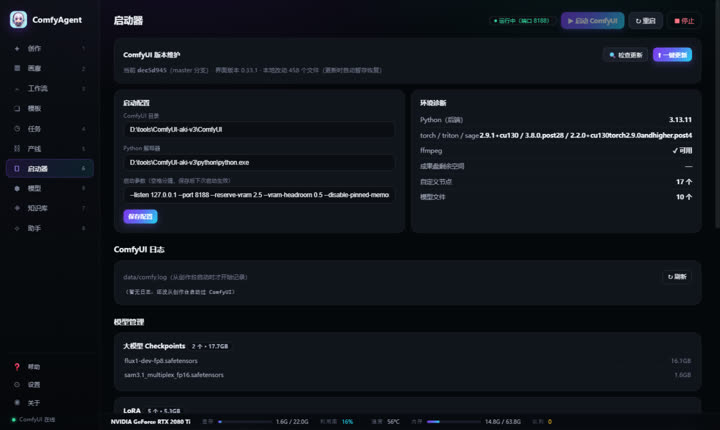
- 🚀 Launcher — start/stop/update ComfyUI, model inventory, custom nodes, environment diagnostics (torch/triton/sage), logs
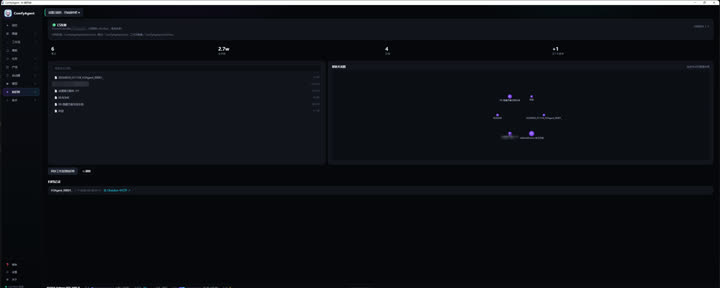
- 🗂️ Knowledge — Obsidian archiving, stats, graph view, full-text search
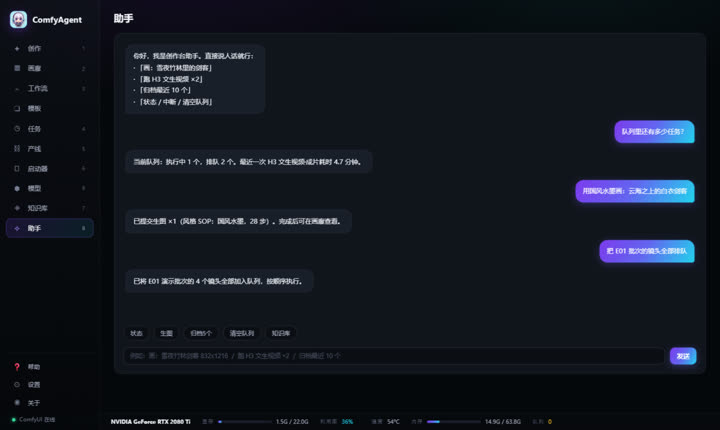
- 🤖 Assistant — natural-language control with multi-step actions; deterministic local entity resolution (typo-tolerant) runs before the LLM,
@binds a workflow / character / style by explicit ID, multi-step plans resume from a breakpoint, and gallery adoption signals are recorded for style/quality analytics - 🔌 MCP Server — expose ComfyAgent to any MCP host (see below)
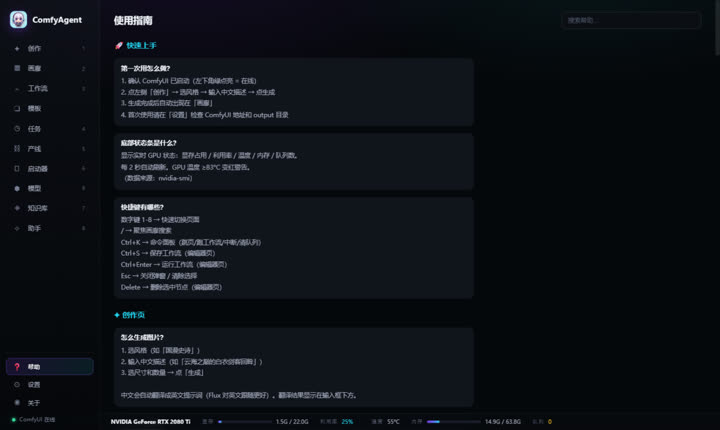
- 📖 Built-in help — 50+ searchable Q&A, bilingual
- 📊 Hardware bar — GPU util/temp/VRAM/RAM/queue, 2s refresh
Quick Start
- Grab
ComfyAgent-win64.zipfrom the latest release and unzip - Double-click
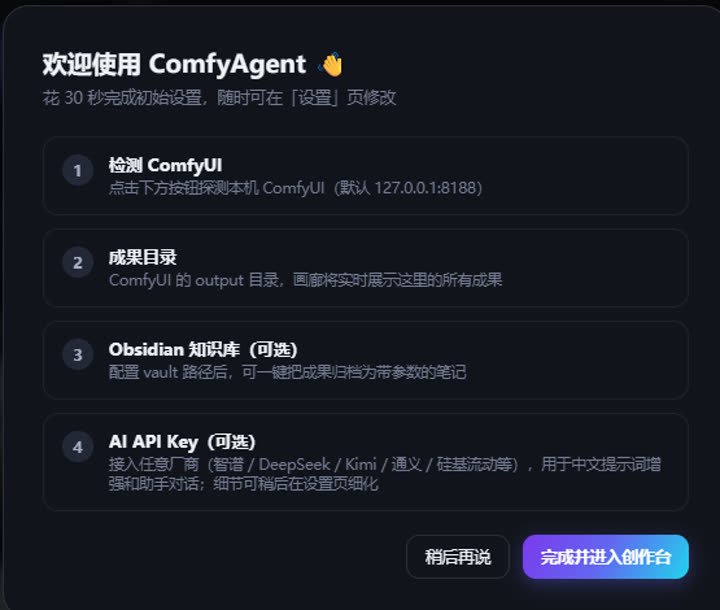
ComfyAgent.exe— a native window opens (30-second setup wizard on first run) - Close to tray; right-click the tray icon to quit
Requirements: a local ComfyUI (default 127.0.0.1:8188); ffmpeg on PATH (video poster frames); WebView2 runtime.
To develop against a source checkout: python server.py --open (browser mode), python app.py (desktop shell), bash build_exe.sh (build). See CHANGELOG.md for the design and iteration history.
Screenshots
Setup Wizard
Create
Templates
Pipeline
Launcher
Models
Knowledge (Obsidian)
Assistant
Help
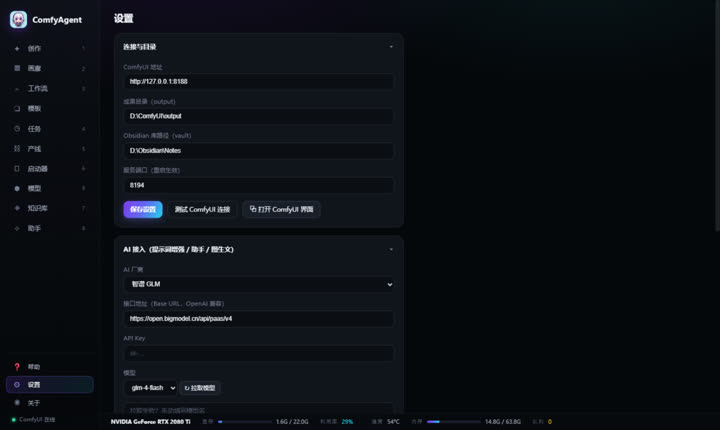
Settings
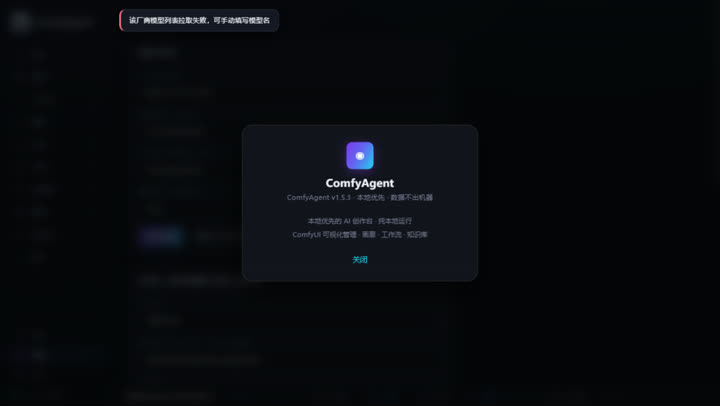
About
MCP Server
A built-in zero-dependency MCP server (stdio + JSON-RPC 2.0) exposes ComfyAgent to any MCP host (ZCode / Claude Desktop / Cursor, ...):
| Tool | What it does |
|---|---|
query_status |
ComfyUI online state, running/queued jobs, VRAM |
submit_generation |
Submit image/video generation (auto prompt enhancement, count ≤ 4) |
list_workflows |
Workflow library (draft/final tiers with real timings) |
search_gallery |
Search local gallery outputs |
"comfyagent": {
  "command": "python",
  "args": ["<repo>/mcp_server.py"],
  "env": { "COMFYAGENT_URL": "http://127.0.0.1:8190" }
}
(Requires ComfyAgent to be running.)
Contributing
Issues and PRs welcome (English or Chinese):
- Fork → branch → commit → PR
- Describe the problem you solve and how to verify it
- Backend changes must stay on the zero-third-party-dependency principle (Python stdlib only)
License
MIT © 2026 IvenKooLab
Releases