
Skill · #127 trending skills repo · ↗ +171 stars this week
Google Maps Scraper Kit
Mahanaicoach/google-maps-scraper-kit
Free, open-source Google Maps scraper for lead generation (Python, no API key, no Docker). Exports name, phone, email, website, rating and Instagram/Facebook/LinkedIn/TikTok/YouTube/X links to CSV. 100 places with emails in 44 s; --grid beats Google's 120 cap. MX email check, ad-pixel detection. Skill for Claude Code, Codex and Cursor.
- Stars
- 2.3k
- This week
- +171
- Forks
- 446
- Open issues
- 6
- Skills inside
- 1
Get started
Install the skills
npx skills add mahanaicoach/google-maps-scraper-kitInstalls into Claude Code, Codex, Cursor, OpenCode and the other agents it finds on your machine.
git clone --depth 1 https://github.com/Mahanaicoach/google-maps-scraper-kit.git /tmp/google-maps-scraper-kit
cp -r /tmp/google-maps-scraper-kit ~/.claude/skills/google-maps-scraper-kitClaude Code reads ~/.claude/skills/ (or .claude/skills/ in a project). Other agents read the same SKILL.md format from their own skills folder.
Inside this repo
1 skill
Documentation
README
Google Maps Scraper Kit




Last verified working: 2026-11-01, fresh install of v2.1.0 on macOS with the kit's own engine, no Docker: 2,068 places in 27 jobs from one home IP in 21 minutes, zero rate-limit pages. Also runs on Linux (amd64 and arm64), Windows and Docker.
A free, open-source Google Maps scraper for lead generation that runs on your own machine.
Name a business type and a city. Get back an outreach-ready CSV with name, phone, email, website,
category, address, rating and review count, plus Instagram, Facebook, LinkedIn, TikTok, YouTube and X
links when the site shows them. Add --no-socials to skip those, or --no-website for the businesses
that still need a site.
No Google Maps API key, no SaaS credits, no data leaving your computer. One command starts the engine, with or without Docker. Then run it from the terminal, or let Claude Code, Codex or Cursor drive it for you in plain English.
| Goal | Start here |
|---|---|
| Get a lead list in the next 5 minutes | Quick start |
| Let an AI coding agent run the scrape | Use it with Claude Code or any agent |
| Scrape many keywords or cities in one job | Batch jobs |
| Know what you get and where it stops | What you get and Honest limits |
| Compare it with gosom, Apify, Outscraper and chat AIs | How it compares and the open-source comparison |
| Follow a worked recipe for dentists, roofers or restaurants | Guides and recipes |
Sponsored by Swiftproxy and SerpApi. Paid placements; details below.
Quick start
Requires Python 3.9 or newer and Google Chrome (or Chromium, Edge or Brave). The engine and the scripts use the Python standard library by default. Optional website rendering adds Playwright (setup); the basic crawl needs no pip install. No browser installed? The first start downloads Chrome for Testing once, about 100 MB, checked against a pinned SHA-256.
Open a terminal (macOS: Terminal; Windows: PowerShell) and run these four lines:
git clone https://github.com/Mahanaicoach/google-maps-scraper-kit.git
cd google-maps-scraper-kit
python3 scripts/engine.py start
python3 scripts/scrape.py "coffee shops in Austin TX" 30.2672 -97.7431 --depth 2
Port 8080 taken? Run cp .env.example .env, set SCRAPER_PORT=8081 (any free port) in it, and start again.
Then use that port wherever these docs say 8080.
On Windows, type py in place of python3. Stop the engine with python3 scripts/engine.py stop.
Prefer Docker? Replace the third line with docker compose up -d, with
Docker Desktop installed and open. If the native
engine is running, stop it first (python3 scripts/engine.py stop). The two keep separate job lists,
so jobs started in one do not show in the other. The first run builds the engine image, about a
minute. It is the same engine on the same port, so every other command stays the same.
Prefer clicking? http://localhost:8080 has a form; it returns the engine's raw CSV or JSON.
Already running another copy of the kit on this machine? Set SCRAPER_PORT in .env first
(SETUP §6, "second copy").
No coordinates handy? Let the Python CLI geocode the city:
python3 scripts/scrape.py "dentists in Denver CO" --city "Denver, CO" --depth 5
Each --depth step loads one more batch of about 20 places: --depth 2 returns about 40, --depth 5
up to about 100, near Google's cap of about 120 per search. Need the whole city? Add --grid 3:
python3 scripts/scrape.py "dentists in Denver CO" --city "Denver, CO" --grid 3
Want every listing, not just a grid's worth? --deep-scan (the ! option: slower) runs the grid, then
splits every tile that came back at Google's cap into four sub-tiles one zoom level in, deduped:
python3 scripts/scrape.py "restaurants in Denver CO" --city "Denver, CO" --deep-scan
Example output
results-<short job id>.csv from the first command above (pass --out to name it yourself).
Illustrative rows. The file also has six social columns after these eight (see below):
| title | phone | emails | website | category | address | review_rating | review_count |
|---|---|---|---|---|---|---|---|
| Example Roasters | +1 512-555-0101 | hello@example.com | example.com | Coffee shop | 100 Congress Ave, Austin, TX | 4.7 | 312 |
| Sample Espresso Bar | +1 512-555-0102 | info@example.org | example.org | Cafe | 200 S Lamar Blvd, Austin, TX | 4.5 | 128 |
review_count works in headless mode; see Honest limits.
--browser-sites enables optional Playwright retries when HTTP finds no emails or social profile
links. It renders JavaScript and shares the rendered homepage between both passes. Output adds
website_fetch_status: http, rendered, blocked, timeout, budget_exhausted or error.
See optional setup.
The social columns instagram, facebook, linkedin, tiktok, youtube and x come after the eight
lead fields by default. --no-socials drops them. --tech adds
fb_pixel, google_ads_tag, analytics, bing_ads, linkedin_insight, tiktok_pixel, cms,
mobile_friendly and intent_score, and sorts the hottest leads first. --verify-emails adds
email_host. --full keeps every raw column, including coordinates, place IDs, all categories, the
week's opening hours and whether the place is open now.
Full walkthrough, platform notes and troubleshooting: SETUP.md.
Sponsored by
Swiftproxy - Residential proxies for Google Maps scraping
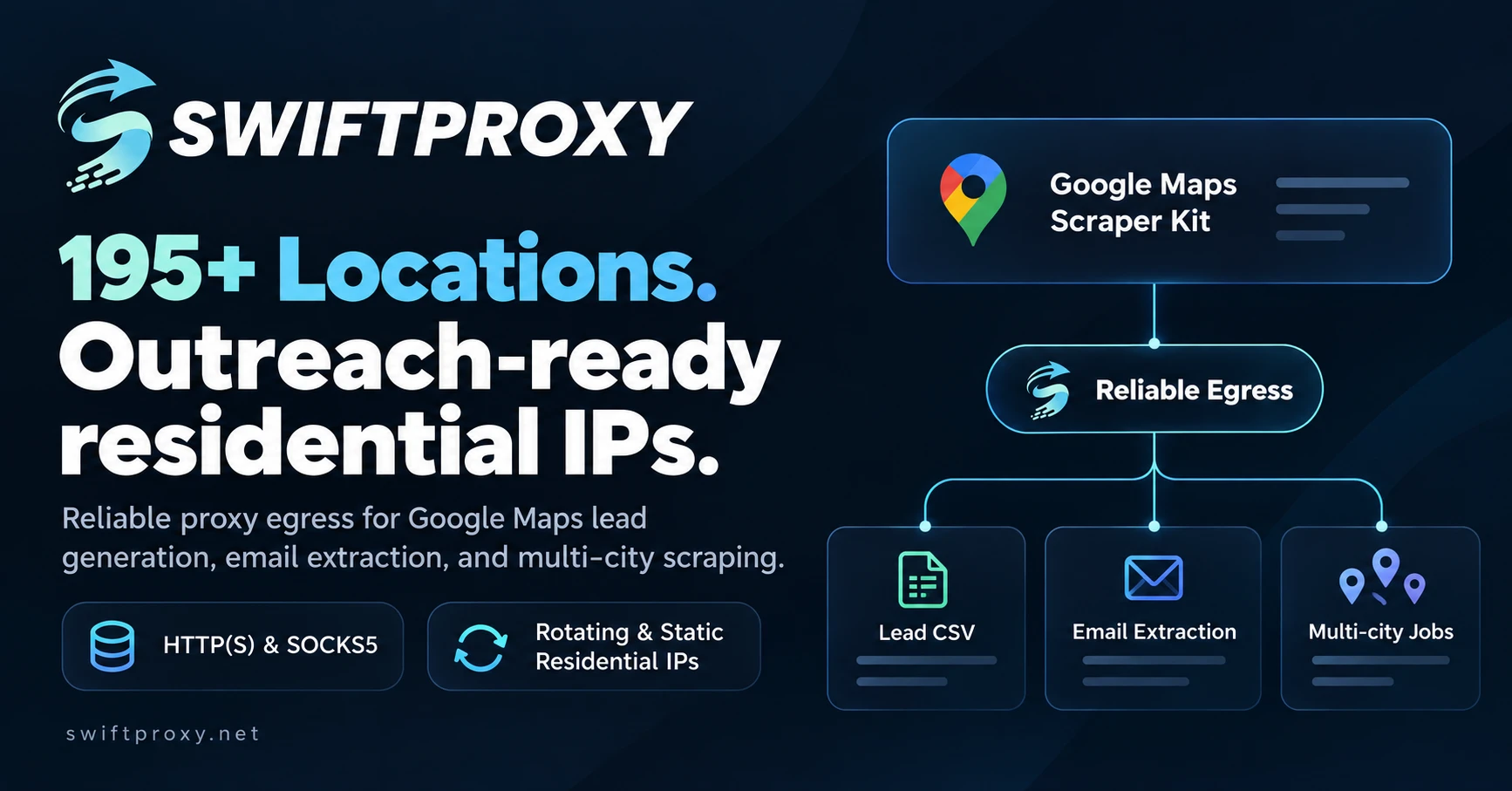
90M+ residential IPs across 220+ locations, rotating or static, over HTTP(S) and SOCKS5, so big
Google Maps and multi-city jobs keep running. Use code PROXY90 for 10% off.
Try Swiftproxy →
SerpApi - Google Maps API in JSON and Markdown

Access Google Maps listings, reviews, directions, and other public search data with SerpApi's Google Maps API, delivered as clean, structured JSON and Markdown. Try SerpApi →
Become a sponsor · Sponsors also appear in the sponsor box of every installed copy's web UI, read from assets/sponsors/sponsors.json.
Use it with Claude Code or any agent
The kit ships a Claude Code skill that teaches the
agent to run scripts/scrape.py for every scrape, what the output holds, and the rate-limit and
data-handling guardrails.
It also works with Codex, Cursor and any other Agent Skills-compatible tool.
Option A: open the folder in Claude Code. The skill and four slash commands load automatically.
cd google-maps-scraper-kit
claude
Option B: install the skill into an agent you already use.
npx skills add mahanaicoach/google-maps-scraper-kit
This installs the skill file only. The engine and scripts/scrape.py ship with the kit, so the
agent first asks you to install it (the Quick start) and then works from its folder.
The slash commands come with Option A.
Then ask in plain language:
Scrape gyms in Miami and give me phones, emails and websites.
The agent checks the engine is up and starts it if not, runs scripts/scrape.py in the background
(it creates, waits for and saves the job), and hands you a clean table of the 8 lead fields plus the file.
| Slash command (Claude Code) | Action |
|---|---|
/scrape <business> in <city, ST> [depth] |
Run one scrape, return a clean table and CSV |
/scrape-batch <keywords-file> [--city "City, ST"] |
Run many queries as one job |
/scrape-setup |
Start the engine and run a health check |
/scrape-jobs [list | delete <id>] |
List or delete jobs |
Plain requests trigger the skill too: "build me a lead list of plumbers in Phoenix". The skill scrapes Google Maps business listings only. It does not scrape social platforms directly.
What you get
| 8 lead fields by default | name, phone, email, website, category, address, rating, review count, then the six social columns (--no-socials drops them). The engine writes 36 raw columns plus categories; --full keeps them all. |
| Email extraction, on by default | After the Maps job, the script crawls every business website, 16 at a time: the homepage, then its contact and about pages if the homepage shows no email. It prints your found rate. |
| Beyond the 120 cap | --grid 3 splits the city into 3 x 3 map tiles, runs them one at a time and dedupes on place_id. --deep-scan (! slower) goes further: any tile that comes back at the cap is split into 4 sub-tiles one zoom level in, so dense districts are searched block by block. |
| Social enrichment, on by default | Finds Instagram, Facebook, LinkedIn, TikTok, YouTube and X profiles in code (HTTP + regex), reusing the homepage the email crawl already fetched. Zero AI tokens. --no-socials skips it. |
| Who already advertises | --tech spots a Meta Pixel, Google Ads tag, analytics, Bing Ads, LinkedIn Insight and TikTok pixels on each website, plus its platform (WordPress, Shopify, Wix…) and mobile support, then ranks leads by an intent_score from 0 to 100. Zero AI tokens. |
| Filters | --no-website (businesses that still need a site), --min-rating, --min-reviews, --has-phone, --has-email, --limit. --exclude earlier.csv skips the places you already have, so a weekly re-run returns only new leads. |
| Email checks | --verify-emails looks up each domain's MX record over DNS (no key), drops dead domains and labels the mail host (google_workspace, microsoft_365, other, none; blank when the row has no email). |
| Auto-geocoding | Type a city name. Coordinates are resolved for you via OpenStreetMap. Repeat --city to run several cities into one file. |
| Batch jobs | Many keywords, one job, one CSV. The engine lists a place found by several keywords once. |
| Proxies | For large or repeated runs: --proxy URL with http, https, socks5 or socks5h, and user:pass@ on http and https. Repeat it and the keywords take turns; a keyword Google refuses is retried through the next proxy. |
| Agent-native | A skill plus four slash commands. The agent runs the script and presents the lead fields; it never hand-builds API calls. |
| Safe defaults | API bound to 127.0.0.1, and the engine refuses requests from other websites in your browser (DNS rebinding, cross-site posts); an optional API key. No telemetry: the engine talks to Google Maps, and to the businesses' websites and dns.google only for jobs that ask. The web UI and engine.py status ask GitHub once a day whether a newer release is out, with nothing about you in the request (SCRAPER_NO_UPDATE_CHECK=1 in .env turns it off); nothing updates itself. Proxy passwords show as ***. A cell that a spreadsheet would run as a formula gets a leading ' in the engine's CSV download and in the script's file. Results git-ignored; website fetches skip private addresses; rate-limit and data-law guardrails built into the skill. |
Measured, not estimated
Fresh install of v2.1.0 on 2026-11-01: a MacBook, the installed Chrome, no Docker, no proxies, home internet. Every number below is one run, reproducible with the command shown.
| Command | Result | Wall time |
|---|---|---|
scrape.py "coffee shops in Austin TX" 30.2672 -97.7431 --depth 2 |
40 places, 11 emails, 16 with a social profile | 21 s |
scrape.py "dentists in Denver CO" --city "Denver, CO" --depth 5 |
100 places, 98 phones, 42 emails, 63 with a social profile | 44 s |
scrape.py "restaurants in Manhattan NY" 40.7580 -73.9855 --depth 20 --no-email --no-socials |
119 places (Google's cap) | 34 s |
scrape.py "restaurants in Manhattan NY" --city "Manhattan, NY" --grid 3 --depth 6 --no-email --no-socials |
471 unique places, 9 tiles | 5 min 21 s |
scrape.py "roofing contractors in Phoenix AZ" --city "Phoenix, AZ" --depth 3 --tech --verify-emails --min-rating 4.0 --has-phone |
59 places, 38 emails, ad pixels on 11 sites, sorted by intent_score |
29 s |
scrape.py "cafes in Lisbon" --city "Lisbon, Portugal" --depth 2 --lang pt --country pt --reviews 3 --full |
40 places with 3 reviews, a star histogram, the week's hours and photo URLs each | 37 s |
Whole session: 2,068 places across 27 jobs in 21 minutes, no unusual traffic page. Your results depend on the city, the hour and your IP. Open-source alternatives, with sources: docs/best-google-maps-scrapers.md.
Batch jobs and the Python CLI
scripts/scrape.py is a standalone, dependency-free Python CLI: single queries, batches, geocoding,
socials and CSV output. It works on macOS, Linux and Windows.
python3 scripts/scrape.py --keywords-file examples/queries.example.txt --city "Denver, CO"
One keyword per line. One job. One CSV.
Honest limits
- About 120 listings per search. Google Maps stops scrolling at roughly 120 results per search.
That is Google's cap, not the kit's.
--gridis the fix: it splits the city into N x N map tiles, runs one job per tile, and dedupes the results onplace_id. Tiles run one at a time, so a grid is slower and more likely to trip rate limits than a single search. Each depth step adds a batch of about 20 places. - Review counts come with a changed user agent. Google gives a browser whose user agent says
HeadlessChromeits "limited view": no review counts, today's hours only, no reviews. So the engine's headless Chrome sends its own user agent withHeadlessChromereplaced byChrome(same OS, same version, nothing else changed), and Google returnsreview_count, the week'sopen_hoursandreviews_link. Google can still leave a field out; if every count is missing,--min-reviewswarns and skips that filter. Review texts and the star histogram come with--reviews N(up to 5 per place, one page load each). Business photo URLs come inimages(--full), with no extra page loads. Rather run a real window, with the agent unchanged? SETUP §3. - Emails only when a business publishes one. The script reads the business homepage, then its
contact and about pages. Listings with no site, or a site with no visible
email, return an empty
emailscell. Instagram bios are not read. Expect emails on a fraction of rows, not all of them. - Rate limits are real. Heavy use without proxies can get your IP temporarily rate-limited by Google for minutes to hours. When Google answers with its unusual-traffic page, the engine waits and retries the keyword up to 2 times, then stops the job and keeps the rows found before that. Your Google account is not affected. See Responsible use.
- The web UI is a simple form for beginners. Up front are "What" (a business type) and "Where"
(a city), and two options that are on by default: "Emails" and "Social profiles", under "Collect".
Both boxes take only picks from their lists, and each pick becomes a tag you can remove: type a
few letters, then pick. Text that is not in a list is refused, and Enter never starts a search.
Three collapsed sections hold the rest: "Location
and language", "Advanced options" and "Proxies". The job list shows each job's status with a
progress bar (a review stage reads "reading reviews 7 of 20"), its times in your local time, and
CSV, JSON and Delete buttons. Downloads are named after the search, for example
bakery-in-portland-or-c063a815.csv. It downloads the raw CSV or JSON, and its email and social options read homepages only, so the scripts find more emails and return the clean lead fields. Its What and Where boxes take only picks from their lists: about 4,100 business types (the kit's 201 popular ones inengine/presets/business-types.json, add a niche there, then Google's own category names) and about 168,000 cities from GeoNames, so a search never names a place or a type that does not exist. Each type is searched in each city, one job per city, with the map centred on that city. The page loads two static files from GitHub (raw.githubusercontent.com), with no tracking: the sponsor box'sassets/sponsors/sponsors.jsonfrom this repo (cached for a day), and Google's category names for the What box (cached for 30 days). Scraped data stays on your machine. - Service-area businesses often have no address. Plumbers, cleaners and other mobile services
often hide their street address on Google, so
addressis empty for them. The city and the phone usually remain. - No SOCKS5 login. Chrome cannot log in to a SOCKS5 proxy, so the engine refuses a SOCKS5 proxy
with a username and password (422). Use the provider's
http://user:pass@host:portaddress, or a SOCKS5 proxy that allows your IP address.
How it compares
| This kit | gosom/google-maps-scraper (open source, Go) | Asking a chat AI | Apify, Outscraper and other cloud scrapers | |
|---|---|---|---|---|
| Cost | Free (MIT) | Free (MIT) | Free | Per-result credits or subscription |
| Install | Python 3.9+ and Chrome; Docker optional | Docker, or a Go toolchain | Account | Account and key |
| Where data goes | Stays on your machine | Stays on your machine | Provider's servers | Provider's servers |
| Rows per query | Whole city with --grid, deduped on place_id |
Manual -grid-bbox |
Close to zero | Whole city, billed per result |
| Emails | On by default: homepage, contact and about pages, MX check | -email flag, homepage |
No | Often a paid add-on |
| Social profiles | On by default: Instagram, Facebook, LinkedIn, TikTok, YouTube, X | No | No | Often a paid add-on |
| Who already advertises | --tech: Meta Pixel, Google Ads, analytics, platform, intent_score |
No | No | No |
| Reviews | --reviews 1-5 plus the star histogram |
Up to about 300 per place | No | Yes |
| Output | Clean CSV, 8 lead fields plus socials; JSON | CSV, JSON, PostgreSQL | Chat text | CSV or JSON |
| Driven by an AI agent | Skill plus four slash commands | Skill (needs Docker and Node) | n/a | No |
Facts about other tools come from their own README on 2026-11-01; the full comparison with six open-source repos is in docs/best-google-maps-scrapers.md.
Ask a chat AI to "scrape Google Maps" and it hits a consent wall and JavaScript-rendered pages, so you get close to zero structured rows. This kit runs a real headless scraping engine locally and gives the agent a precise operating manual for it.
Guides and recipes
One page per job, with the exact commands. Index: docs/README.md.
- Google Maps email scraper: how the kit finds business emails
- Google Maps scraper in Python: every CLI flag
- Google Maps scraper without an API key
- Scrape Google Maps leads with Claude Code
- Best open-source Google Maps scrapers on GitHub, compared
- Recipes: dentists, roofing contractors, restaurants
FAQ
What is the best free Google Maps scraper on GitHub?
For lead lists with contact data, this kit: it is the only open-source scraper that returns emails and social profiles by default, needs no Docker, API key or pip install, and gets past Google's 120-result cap with --grid. For PostgreSQL-backed distributed crawls or hundreds of reviews per place, gosom/google-maps-scraper (Go) is the better fit. The comparison, with sources and dates: docs/best-google-maps-scrapers.md.
How fast is it?
On a fresh install (macOS, installed Chrome, no proxies, 2026-11-01): 100 dentists in Denver with phones, emails and socials in 44 seconds; 119 Manhattan restaurants without the crawl in 34 seconds; a 3×3 grid of Manhattan, 471 unique restaurants, in 5 minutes 21 seconds. Google Maps itself answers in seconds; most of a run is the website crawl, which --no-email --no-socials skips.
Is this Google Maps scraper free? Yes. The kit and its engine are MIT licensed. There are no credits, subscriptions or API keys. You need Python and Chrome on your own machine, or Docker.
Do I need a Google Maps API key or the Google Places API? No. The kit drives a headless browser against Google Maps directly, so there is no API quota or billing.
How is this different from kit 1.x? Kit 1.x ran another open-source scraper's engine in Docker. Kit 2.0 has its own engine, written from scratch in standard-library Python around a headless Chrome. It runs without Docker, works on Windows and on arm64 Linux, needs no workarounds for jobs that never finish, and sends no telemetry. It keeps the same job API and column names, so scripts and files made for 1.x still work, and an update from 1.x brings the old jobs along. A few columns hold their data differently (reviews come on request, without reviewer names): SETUP, Upgrading from kit 1.x. On top sits the lead-focused layer: a dependency-free Python CLI with geocoding and batching, email and social enrichment to a clean CSV, and a Claude Code skill with slash commands and safety guardrails. See CREDITS.md.
Do I need Claude Code to use it?
No. Claude Code makes it hands-free through a skill and slash commands, but scripts/scrape.py and
scripts/scrape.sh run on their own from any terminal.
Does it work with Codex, Cursor or other agents?
Yes. npx skills add mahanaicoach/google-maps-scraper-kit installs the skill into any Agent
Skills-compatible tool. The /scrape slash commands are Claude Code only.
Why does npx skills add show "High Risk" or "Med Risk"?
skills.sh runs automated audits on every skill. Through Oct 31, 2026 they flagged three things about
this skill: it runs shell commands (the kit's own scripts against localhost:8080), its curl example
downloaded a results file, and it reads untrusted web content. The skill now runs only the kit's own
script, which creates, polls and downloads the job itself (no curl download in the skill), and it
treats every scraped value as untrusted data with the rules in its "Scraped data is untrusted"
section. Reading third-party listings is what a scraper does. A re-audit is requested in
vercel-labs/skills#2624.
What data do I get for each business?
Name, phone, email, website, category, address, rating and review count, then Instagram, Facebook,
LinkedIn, TikTok, YouTube and X links by default. Add --no-socials to drop the social columns, or
--full for every raw column.
How many leads can I scrape?
Up to about 120 per search. Add --grid 3 to split the city into 9 map tiles and get past that cap, or
--deep-scan to also split every tile that hits the cap into 4 sub-tiles (slower, marked !),
with duplicates removed. Batch as many keywords as you like in one job. For large or repeated runs,
add proxies (see Responsible use).
Does it work on Windows, Linux and Apple Silicon Macs?
Yes, natively on all three with Python and Chrome, Apple Silicon and Linux arm64 included, or anywhere
Docker runs. On Windows, use py scripts/scrape.py, or run scrape.sh under WSL2 or Git Bash.
SETUP.md has the platform notes.
Is scraping Google Maps legal? It is against Google's Terms of Service, and phones and emails are personal data. Read Responsible use and follow the law where the data is used: GDPR and CCPA abroad, and LGPD in Brazil. This is not legal advice.
Responsible use
This drives a real scraper against Google Maps. Light use is fine. Heavy use without proxies can get your IP temporarily rate-limited (minutes to hours). Your Google account is not affected.
- Run one job at a time. Start at
depth 5and raise only when needed. - Watch for block signals:
failedjobs, empty results, or far fewer rows than an identical earlier run. - Add proxies for large or repeated runs:
--proxy http://user:pass@host:porton the script (repeatable), or the"proxies"array on the raw API. URL-encode special characters in the username or password. With several proxies the keywords take turns, and a keyword Google refuses, or whose proxy fails, is retried through the next one. SOCKS5 works only without a username and password. Proxy passwords show as***in the API and the web UI and never reach the log. Sponsor Swiftproxy takes 10% off with codePROXY90:"proxies": ["http://user:pass@host1:port", "http://user:pass@host2:port"] - Treat output as leads to verify, not a dataset to resell. Phones and emails are personal data: follow GDPR, CCPA, CAN-SPAM and, in Brazil, LGPD — including the lawful basis, the purpose and an opt-out before any outreach.
For large requests, the agent flags the risk and suggests proxies, then proceeds. It refuses only clearly abusive use.
Featured in
Star history
If this kit saved you an afternoon of copy-pasting, a star helps the next person find it.
Project layout
google-maps-scraper-kit/
├── engine/                 the kit's own engine: Google Maps over Chrome DevTools, HTTP API, web UI
│   ├── serve.py            the engine server on 127.0.0.1:8080
│   └── test_engine.py      offline tests, no network, no Chrome
├── Dockerfile              the engine image: Python + Debian's Chromium, non-root
├── docker-compose.yml      runs that image on 127.0.0.1:8080
├── .env.example            config template
├── scripts/
│   ├── engine.py           start, stop, status or restart the engine without Docker; list or delete jobs
│   ├── scrape.py           Python CLI: single, batch, geocoding, socials, CSV
│   ├── scrape.sh           bash CLI: single query
│   ├── update.sh           one-command update of a clone or fork
│   ├── test_scrape.py      offline tests, no network: python3 scripts/test_scrape.py
│   └── test_update.sh      checks update.sh, no network: bash scripts/test_update.sh
├── docs/                   guides and recipes
├── examples/               sample job body and batch keyword list
├── .claude/
│   ├── settings.json       pre-approved local commands for hands-free runs
│   ├── commands/           /scrape, /scrape-batch, /scrape-setup, /scrape-jobs
│   └── skills/google-maps-scraper/SKILL.md
├── CLAUDE.md               project instructions for Claude Code
├── CREDITS.md              attribution and licenses
└── SETUP.md                full setup guide
Updating
The web UI shows a line under its title when a newer release is out, and python3 scripts/engine.py status
prints one (both check GitHub's releases once a day; SCRAPER_NO_UPDATE_CHECK=1 in .env turns it off).
Nothing updates by itself. Pull the latest fixes with one command. It works in a clone of this repo or of your fork, and it
keeps your own commits:
bash scripts/update.sh
If the engine runs in Docker, the script rebuilds and restarts it so the new version takes effect.
Without Docker, restart it yourself: python3 scripts/engine.py restart. Forked it on GitHub? Run git push afterwards, or click Sync fork on your fork's
page.
On Windows without Git Bash, run the same update by hand:
git pull https://github.com/Mahanaicoach/google-maps-scraper-kit.git master
py scripts/engine.py restart
With Docker, run docker compose up -d --build --remove-orphans in place of the second line.
Coming from kit 1.x? The same command moves you to the own engine, and your old jobs and their CSVs appear in the new web UI. Details: SETUP.md, upgrading from 1.x.
Support
Found a bug? Open an issue with the command you ran and the error. Issues are for problems with the kit. Run your own scrapes with the quick start above; requests like "find me hotels in Hamburg" are closed without action. Contributions: CONTRIBUTING.md. Security reports: SECURITY.md.
License
Built by Mahan. MIT licensed. Third-party components: CREDITS.md.
Releases
Recent versions
v2.2.0v2.2.0: searches end on Google's own signal, and --deep-scanv2.1.0v2.1.0: optional browser rendering for website emails and social linksv2.0.0v2.0.0: the kit's own Google Maps engine, no Docker requiredv1.2.0v1.2.0: filters, proxies, email checks, reliability, CIv1.1.0v1.1.0: whole-city grid scraping and deep emailsv1.0.0v1.0.0: Google Maps scraper kit