
Pack · #3 trending skills repo · ↗ +5.2k stars this week
ECC
affaan-m/ECC
The agent harness performance optimization system. Skills, instincts, memory, security, and research-first development for Claude Code, Codex, Opencode, Cursor and beyond.
- Stars
- 299k
- This week
- +5.2k
- Forks
- 44k
- Open issues
- 240
- Skills inside
- 1.1k
Get started
Install the skills
npx skills add affaan-m/ECCInstalls into Claude Code, Codex, Cursor, OpenCode and the other agents it finds on your machine.
/plugin marketplace add https://github.com/affaan-m/ECC
/plugin install ecc@eccRun inside Claude Code, then pick what to install from /plugin.
git clone --depth 1 https://github.com/affaan-m/ECC.git /tmp/ecc
cp -r /tmp/ecc ~/.claude/skills/eccClaude Code reads ~/.claude/skills/ (or .claude/skills/ in a project). Other agents read the same SKILL.md format from their own skills folder.
Inside this repo
48 of 1068 skills
.agents/skills/agent-introspection-debuggingagent-sortBuild an evidence-backed ECC install plan for a specific repo by sorting skills, commands, rules, hooks, and extras into DAILY vs LIBRARY buckets using parallel repo-aware review passes. Use when ECC should be trimmed to what a project actually needs instead of loading the full bundle..agents/skills/agent-sortapi-designREST API design patterns including resource naming, status codes, pagination, filtering, error responses, versioning, and rate limiting for production APIs. Use when designing or reviewing REST endpoints, resource names, status codes, pagination, or versioning..agents/skills/api-designarticle-writingWrite articles, guides, blog posts, tutorials, newsletter issues, and other long-form content in a distinctive voice derived from supplied examples or brand guidance. Use when the user wants polished written content longer than a paragraph, especially when voice consistency, structure, and credibili.agents/skills/article-writingbackend-patternsBackend architecture patterns, API design, database optimization, and server-side best practices for Node.js, Express, and Next.js API routes. Use when building or reviewing Node.js, Express, or Next.js API routes and their data access..agents/skills/backend-patternsbenchmark-methodology- Use after competitive-platform-analysis has produced a tiered competitor set. Scores each competitor across nine weighted dimensions (positioning, voice, visual craft, offer packaging, evidence, enterprise-readiness, thought leadership, pricing, client's strategic tension) with explicit 1–5 rubric.agents/skills/benchmark-methodologybrand-discovery- Use when a brand needs to discover or articulate its identity through structured multi-session interviews. Covers purpose, positioning, audience, personality, voice, narrative, and founder-brand tension across 8 modules using laddering, 5 Whys, and projective techniques. Produces a resumable sessi.agents/skills/brand-discoverybrand-voiceBuild a source-derived writing style profile from real posts, essays, launch notes, docs, or site copy, then reuse that profile across content, outreach, and social workflows. Use when the user wants voice consistency without generic AI writing tropes..agents/skills/brand-voicebun-runtimeBun as runtime, package manager, bundler, and test runner. When to choose Bun vs Node, migration notes, and Vercel support..agents/skills/bun-runtimechange-impact- Perform evidence-backed impact analysis before changing code, data, interfaces, or governance documents, then compare the planned impact with the actual diff after implementation. Covers call paths, data and schema, API contracts, tests, documentation, ADRs, deployment, migration, and rollback. Us.agents/skills/change-impactcoding-standardsBaseline cross-project coding conventions for naming, readability, immutability, and code-quality review. Use detailed frontend or backend skills for framework-specific patterns. Use when reviewing code quality or naming with no framework-specific skill that applies..agents/skills/coding-standardscompetitive-platform-analysis- Use when scoping a competitive landscape — identifying, categorising, and score-filtering a competitor set before any benchmarking begins. Decides who counts as a competitor, which tier they belong to, and which sources to mine. First step in the three-skill competitive pipeline; precedes benchmar.agents/skills/competitive-platform-analysiscompetitive-report-structure- Use after benchmark-methodology has produced scored competitor profile cards. Assembles findings into a decision-grade report: landscape map, competitor profiles, benchmarking matrix, white-space analysis, strategic recommendations, and team alignment trigger questions. Final step in the three-ski.agents/skills/competitive-report-structurecontent-engineCreate platform-native content systems for X, LinkedIn, TikTok, YouTube, newsletters, and repurposed multi-platform campaigns. Use when the user wants social posts, threads, scripts, content calendars, or one source asset adapted cleanly across platforms..agents/skills/content-enginecontext-and-decisions- Govern stable domain context with a narrowly scoped CONTEXT.md when needed, and route hard-to-reverse decisions to ECC's existing architecture-decision-records skill. Use when domain terms require repeated explanation, one term has multiple meanings, unclear language causes module-boundary mistake.agents/skills/context-and-decisionscrosspostMulti-platform content distribution across X, LinkedIn, Threads, and Bluesky. Adapts content per platform using content-engine patterns. Never posts identical content cross-platform. Use when the user wants to distribute content across social platforms..agents/skills/crosspostdeep-researchMulti-source deep research using firecrawl and exa MCPs. Searches the web, synthesizes findings, and delivers cited reports with source attribution. Use when the user wants thorough research on any topic with evidence and citations..agents/skills/deep-research⬇ 101 installsdmux-workflowsMulti-agent orchestration using dmux (tmux pane manager for AI agents). Patterns for parallel agent workflows across Claude Code, Codex, OpenCode, and other harnesses. Use when running multiple agent sessions in parallel or coordinating multi-agent development workflows..agents/skills/dmux-workflowsdocs-governanceRoute broad documentation-governance requests to existing ECC skills and run an opt-in, read-only audit of mapped documentation roles, links, ADR indexes, and evidence references. Use when a user asks for documentation governance, project-knowledge organization, documentation integrity, or a determi.agents/skills/docs-governancedocumentation-lookupUse up-to-date library and framework docs via Context7 MCP instead of training data. Activates for setup questions, API references, code examples, or when the user names a framework (e.g. React, Next.js, Prisma)..agents/skills/documentation-lookupe2e-testingPlaywright E2E testing patterns, Page Object Model, configuration, CI/CD integration, artifact management, and flaky test strategies. Use when writing Playwright tests, structuring page objects, or fixing flaky E2E runs in CI..agents/skills/e2e-testingecc-conventionsDevelopment conventions and patterns for ECC. JavaScript project with conventional commits..agents/skills/ecc-conventionseval-harnessFormal evaluation framework for Claude Code sessions implementing eval-driven development (EDD) principles. Use when a Claude Code workflow needs a formal eval before it is trusted or changed..agents/skills/eval-harnessexa-searchNeural search via Exa MCP for web, code, and company research. Use when the user needs web search, code examples, company intel, people lookup, or AI-powered deep research with Exa's neural search engine..agents/skills/exa-searchfal-ai-mediaUnified media generation via fal.ai MCP — image, video, and audio. Covers text-to-image (Nano Banana), text/image-to-video (Seedance, Kling, Veo 3), text-to-speech (CSM-1B), and video-to-audio (ThinkSound). Use when the user wants to generate images, videos, or audio with AI..agents/skills/fal-ai-mediafrontend-patternsFrontend development patterns for React, Next.js, state management, performance optimization, and UI best practices. Use when building or reviewing React or Next.js components, state, or render performance..agents/skills/frontend-patternsfrontend-slidesCreate stunning, animation-rich HTML presentations from scratch or by converting PowerPoint files. Use when the user wants to build a presentation, convert a PPT/PPTX to web, or create slides for a talk/pitch. Helps non-designers discover their aesthetic through visual exploration rather than abstra.agents/skills/frontend-slidesinvestor-materialsCreate and update pitch decks, one-pagers, investor memos, accelerator applications, financial models, and fundraising materials. Use when the user needs investor-facing documents, projections, use-of-funds tables, milestone plans, or materials that must stay internally consistent across multiple fu.agents/skills/investor-materialsinvestor-outreachDraft cold emails, warm intro blurbs, follow-ups, update emails, and investor communications for fundraising. Use when the user wants outreach to angels, VCs, strategic investors, or accelerators and needs concise, personalized, investor-facing messaging..agents/skills/investor-outreachmarket-researchConduct market research, competitive analysis, investor due diligence, and industry intelligence with source attribution and decision-oriented summaries. Use when the user wants market sizing, competitor comparisons, fund research, technology scans, or research that informs business decisions..agents/skills/market-researchmcp-dependency-reviewStatically review MCP configuration for mutable package references before approval or CI, without executing discovered MCP servers. Use when reviewing .mcp.json, Cursor, VS Code, Claude, Windsurf, or other repo-scoped MCP config..agents/skills/mcp-dependency-reviewmcp-server-patternsBuild MCP servers with Node/TypeScript SDK — tools, resources, prompts, Zod validation, stdio vs Streamable HTTP. Use Context7 or official MCP docs for latest API. Use when building or debugging an MCP server — tools, resources, prompts, validation, or transport choice..agents/skills/mcp-server-patternsmle-workflowProduction machine-learning engineering workflow for data contracts, reproducible training, model evaluation, deployment, monitoring, and rollback. Use when building, reviewing, or hardening ML systems beyond one-off notebooks..agents/skills/mle-workflowmodule-governance- Establish or maintain a business module's local agent instructions, domain-context links, and interface ownership when implementing a new module or changing its responsibilities. Reuse project-level rules and existing ECC workflows; ordinary bug fixes, styling, and read-only design discussions do .agents/skills/module-governancemodule-regression- Govern cross-module regression in large repositories with a REGRESSION.md ledger that records each module's downstream consumers and executable acceptance command. After a change, run the changed module and every affected downstream command, and use observed exit codes as regression evidence under.agents/skills/module-regressionnextjs-turbopackNext.js 16+ and Turbopack — incremental bundling, FS caching, dev speed, and when to use Turbopack vs webpack..agents/skills/nextjs-turbopackplan-canvasOpen plans and HTML artifacts in a local browser canvas where the human annotates elements, chats, and approves or requests changes without leaving the page. Use when presenting a plan for review, or when feedback like "move this, change that" is easier pointed at than typed..agents/skills/plan-canvasproduct-capabilityTranslate PRD intent, roadmap asks, or product discussions into an implementation-ready capability plan that exposes constraints, invariants, interfaces, and unresolved decisions before multi-service work starts. Use when the user needs an ECC-native PRD-to-SRS lane instead of vague planning prose..agents/skills/product-capabilitysecurity-reviewUse this skill when adding authentication, handling user input, working with secrets, creating API endpoints, or implementing payment/sensitive features. Provides comprehensive security checklist and patterns..agents/skills/security-reviewskill-host-compatLint ECC skills for Codex/Cursor-safe frontmatter and Claude-only substitutions before a skill PR..agents/skills/skill-host-compatstrategic-compactSuggests manual context compaction at logical intervals to preserve context through task phases rather than arbitrary auto-compaction. Use when a session is approaching a context limit and a task phase is a natural place to compact..agents/skills/strategic-compacttdd-workflowUse this skill when writing new features, fixing bugs, or refactoring code. Enforces test-driven development with 80%+ coverage including unit, integration, and E2E tests..agents/skills/tdd-workflowtest-collaborationInventory and govern a project's test assets. Connect requirements, business rules, risks, bugs, and cross-boundary contracts to stable TEST-IDs and executable evidence in the repository's existing test registry or TESTS.md. Use for test inventory, test gap analysis, unit/integration/contract/E2E/sm.agents/skills/test-collaborationunified-memoryShare durable, inspectable context and handoffs between Claude, Codex, Hermes, Cursor, OpenCode, and other agents through the local ECC Memory Vault. Use when an agent must save work state, transfer context, resume another agent's task, or search shared project knowledge..agents/skills/unified-memoryverification-loopA comprehensive verification system for Claude Code sessions. Use when verifying a Claude Code session's work before claiming it is complete..agents/skills/verification-loopvideo-editingAI-assisted video editing workflows for cutting, structuring, and augmenting real footage. Covers the full pipeline from raw capture through FFmpeg, Remotion, ElevenLabs, fal.ai, and final polish in Descript or CapCut. Use when the user wants to edit video, cut footage, create vlogs, or build video .agents/skills/video-editingx-apiX/Twitter API integration for posting tweets, threads, reading timelines, search, and analytics. Covers OAuth auth patterns, rate limits, and platform-native content posting. Use when the user wants to interact with X programmatically..agents/skills/x-apiarticle-writingWrite articles, guides, blog posts, tutorials, newsletter issues, and other long-form content in a distinctive voice derived from supplied examples or brand guidance. Use when the user wants polished written content longer than a paragraph, especially when voice consistency, structure, and credibili.cursor/skills/article-writingDocumentation
README
Language: English | العربية | Português (Brasil) | 简体中文 | 繁體中文 | 日本語 | 한국어 | Türkçe | Русский | Tiếng Việt | ไทย | Deutsch | Español | Українська | Polski | বাংলা











[!WARNING] Official sources only. Install ECC only from verified channels: the GitHub repository github.com/affaan-m/ECC, the npm packages
ecc-universalandecc-agentshield, the GitHub App, the plugin slugecc@ecc, and the project website ecc.tools. Third-party re-uploads and unofficial mirrors are not maintained or reviewed by the project and may contain malware.
Install with Claude Code
Use the guided setup or native plugin commands. Both install the same ecc@ecc plugin. Choose one and do not stack a full manual Claude install on top.
 ECC Pro + GitHub App Install free · Private repos from $19/seat/mo |
 Sponsor ECC Fund the open-source project |
 Community Discord · Q&A · Show and Tell |
OSS stays free. This repo is MIT-licensed forever. ECC Pro is the hosted GitHub App for private repos. Sponsors and Pro subscribers fund the work. That's why a single maintainer ships weekly across 7 harnesses.
Partners & sponsors





Past sponsors: Atlas Cloud · Mike Morgan (inactive)
Community sponsors: @jasonwu513 · @1anter · @massimotodaro · @meadmccabe
Become a Sponsor · Sponsor Tiers · Sponsorship Program
ECC
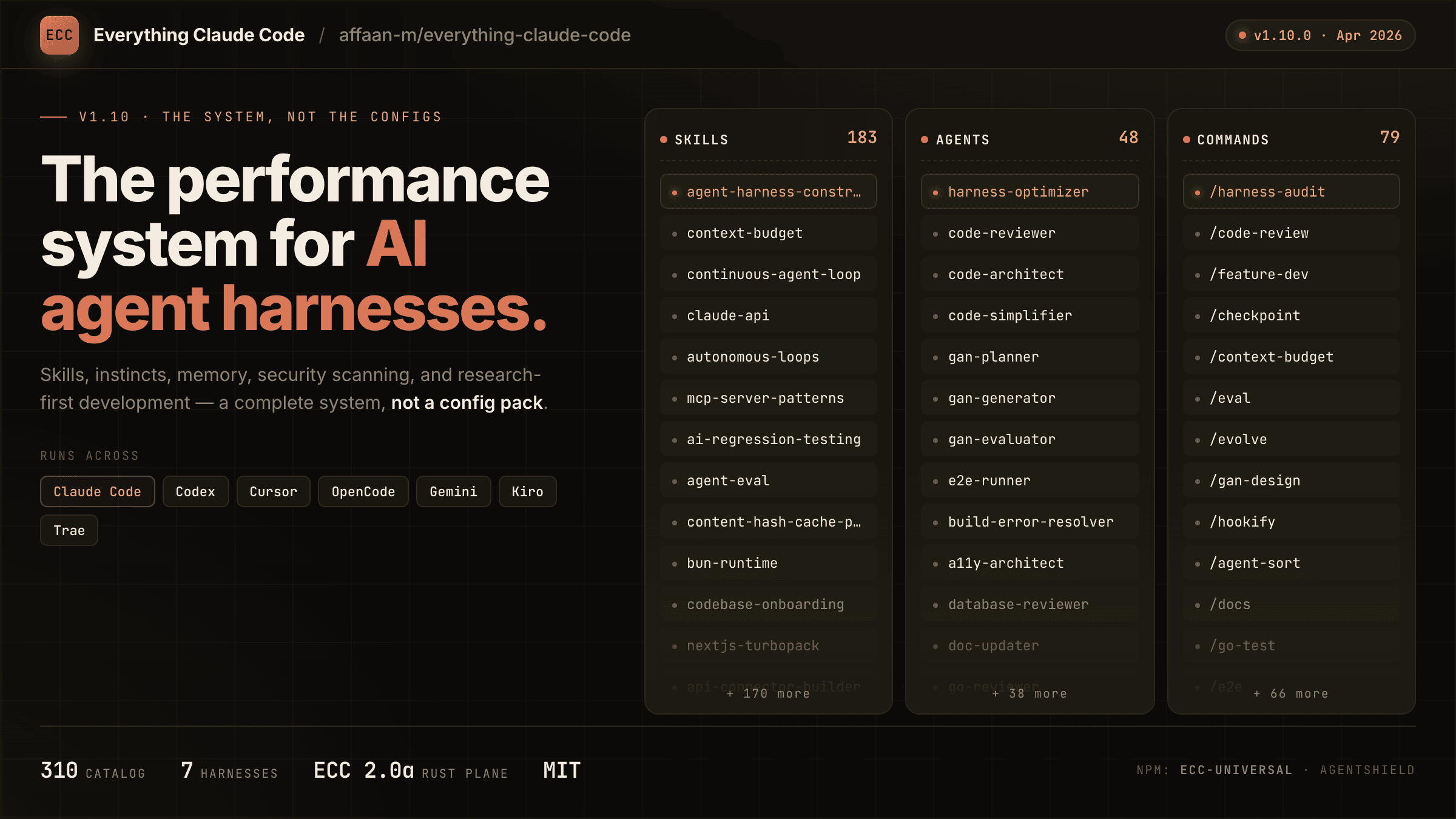
Your agent can write code, but ECC gives it a coordinated engineering system and toolbox: it plans before it builds, verifies changes with tests, reviews its own work from a fresh context, remembers what matters, and turns repeated wins into reusable skills and workflows.
plan -> test -> implement -> review -> verify -> remember -> improve
Instead of rebuilding that process in every prompt, you install it once and make it part of how your agent works.
Optimize the context window. Persist everything else.
ECC is MIT-licensed open source. It works best with Claude Code today, has native Codex and Qoder plugin paths, and provides capability-limited adapters for Cursor, OpenCode, Gemini, Zed, GitHub Copilot, Antigravity, Qwen, and other harnesses. See the support status matrix before assuming feature parity.
Access to 71 agents, 314 skills, and 98 legacy command shims, plus hooks, rules, memory, continuous learning, and AgentShield security scanning. The agents are specialized for planning, review, build repair, security, architecture, and domain work.
| Included | Count | What it gives you |
|---|---|---|
| Agents | 71 agents | Planning, review, build repair, security, architecture, and domain work |
| Skills | 314 skills | TDD, research, security, docs, frontend, data, ML, operations, and more |
| Commands | 98 commands | Convenient entry points while ECC moves to a skills-first surface |
| Hooks and memory | Runtime | Enforcement, session summaries, continuous learning, instincts, and context controls |
| Rules | Selective | Always-loaded standards you choose by language or project |
| AgentShield | Included | Scanning for prompts, hooks, MCP config, permissions, secrets, and agent files |
Install ECC
[!IMPORTANT] ECC 2.2 includes guided package setup for Claude Code, Codex, and Kimi Code. The universal package requires Node.js 18 or newer. Claude plugin setup also requires Git and Claude Code 2.1 or newer on
PATH.
Recommended: universal guided setup
For Claude Code plugin setup, updates, scope changes, and hook-profile changes:
npx ecc-universal@2.2.3 setup
Windows first-time walkthrough
If you are new to command-line tools, use this copy-and-paste path:
Install Node.js 18 or newer, Git, and Claude Code.
Open PowerShell from the Windows Start menu.
Confirm that each prerequisite is available:
node --version
git --version
claude --version
Run the guided installer:
npx ecc-universal@2.2.3 setupFor a typical personal setup, choose Global user, choose Standard hooks, and confirm.
Start a new Claude Code session and run
/plugin listto verify thatecc@eccis enabled.
This path does not require cloning the repository. If any prerequisite command is not found, install or repair that prerequisite before rerunning ECC setup.
If npm reports a version or cache error, confirm the registry version before retrying:
npm view ecc-universal version
ECC 2.2 supports the same guided setup through modern package runners:
| Package runner | Guided setup command |
|---|---|
| npm / npx | npx ecc-universal@2.2.3 setup |
| pnpm | pnpm dlx ecc-universal@2.2.3 setup |
| Yarn 2+ | yarn dlx ecc-universal@2.2.3 setup |
| Bun | bunx ecc-universal@2.2.3 setup |
The examples select the published ECC 2.2.3 release, matching this repository's release version. A version pin is not a security audit or an integrity check. Review the release source and registry integrity before running package code; use a reviewed checkout for unreleased changes.
Yarn Classic 1 does not provide yarn dlx; use npx, install the package globally, or upgrade Yarn for a temporary one-shot run.
The wizard inventories the official marketplace and every native Claude install scope before making changes, then installs, updates, or safely moves ecc@ecc to the scope you choose. Rerun the same command whenever you want to update ECC, change scope, or change its hook profile. This setup wizard currently configures the Claude Code plugin; use the multi-harness wizard below for Codex or Kimi Code.
To configure more than one coding agent in one reviewed flow, use the multi-harness wizard:
npx ecc-universal@2.2.3 install --guided
It lets you select any combination of Claude Code, Codex, and Kimi Code, shows each install channel and destination, preflights every selection before the first write, and asks for one final confirmation.
| Harness | Guided install behavior |
|---|---|
| Claude Code | Native ecc@ecc plugin with one user, project, or local scope and an ECC hook profile |
| Codex | Native Codex marketplace/plugin lifecycle; hook review and trust remain Codex-owned |
| Kimi Code | Managed project files under ./.kimi-code; ECC hooks, model/provider settings, and authentication are not configured |
For automation, make every provider-specific choice explicit:
npx ecc-universal@2.2.3 install --guided \
  --harness claude --harness codex --harness kimi \
  --claude-scope local --claude-hooks standard \
  --profile core --yes
Verify the native guided Codex path and managed Kimi path without writing first:
npx ecc-universal@2.2.3 install --guided --harness codex --dry-run
npx ecc-universal@2.2.3 install --profile core --target kimi --dry-run
Additional package-name commands are also available through the 2.2 alias:
npx ecc-universal@2.2.3 consult "security reviews" --target claude
npx ecc-universal@2.2.3 install --profile minimal --target claude --with capability:machine-learning
npx ecc-universal@2.2.3 doctor --target kimi
Do not use npx ecc-install --profile minimal --target claude: ecc-install is a binary name inside ecc-universal, not a separately published npm package.
ECC also ships advanced managed adapters for cursor, antigravity, gemini, opencode, codebuddy, joycode, qwen, zed, hermes, and openclaw. Those targets still use their documented ecc install --target ... paths until each adapter has passed the guided collision, update, repair, and uninstall lifecycle matrix. Neither wizard silently installs into every detected harness.
Pick one path only (per harness)
You can use ECC with Claude Code, Codex, and other harnesses at the same time. Choose one install method for each harness:
- Recommended default: run the guided Claude plugin setup above
- Also supported for Claude Code: use the native plugin commands
- Available in release 2.2: guided package setup for Claude Code, Codex, and Kimi Code
- Works: Claude Code plugin + Codex native plugin
- Works: Claude Code plugin + the legacy Codex sync flow
- Avoid: Claude Code plugin + full Claude manual install
- Avoid: Codex sync + Codex marketplace plugin
Do not stack install methods. Installing ECC twice into the same harness can duplicate skills, commands, hooks, or configuration; installing it once into multiple harnesses does not.
If you already layered multiple installs and things look duplicated, skip straight to Reset / Uninstall ECC.
Install trouble? Open the short install or runtime problem form, or run ecc feedback. ECC never uploads diagnostics automatically.
Claude Code details
Alternatively, run Claude Code's native plugin commands inside Claude Code:
/plugin marketplace add https://github.com/affaan-m/ECC
/plugin install ecc@ecc
The native path installs ECC's skills, agents, commands, and plugin-managed hooks. If you choose it, stop there. Do not also run a full manual install into Claude Code.
Claude Code owns these built-in commands, including their errors when a marketplace, plugin, or conflicting scope already exists. ECC cannot intercept that parser. If either native command reports an existing install or scope conflict, use the 2.2 guided setup or resolve the conflicting Claude plugin scope before retrying; do not layer a manual install on top.
After ECC is installed, /ecc:configure-ecc is the namespaced in-Claude reconfiguration skill. It delegates to the same safe setup flow, but it is available only after the plugin is installed and cannot replace Claude Code's built-in /plugin command during a first install.
Claude Code plugins cannot distribute rules, so add only the rule packs you actually want:
git clone https://github.com/affaan-m/ECC.git
cd ECC
mkdir -p ~/.claude/rules/ecc
cp -R rules/common ~/.claude/rules/ecc/
cp -R rules/typescript ~/.claude/rules/ecc/  # replace with your stack
Start with rules/common plus one language or framework pack you actually use. If you install the plugin, do not run ./install.sh --profile full afterward.
Prefer settings.json? Add the marketplace declaratively
Add directly to your ~/.claude/settings.json:
{
  "extraKnownMarketplaces": {
    "ecc": {
      "source": {
        "source": "github",
        "repo": "affaan-m/ECC"
      }
    }
  },
  "enabledPlugins": {
    "ecc@ecc": true
  }
}
This gives you the same result as the two /plugin commands above.
Naming + migration note (ecc@ecc, affaan-m/ECC, ecc-universal)
ECC has three public identifiers, and they are not interchangeable:
- GitHub source repo:
affaan-m/ECC - Claude marketplace/plugin identifier:
ecc@ecc - npm package:
ecc-universal
This is intentional. Anthropic marketplace/plugin installs are keyed by a canonical plugin identifier, so ECC uses ecc@ecc to keep tool names and slash-command namespaces short enough for strict Desktop/API validators. Older posts may still show the former long marketplace identifier; treat that as a legacy alias only. Separately, the npm package stayed on ecc-universal, so npm installs and marketplace installs intentionally use different names.
npm releases are cut per version tag, not per commit, so ecc-universal tracks releases (2.1, 2.2, ...) rather than every push to main. Install from git if you want the bleeding edge.
If your local Claude setup was wiped or reset, that does not mean you need to repurchase anything. Start with node scripts/ecc.js list-installed, then run node scripts/ecc.js doctor and node scripts/ecc.js repair before reinstalling. That usually restores ECC-managed files without rebuilding your setup.
Codex App and CLI
Current Codex releases can install ECC as a native repo-marketplace plugin. The marketplace entry uses the repository root so Codex's cache receives the manifest together with all referenced skills, MCP configuration, hook runtime, scripts, and assets:
codex plugin marketplace add affaan-m/ECC
codex plugin add ecc@ecc
codex plugin list --json
node scripts/codex/check-plugin-cache.js
Both add commands are idempotent. To refresh later, run codex plugin marketplace upgrade ecc followed by codex plugin add ecc@ecc. Codex stores one enabled plugin state in the active CODEX_HOME; it does not offer Claude's user, project, and local scopes. Its native hooks require an explicit trust decision and do not use Claude's four ECC hook profiles. Inside Codex, invoke $configure-ecc for the guided provider-aware flow.
The older scripts/sync-ecc-to-codex.sh path is a deprecated compatibility option for users who intentionally need copied and merged configuration in ~/.codex; it is not required for the native plugin. New sync runs write an ownership manifest so cleanup can preserve modified user files. Run Codex once first so ~/.codex/config.toml exists, then:
git clone https://github.com/affaan-m/ECC.git
cd ECC
npm install
bash scripts/sync-ecc-to-codex.sh
To inspect or remove that legacy layer without touching Codex conversations or native plugin caches:
node scripts/ecc.js uninstall --legacy-codex-sync --dry-run
node scripts/ecc.js uninstall --legacy-codex-sync
Pre-manifest installations are handled conservatively: ECC removes its marked AGENTS.md block but preserves copied files it cannot prove it owns and reports them for review.
You can also open the ECC repository directly in Codex for a project-local setup. Codex reads the root AGENTS.md and the trusted project configuration in .codex/ without a global sync. Do not add the native marketplace plugin on top of the sync flow.
For repo navigation, surface ownership, and PR diff packet guidance, read the Codex ECC Navigation Map. See the .codex plugin notes for native lifecycle details.
Qoder CLI and IDE
ECC ships a native Qoder plugin that reuses the canonical skills, agents,
95 legacy command shims, and the pinned chrome-devtools MCP definition. From a
reviewed checkout, validate and install it with Qoder CLI:
qoder plugins validate . --strict
qoder plugins install .
qoder plugins list
For Qoder IDE, upload a ZIP of the repository root. The ZIP root must contain
.qoder-plugin/ together with skills/, agents/, commands/, hooks/,
scripts/, and .mcp.json; uploading only the manifest directory or one
SKILL.md omits required resources.
The universal Node.js 18+ requirement applies to Qoder's non-interactive hook
environment. The MCP server also requires npx and network access on first use.
Qoder receives one reviewed, cross-platform SessionStart bootstrap using
QODER_PLUGIN_ROOT and exec-form arguments. ECC does not copy the full Claude
hook profile into Qoder: blocking tool hooks, async stop jobs, and
Claude-specific matchers remain outside this initial native integration. See
the .qoder-plugin notes for the exact boundary.
Other agents and editors
Cursor, OpenCode, Gemini, Zed, Antigravity, Qwen, Hermes, OpenClaw, Kimi, CodeBuddy, JoyCode, Copilot
Clone ECC once, then choose the target that matches your harness:
git clone https://github.com/affaan-m/ECC.git
cd ECC
| Harness | Install or setup | Notes |
|---|---|---|
| Cursor | ./install.sh --profile minimal --target cursor |
Project-local .cursor/ adapter |
| OpenCode | npm install && npm run build:opencode && ./install.sh --profile full --target opencode --enable-hooks |
Builds the plugin payload before the full install |
| Gemini CLI | ./install.sh --profile minimal --target gemini |
Project-local .gemini/ config |
| Zed | ./install.sh --profile minimal --target zed |
Project-local .zed/ adapter |
| Antigravity | ./install.sh --profile minimal --target antigravity |
See the Antigravity guide |
| Qwen CLI | ./install.sh --profile minimal --target qwen |
See the Qwen guide |
| Hermes | ./install.sh --profile minimal --target hermes |
See the Hermes setup guide |
| OpenClaw | ./install.sh --profile minimal --target openclaw |
Managed home-directory install |
| Kimi Code CLI | ./install.sh --profile minimal --target kimi |
Project-local .kimi-code/ install · Get Kimi Code |
| CodeBuddy | ./install.sh --profile minimal --target codebuddy |
Project-local .codebuddy/ install |
| JoyCode | ./install.sh --profile minimal --target joycode |
Project-local .joycode/ install |
| GitHub Copilot | ./install.sh --profile full --target copilot |
Installs skills to .github/skills/ and agents to .github/agents/ for Copilot CLI |
GitHub Copilot support is already included in this repository. .github/copilot-instructions.md provides the instruction layer, .github/prompts/ contains the reusable /plan, /tdd, /security-review, /build-fix, and /refactor prompts, and .vscode/settings.json enables chat.promptFiles. GitHub Copilot CLI additionally discovers the .agents/skills/ subset from a plain clone with no setup; see Platform Support for the full catalog and agents.
For a harness without a native ECC target, use the manual adaptation guide. It explains how to carry a small set of ECC skills and workflow instructions into chat-style tools without pretending hooks or native skill discovery are available.
Cursor installs agent definitions under .cursor/agents/ecc-*.md. Cursor-native loading behavior can vary by Cursor build. ECC does not install root AGENTS.md into .cursor/. The adapter keeps Cursor's context scoped to its native rules and agent surfaces.
Deep per-harness notes (feature parity, hook adapters, limitations) live in Platform Support below.
Advanced Install Options
Low-context install with no hook runtime
Low-context / no-hooks path
Use this when you want ECC's rules, agents, commands, platform config, and core workflows without runtime hooks:
npx ecc-universal@2.2.3 install --profile minimal --target claude
From a source checkout, the equivalent command is:
./install.sh --profile minimal --target claude
Windows:
.\install.ps1 --profile minimal --target claude
This profile intentionally excludes hooks-runtime.
Claude manual installs place each skill directly under ~/.claude/skills/<skill-name>/ (or .claude/skills/<skill-name>/ for claude-project) so Claude Code can discover it. When upgrading an older ECC manual install, the installer migrates only nested skills/ecc/ files recorded in ECC install-state. If a flat skill directory is user-owned, ECC preserves it, prints a conflict warning, and keeps any older managed copy tracked for a safe uninstall instead of overwriting user files.
For the normal core profile with hooks disabled:
./install.sh --profile core --without baseline:hooks --target claude
./install.sh --profile core --no-hooks --target claude
Add the hook runtime later only if you want it:
./install.sh --target claude --modules hooks-runtime --enable-hooks
Any install whose profile or modules would materialize the hook runtime requires
an explicit decision. Without --enable-hooks or --no-hooks, the installer
prints what the hooks can do and stops before writing anything. The guided
installer (ecc install --guided) asks for this choice interactively.
Choose only the components you need
Find the right components first
Ask the packaged advisor which components match your work:
node scripts/ecc.js consult "security reviews" --target claude
It returns matching components, related profiles, and preview/install commands. Use the preview command before installing if you want to inspect the exact file plan.
You can also install explicit skills or capabilities:
./install.sh --target claude --skills tdd-workflow,security-review
node scripts/ecc.js install --profile minimal --target claude --with capability:machine-learning
Manual component-by-component copying also works. Each component is fully independent:
# Just agents
mkdir -p ~/.claude/agents
cp agents/*.md ~/.claude/agents/

# Rules directories (common + language-specific)
mkdir -p ~/.claude/rules/ecc
cp -r rules/common ~/.claude/rules/ecc/
cp -r rules/typescript ~/.claude/rules/ecc/   # pick your stack

# Core/general skills only (Claude Code loads skills from direct children
# of ~/.claude/skills; do not nest manual installs under ~/.claude/skills/ecc/)
mkdir -p ~/.claude/skills
cp -r .agents/skills/* ~/.claude/skills/
cp -r skills/search-first ~/.claude/skills/

# Optional: maintained slash-command compatibility during migration
mkdir -p ~/.claude/commands
cp commands/*.md ~/.claude/commands/
Retired shims live in legacy-command-shims/. Copy individual files from there only if you still need old names such as /tdd.
Project-local rules instead of global rules
Use project-local rules when ECC's standards should apply to one repository rather than every Claude Code session:
cd your-project
mkdir -p .claude/rules/ecc
cp -R /path/to/ECC/rules/common .claude/rules/ecc/
cp -R /path/to/ECC/rules/typescript .claude/rules/ecc/
Rules are always-loaded context, so begin with common and one pack for the stack you actually use. When copying rules manually, copy the whole language directory (for example rules/common or rules/golang), not the files inside it, so relative references keep working and filenames do not collide.
Fully manual Claude install
Use this only when you are intentionally skipping the plugin path:
git clone https://github.com/affaan-m/ECC.git
cd ECC
./install.sh --profile full --enable-hooks
Windows:
git clone https://github.com/affaan-m/ECC.git
cd ECC
.\install.ps1 --profile full --enable-hooks
These examples enable the automatic hook runtime. To install without hooks, replace --enable-hooks with --no-hooks.
If you choose this path, stop there. Do not also run /plugin install.
For hand-picked manual installs, Claude discovers skills as direct children of ~/.claude/skills/; do not nest them under ~/.claude/skills/ecc/.
Install hooks
Do not copy the raw repo hooks/hooks.json into ~/.claude/settings.json or ~/.claude/hooks/hooks.json. That file is plugin/repo-oriented; use the installer so hook command paths are rewritten correctly:
bash ./install.sh --target claude --modules hooks-runtime --enable-hooks
That installs the hook scripts under ~/.claude/ and registers the resolved
hook entries in ~/.claude/settings.json. Existing user settings and hooks are
preserved; ECC-owned entries are tracked by stable ID for idempotent updates
and safe uninstall.
If you installed ECC via /plugin install, do not copy those hooks into settings.json. Claude Code v2.1+ already auto-loads plugin hooks/hooks.json, and duplicating them in settings.json causes duplicate execution and cross-platform hook conflicts.
On Windows, Claude's config root is %USERPROFILE%\.claude; install the hook runtime with:
pwsh -File .\install.ps1 --target claude --modules hooks-runtime --enable-hooks
Configure MCPs
Claude plugin installs intentionally do not auto-enable ECC's bundled MCP server definitions. This avoids overlong plugin MCP tool names on strict third-party gateways while keeping manual MCP setup available.
Use Claude Code's /mcp command or CLI-managed MCP setup for live Claude Code server changes; Claude Code persists those choices in ~/.claude.json. For repo-local MCP access, copy desired MCP server definitions from mcp-configs/mcp-servers.json into a project-scoped .mcp.json.
ECC ships exactly one default connector (chrome-devtools); everything else is a skill wrapping a CLI/REST API or an opt-in catalog entry. The rule and the June 2026 audit that retired the previous six defaults live in docs/MCP-CONNECTOR-POLICY.md.
If you already run your own copies of ECC-bundled MCPs, set:
export ECC_DISABLED_MCPS="chrome-devtools"
ECC-managed install and Codex sync flows will skip or remove those bundled servers instead of re-adding duplicates. ECC_DISABLED_MCPS is an ECC install/sync filter, not a live Claude Code toggle.
Important: Replace YOUR_*_HERE placeholders with your actual API keys.
Multi-model commands require additional setup
multi-* commands are not covered by the base plugin/rules install.
To use /multi-plan, /multi-execute, /multi-backend, /multi-frontend, and /multi-workflow, you must also install the ccg-workflow runtime. Choose and review an exact release using the upstream CCG installation guide, then initialize that installed runtime. ECC does not bundle CCG or attest to a compatible, audited CCG release; this guide does not bootstrap an unspecified registry version.
That runtime provides the external dependencies these commands expect, including:
~/.claude/bin/codeagent-wrapper~/.claude/.ccg/prompts/*
Without ccg-workflow, these multi-* commands will not run correctly.
Astra review requires the Codex CLI
/astra-review sends Claude-written code to GPT-6-Astra for an independent cross-provider review. It runs the locally installed Codex CLI with your ChatGPT login (codex login); no OpenAI API key is needed, and API keys in your environment are not forwarded. Invoking the command is your consent to send that diff to OpenAI. Setup, scopes, push gating, and troubleshooting are in the Astra Review Guide.
Reset, repair, or uninstall
Reset / Uninstall ECC
If you installed from the universal package, run these commands from the same project directory used for installation:
npx ecc-universal@2.2.3 list-installed
npx ecc-universal@2.2.3 doctor
npx ecc-universal@2.2.3 repair
npx ecc-universal@2.2.3 uninstall --dry-run
npx ecc-universal@2.2.3 uninstall
From a source checkout, inspect the managed state before reinstalling:
node scripts/ecc.js list-installed
node scripts/ecc.js doctor
node scripts/ecc.js repair
node scripts/ecc.js uninstall --dry-run
For a direct source-checkout uninstall:
node scripts/uninstall.js --dry-run
node scripts/uninstall.js
If you are leaving, the uninstall command prints an optional 20-second feedback form. It is a public GitHub issue, never blocks uninstall, and ECC does not upload diagnostics. You can also run ecc feedback
…
Releases