
- Stars
- 3.2k
- This week
- +88
- Forks
- 379
- Open issues
- 48
- Last push
- 9h ago
Get started
Add it to your agent
claude mcp add freecad -- uvx freecad-mcpRun in your terminal. Add --scope project to share it with your team through .mcp.json.
codex mcp add freecad -- uvx freecad-mcpSaved to ~/.codex/config.toml.
{
  "mcpServers": {
    "freecad": {
      "command": "uvx",
      "args": [
        "freecad-mcp"
      ]
    }
  }
}Add to ~/.cursor/mcp.json (or .cursor/mcp.json in a project).
{
  "servers": {
    "freecad": {
      "type": "stdio",
      "command": "uvx",
      "args": [
        "freecad-mcp"
      ]
    }
  }
}Add to .vscode/mcp.json, then start it from the MCP view in Copilot Chat.
gemini mcp add freecad uvx freecad-mcpSaved to .gemini/settings.json.
Documentation
README
FreeCAD MCP
Control FreeCAD from Claude Desktop and other MCP clients. Create and edit models, run Python scripts, inspect documents, and run FEM analyses.
Demo
Design a flange:
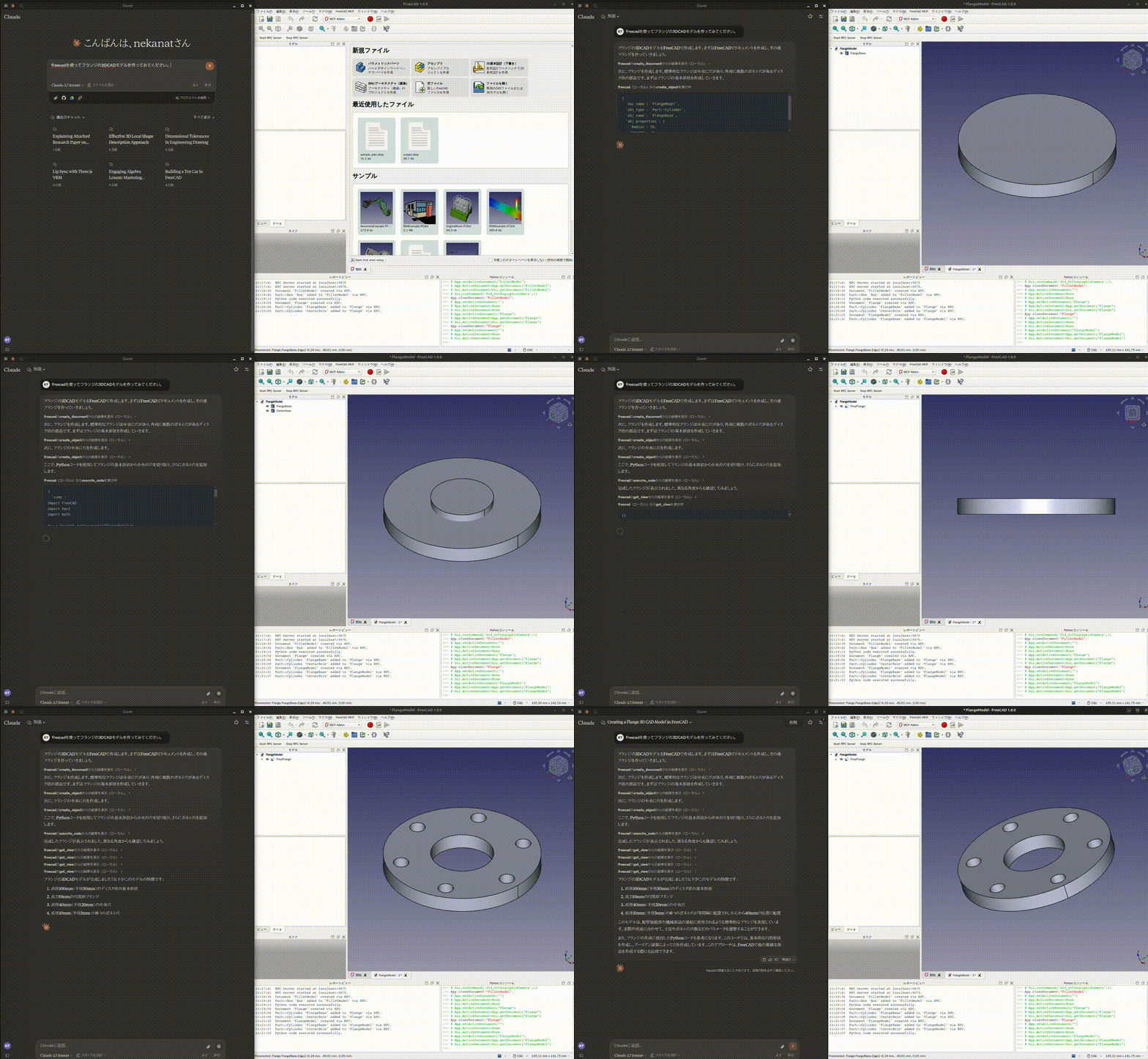
See more demos and examples for a toy car, modelling from a 2D drawing, and agent integrations.
Quick start
You need FreeCAD and uv / uvx. FreeCAD MCP has two components: an addon running inside FreeCAD and an MCP server launched by your client.
1. Install and start the FreeCAD addon
git clone https://github.com/neka-nat/freecad-mcp.git
cd freecad-mcp
Copy addon/FreeCADMCP into your FreeCAD addon directory,
then restart FreeCAD. Select the MCP Addon workbench and click
Start RPC Server in the FreeCAD MCP toolbar.
See the installation guide for platform-specific commands and screenshots.
2. Connect Claude Desktop
Add the following entry to claude_desktop_config.json:
{
  "mcpServers": {
    "freecad": {
      "command": "uvx",
      "args": ["freecad-mcp"]
    }
  }
}
Restart Claude Desktop to load the configuration, keep FreeCAD open with its RPC
server running, and ask Claude to create a model. Connections use localhost by
default.
Documentation
| Guide | Contents |
|---|---|
| Installation | Addon directories, setup screenshots, running from source |
| Configuration | Auto-start, text feedback, remote connections |
| Tools | Available tools, screenshots, FEM analysis |
| Code execution | GUI execution, background jobs, headless scripts, timeout troubleshooting |
| Demos and examples | Design demos, FEM example, ADK and LangChain integrations |
Contributors
Made with contrib.rocks.