
Server · #193 trending MCP repo · ↗ +27 stars this week
Premiere Pro MCP
leancoderkavy/premiere-pro-mcp
Adobe Premiere Pro MCP — independent, local-first server for supported workflows. Connect Claude, Codex, or Cursor through a local CEP bridge.
- Stars
- 494
- This week
- +27
- Forks
- 90
- Open issues
- 10
- Skills inside
- 4
Get started
Add it to your agent
claude mcp add premiere-pro -- npx -y premiere-pro-mcp@1.29.0Run in your terminal. Add --scope project to share it with your team through .mcp.json.
codex mcp add premiere-pro -- npx -y premiere-pro-mcp@1.29.0Saved to ~/.codex/config.toml.
{
  "mcpServers": {
    "premiere-pro": {
      "command": "npx",
      "args": [
        "-y",
        "premiere-pro-mcp@1.29.0"
      ]
    }
  }
}Add to ~/.cursor/mcp.json (or .cursor/mcp.json in a project).
{
  "servers": {
    "premiere-pro": {
      "type": "stdio",
      "command": "npx",
      "args": [
        "-y",
        "premiere-pro-mcp@1.29.0"
      ]
    }
  }
}Add to .vscode/mcp.json, then start it from the MCP view in Copilot Chat.
gemini mcp add premiere-pro npx -y premiere-pro-mcp@1.29.0Saved to .gemini/settings.json.
claude mcp add --transport http premiere-pro https://premiere-pro-mcp.fly.dev/mcpThe project also runs a hosted endpoint, so you can skip the local install.
Inside this repo
4 skills
claude-plugins/premiere-pro/skills/develop-premiere-pro-mcpedit-premiere-projectInspect, edit, verify, save, and export an open Adobe Premiere Pro project through the premiere-pro MCP server. Use for rough cuts, timeline assembly or cleanup, clip and track changes, transitions and effects, dialogue or audio adjustments, captions, clip metadata and XMP, project organization, fraclaude-plugins/premiere-pro/skills/edit-premiere-projectdevelop-premiere-pro-mcpDevelop, debug, test, review, document, and release the premiere-pro-mcp repository. Use when changing MCP tools, schemas, server registration, CEP or UXP bridges, generated ExtendScript, authority profiles, packaging, release metadata, or compatibility claims in this repo.plugins/premiere-pro/skills/develop-premiere-pro-mcpedit-premiere-projectInspect, edit, verify, save, and export an open Adobe Premiere Pro project through the premiere-pro MCP server. Use for rough cuts, timeline assembly or cleanup, clip and track changes, transitions and effects, dialogue or audio adjustments, captions, clip metadata and XMP, project organization, fraplugins/premiere-pro/skills/edit-premiere-projectDocumentation
README
MCP for Adobe Premiere Pro — local MCP server
Languages: English · Español · Português (Brasil) · Français · Deutsch · 简体中文 · 繁體中文 · 日本語 · 한국어 · Русский · العربية · हिन्दी · Italiano · Türkçe · Bahasa Indonesia

Adobe Premiere Pro MCP server for reviewable, local-first workflows with compatible AI assistants.
Premiere Pro automation for Claude, Cursor, Codex, and other MCP clients: AI-assisted editing, project organization, and export checks through Adobe's documented UXP and CEP/ExtendScript APIs.
Free, MIT licensed, local-first, and published to npm as premiere-pro-mcp — the only package name that installs this project.
Website · Recorded demo · Compare servers · Setup guides · Search tools · Troubleshooting · Release facts
Development source: 447 core tools across 68 modules, 4 resources, and 29 guided workflows. A connected UXP host adds 98 capability-gated tools.
The completed AE render handoff previews and confirms importing one finished render into an existing Premiere bin, with host and file rechecks and an import receipt.











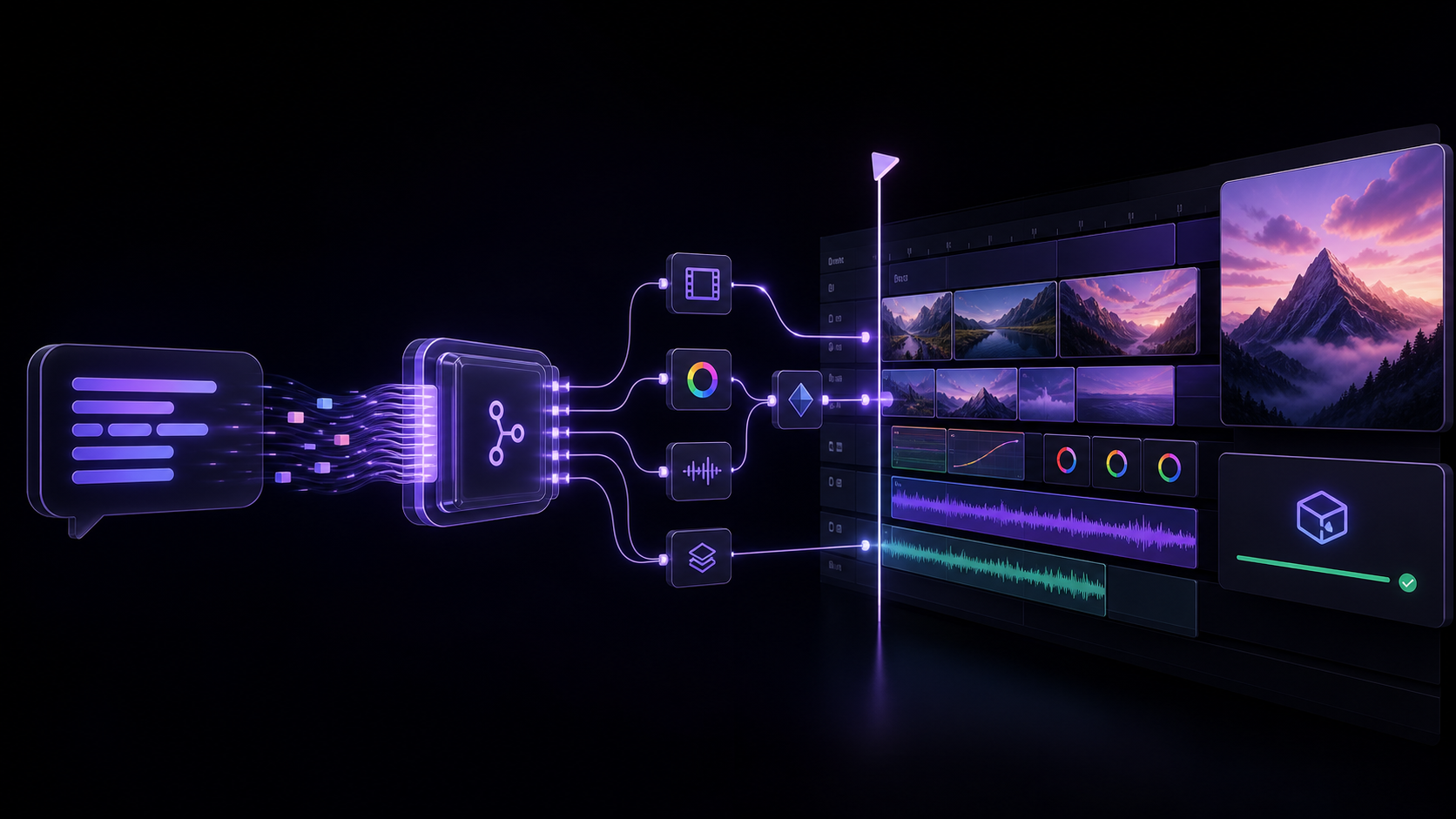
Table of contents
- What is this?
- For editors evaluating an AI workflow
- Quick Start
- Clients and capability coverage
- Architecture
- Tools
- MCP Resources
- Remote Deployment (Fly.io)
- Environment Variables
- Project Structure
- Technical Details
- Frequently asked questions
- Troubleshooting
- Star history
- Support the project
- Contributing · License
What is this?
MCP for Adobe Premiere Pro is the independent, MIT-licensed local MCP server
published as premiere-pro-mcp by
leancoderkavy/premiere-pro-mcp.
Install this package and its separate Premiere connector to connect a compatible
AI assistant to supported project inspection, timeline editing, and export tools.
Start with verify_premiere_connection and make no changes until the bridge works.
Find the right Adobe Premiere Pro MCP guide
| Goal | Guide |
|---|---|
| Understand the local server and connector | What is Adobe Premiere Pro MCP? |
| Connect Claude Desktop, Cursor, or Codex | Claude Desktop · Cursor · Codex |
| Choose between similarly named projects | Source-linked server comparison |
| Match a repeatable task to a tool and verification step | Adobe Premiere Pro automation guide |
| Check a tool before planning an edit | Published tool catalog |
| Confirm released version and provenance | Published package facts |
An MCP (Model Context Protocol) server that lets AI assistants like Claude, Windsurf, Cursor, GitHub Copilot, or any MCP-compatible client directly control Adobe Premiere Pro — importing media, editing timelines, applying effects, managing keyframes, exporting, and more.
"Add the B-roll clips to V2, apply a cross dissolve between each, color correct them to match the A-roll, and export a 1080p ProRes."
At a glance
| Display name | MCP for Adobe Premiere Pro |
| npm package | premiere-pro-mcp |
| Install (npm route) | npm install -g premiere-pro-mcp |
| Connector install | premiere-pro-mcp --install-cep |
| MCP server name | io.github.leancoderkavy/premiere-pro |
| Repository | https://github.com/leancoderkavy/premiere-pro-mcp |
| Website | https://premiere-pro-mcp.com |
| License | MIT |
| Hosts | Windows and macOS, Premiere Pro 2020-2026 |
This project is independent and is not affiliated with or endorsed by Adobe Inc.
It is also separate from other MCP servers for Premiere Pro. The only npm package
published from this repository is premiere-pro-mcp, and no other package name
installs it.
Comparing similarly named packages? Both this package and
adobe-premiere-pro-mcp declare a premiere-pro-mcp executable. Verify the package
and repository before configuring a client. The new
local configuration helper prints Claude, Cursor,
VS Code, or Codex settings that point directly to this installation. It is a
feature included in v1.15.1 and later.
The current source exposes 447 core tools for supported workflow steps spanning the supported ExtendScript, QE DOM, local media and interchange analysis, revisioned project-context retrieval, safe edit-planning, project-intake preview, review handoff, connection verification, and guarded After Effects MOGRT authoring, batch, library, render-queue, inspection, and Premiere-handoff workflows. A compatible, authenticated UXP panel adds 98 documented, capability-gated tools without replacing the production CEP bridge.
Latest release: 1.29.0
The published v1.29.0 npm artifact contains 447 core tools, 445 in its default profile, and 543 with a compatible UXP connection. The development catalog above can include unreleased work. See the versioned facts and package provenance.
GitHub releases use v<SemVer> for both title and tag, such as v1.29.0.
See release naming and version conventions.
Try a bounded workflow
Choose a setup guide: Claude Desktop, Codex, other local MCP clients, or ChatGPT connection options.
Download the workflow starter kit for synthetic media and three evaluation recipes: a read-only sequence check, an explicitly confirmed review-frame export, and a product-spot preview. No email is required. The kit has no recorded Premiere demo or verified host result. Start with a disposable project and use setup and recovery if the connection is unavailable.
Release highlights
1.28.0 guarded workflows: preview and confirm an After Effects clip round trip, clone a range between sequences with capability-gated UXP actions, and optionally inspect a direct export's first decoded audio stream. Copying omits transitions and picture/sound links; audio signal does not establish audibility or synchronization.
1.28.0 safety and correctness: precise file/host authority, explicit overwrite consent, owned temporary-file cleanup, pre-write refusal recovery, subclip time-of-day metadata, caption mark preservation and audio parameter-scale annotations.
1.28.0 connection selection: automatic diagnostics prefer connected UXP;
PREMIERE_BRIDGE_MODE=cepwithholds UXP tools. CEP-only tools keep their CEP route. Failed UXP mutations are never retried through CEP. Exact-head live Undo, reopen/persistence and cross-host linked-audio validation remain unverified.1.24.0 mark-write fixes: temporary overwrite marks and restored project-item marks are written a quarter media frame past the tick boundary, so Premiere 26.5.2 no longer floors them one frame early in
unnest_sequence,replace_clipandduplicate_clip.1.24.0 caption style guidance:
get_caption_style_guidanceaccepts a boundedcustom_styleand returns Properties panel and Track Style steps; it is guidance only and applies nothing.1.23.0 bounded workflows: 41 added core tools and five guided routes cover exact timeline planning, editorial review, interchange/turnover and guarded delivery. The 52-item implementation ledger records each supported subset and host limit.
1.23.0 execution and recovery: cooperating processes serialize protected edits, retain recovery for uncertain outcomes and report cancellation/partial work explicitly. UXP writes require the matching updated panel; older unversioned panels remain read-only.
1.23.0 artifact evidence: review and delivery checks pin source checksums, inspect actual decoded frames/audio and preserve unknown native-job completion. Local decoder checks do not establish Premiere playback or native round-trip compatibility.
1.23.0 import fixes: folder imports verify actual project-item readback; caption imports validate formats and counts and preserve mutation readback. Export preset discovery avoids proxy ingest presets, and unnesting refuses mixed-media overwrite hazards.
1.22.0 readback receipts: effect writes, stabilization, smart bins, proxies, folder imports, sequence creation, marker deletion and clip selection report what Premiere applied as
verified,committed_unverifiedorfailed;create_subclip,add_titleandupdate_markerreport the stored values;set_sequence_frame_ratelists clips Premiere re-snapped.1.22.0 display codes and proxies:
set_sequence_display_formatwrites Premiere's real display codes (video 100-113, audio 200-201) and maps the older 0-11 and 0-1 inputs onto them;manage_proxiestoggle can set a known proxy display state; the Windows ACL check waits up to 30 seconds for PowerShell.1.21.0 Claude Desktop startup fix: the extension starts when optional settings are blank, and Desktop's discover-only probe no longer holds the UXP port, so the real server keeps its UXP tools.
1.21.0 frame-grid verification: project-item marks, sequence In/Out, work area, link/unlink, zero point, transitions,
replace_clipandduplicate_clipverify against Premiere's own frame and sample grids and fail closed; UXP tools snap times to the sequence frame grid.1.20.0 verified range removal:
ripple_remove_timeline_rangespreviews, then applies a multi-range ripple removal with a single-use confirmation token and clip-level readback (QE razor; experimental).1.20.0 effect safety: effect colours read and write losslessly, ambiguous property names (for example repeated Lumetri controls) are refused unless
property_indexis given, andduplicate_clipcopies keep the original length.1.20.0 import and metadata additions:
import_fcp_xmlcan import into the open project,import_folderacceptstarget_bin,get_encoder_presetspages withlimit/offset,set_footage_interpretationsetsfield_type, and XML/AAF/EDL imports throughimport_mediano longer report a false error.1.19.1 timeline fixes: bounded sequence pages with continuation, measured unlinked-clip compatibility, and faster ripple movement with a large-edit opt-in and scaled host waits.
1.19.1 safer handoffs: AME queue-wide start requires explicit opt-in, malformed MOGRT files refuse before host import, and uncertain committed edits retain inspection guidance.
1.19.1 transcript and capture fixes: empty host-attached transcripts can accept guarded imports; stored values and still files do not establish temporal animation. A short actual video export is needed to assess keyframe curves.
Editorial planning: film evidence, transcript cleanup, caption authoring, shorts and chapter planning, rhythm and speaker layouts, timeline QA, and platform delivery plans.
Cross-app handoff: capability-aware workflow routes and guarded After Effects render-to-Premiere handoff.
Editing correctness: verified readback and explicit capability or committed-but-unverified failures across transition, import, effects, source identity, and track operations. Insert edits ripple QE sync-locked tracks instead of silently desyncing neighbours.
MOGRT studio: an optional, separate After Effects CEP connector can author approval-gated title, callout, quote, and social recipes; constrain them with local brand kits; batch, publish, queue, inspect, and hand them to Premiere without claiming visual or completed-render proof.
Global-update handoff: a global npm installation can show its server and connector update state in the Windows CEP panel and, after explicit confirmation, update only after Premiere has been quit; it never changes a project, client configuration, source checkout, or custom npm prefix.
Local review planning: caption timing previews parse caller-supplied SRT/VTT without writing or importing it, while revision-bound editorial evidence stays in the opt-in local context index without provider calls.
Repair preview:
premiere-pro-mcp --doctor --plan-fixesproduces a privacy-safe, no-write repair plan; the narrowly eligible connector repair still requires an explicit confirmation that Premiere is closed.Auditable guidance: the universal setup guide, generated public workflow manifest, and proof runbook make workflow and verification boundaries inspectable without claiming a licensed-host walkthrough occurred.
Faster, clearer delivery: immutable MCP registration work is reused safely across stateless requests, and the website gained a lighter, mobile-first workflow view plus current machine-readable facts and crawl guidance for its public pages.
Explicit boundary: the hosted endpoint remains an operator-managed MCP service; unauthenticated callers are rejected and it does not pair users to local Premiere processes. See the generated supported action catalog for individual capability and verification contracts.
See the v1.29.0 release notes for complete details. Live installation in Premiere Pro still requires host verification.
Current MCP protocol support
The server uses the stable TypeScript SDK v2 and serves the 2026-07-28
stateless protocol over HTTP and stdio, while retaining legacy MCP compatibility
through 2025-11-25. Modern clients receive discovery, validated routing headers,
cache hints, subscription-stream support, and the formal Premiere extension
capability. See the complete MCP capability and boundary report.
If an MCP client cannot complete its server/discover probe, set
PREMIERE_MCP_PROTOCOL_MODE=legacy in that client's server environment and restart
the client. This uses the SDK's base stdio transport and the legacy initialization
handshake only; leave it unset (or auto) for modern MCP capabilities.
Guarding multi-project CEP sessions
Every registered tool accepts optional expected_project_path, an absolute path to the intended saved Premiere project. Generated CEP scripts compare the active project's host-normalized file path before the tool body; a different, missing or unsaved project refuses without running that body. The guard is scoped to the request and checked for every generated command in a multi-command tool. Omitting it preserves existing behavior.
{"name":"get_project_info","arguments":{"expected_project_path":"/Projects/Film.prproj"}}
This protects against accidental active-project switches, not deliberate project switching inside unsafe scripts. It does not select a project or prove media identity. Paths remain in request context and are not telemetry. UXP and After Effects commands refuse this CEP-only guard; UXP workflows use their expected_snapshot identity contracts. Local-only tools do not inspect Premiere. Filesystem aliases are not resolved as a claim of project identity.
For editors evaluating an AI workflow
Before an assistant changes an active project, use the Premiere Pro AI workflow checklist to define the target and no-change boundaries, verify the local connection, request a bounded plan, and inspect the returned result. It is a practical starting point for assistant editors and post leads testing a repeatable workflow on a duplicate project or small test sequence.
For product context, see the Adobe Premiere AI Assistant and MCP comparison and the Claude Desktop setup guide.
If you are deciding between a single local project, an Adobe Production on shared storage, or a remote Team Project, use the Premiere Pro collaboration workflow guide before you evaluate an MCP path. It links the relevant Adobe guidance, makes no project inspection request, and ends with the same read-only connection check.
For a concrete first Project Intake preview, choose one of the three schema-checked, no-sensitive-data starter templates. They are evaluation samples only: a human policy owner must review and replace their bins, media rules, and organization rules before a facility uses one.
Quick Start
Install the published package (verify the name)
npm i -g premiere-pro-mcp@1.29.0This repository publishes only
premiere-pro-mcp. A differently named package (adobe-premiere-pro-mcp) may also declare apremiere-pro-mcpexecutable. Before configuring a client, confirm:
Check Expected Package name premiere-pro-mcp(notadobe-premiere-pro-mcp)Version 1.29.0Homepage / repo https://premiere-pro-mcp.com/ · https://github.com/leancoderkavy/premiere-pro-mcp npm list -g premiere-pro-mcp premiere-pro-mcp --version npm view premiere-pro-mcp homepage repository.urlOn Premiere 25.6+, install the UXP
.ccxconnector first, configure its token, then run the read-onlyverify_premiere_connectionprompt. Keep--install-cepas the compatibility path for older hosts and operations not yet available through UXP.
Easiest supported path: Claude Desktop
- Download the current Claude Desktop bundle (
.mcpb). - In Claude Desktop, open Settings > Extensions > Advanced settings > Install Extension, select the downloaded bundle, and restart Claude Desktop.
- On Premiere 25.6+, install the release's UXP
.ccxconnector and configure the samePREMIERE_UXP_TOKENin the server and panel. See UXP installation. Install the signed CEP connector (.zxp) too when you need compatibility-only tools or an older Premiere host. - Restart Premiere, open a project, then open Window > UXP Plugins > MCP for Adobe Premiere Pro. For CEP compatibility, use Window > Extensions > MCP for Adobe Premiere Pro.
- In Claude, enter:
Safely check my Premiere connection with verify_premiere_connection. Make no changes.
The Claude bundle contains the local MCP server, so this route does not require Node.js. The Premiere connector is a separate required install. The first prompt is read-only and reports whether the server is installed, configured, connected, and live-verified.
First proof, before the first edit
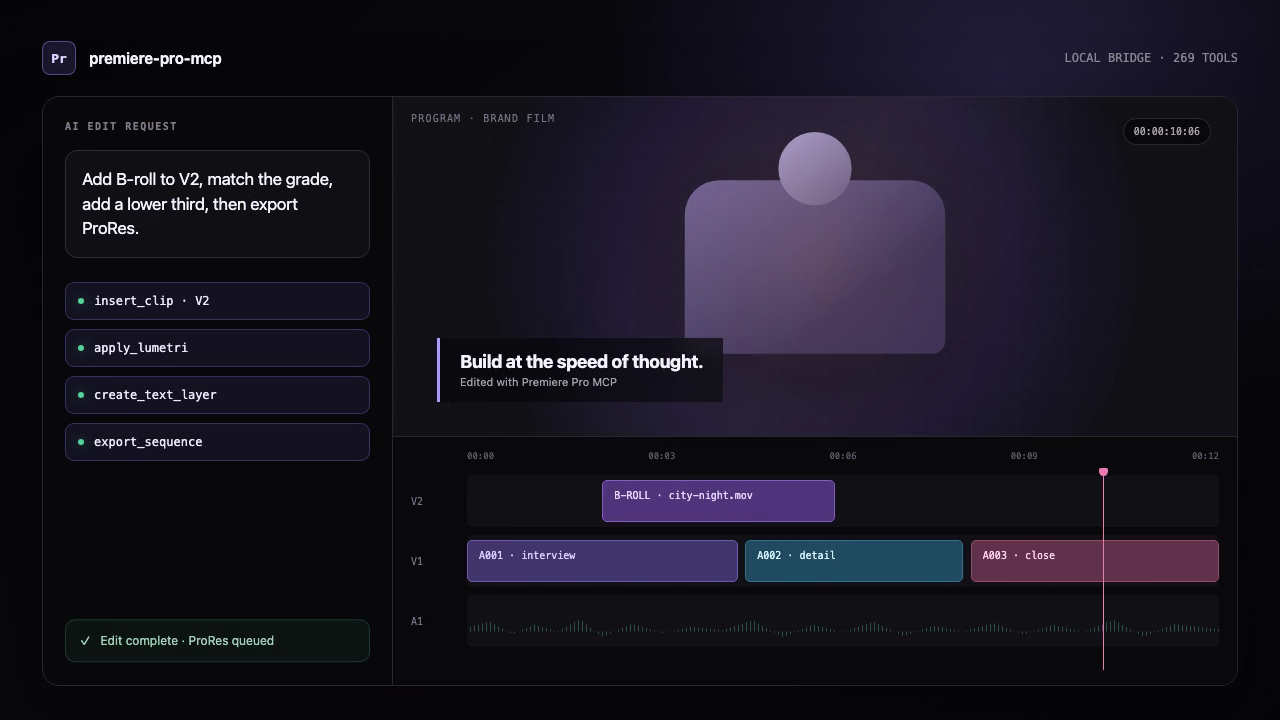
This is an illustrated workflow, not a Premiere panel screenshot or licensed-host proof.
- Open a copied test project and an active sequence in Premiere.
- Open Window > Extensions > MCP for Adobe Premiere Pro. “Running” means the local panel bridge is available; it does not show that an edit completed.
- Run
premiere-pro-mcp --doctorto check only local package/configuration readiness. - Ask the AI client:
Run verify_premiere_connection. Make no changes.The returned check is read-only and avoids project names, paths, and media details.
If a bridge, project, or active sequence is missing, fix that setup state before allowing a mutation. For a concise, translatable version of this path, see quick starts in English, Spanish, and Japanese. The translations are machine-assisted drafts and retain command names in English.
Other AI assistants
Cursor, VS Code/Copilot, Windsurf, and other MCP clients do not currently have a project-provided one-click installer. Use their MCP settings with the advanced npm route below. Keep the assistant, server, connector, and Premiere on the same computer.
For a portable reference users can download and attach to any AI assistant, see the MCP for Adobe Premiere Pro setup guide for AI assistants. Attaching the guide provides assistant context; the local server and Premiere connector still need to be installed separately.
Advanced setup: npm or source
Before you begin
- Node.js 20.19 or newer on Windows or macOS.
- Adobe Premiere Pro 2020–2026. Prefer the UXP bridge on Premiere 25.6+; use CEP for older hosts and compatibility-only operations. Keep Premiere, installed bridges, and your MCP client on the same computer.
- For
trim_clipandslip_edit, install FFmpeg withffprobeonPATH(brew install ffmpegon macOS orwinget install Gyan.FFmpegon Windows). These source-range edits are unavailable withoutffprobeand accessible media with readable timestamp clocks: they refuse before mutation when physical source bounds cannot be verified. FFmpeg also provides the optionaldetect_silencedependency. The production Docker image already includes it.
1. Install
Option A — npm:
npm install -g premiere-pro-mcp
Option B — Clone from source:
git clone https://github.com/leancoderkavy/premiere-pro-mcp.git
cd premiere-pro-mcp
npm install
npm run build
2. Install the Premiere bridge
For Premiere 25.6+, install the UXP .ccx connector using the UXP distribution instructions, then set the same secret (at least 16 characters) as PREMIERE_UXP_TOKEN in the MCP server and UXP panel. Automatic connection diagnostics select UXP when connected; CEP-only tools still require CEP.
Install CEP as the compatibility bridge for older Premiere versions and tools without a documented UXP route:
If installed via npm:
premiere-pro-mcp --install-cep
If cloned from source:
npm run install-cep
This installs the CEP compatibility plugin into Premiere Pro's per-user extensions folder and enables debug mode. Set PREMIERE_BRIDGE_MODE=cep only when you need to force CEP even while UXP is connected.
3. Check the setup
premiere-pro-mcp --doctor
Then ask your MCP client to run verify_premiere_connection. The check is read-only.
Update an existing installation
New releases update the local server and Premiere connector; a deployment of the hosted MCP service does not replace software on your computer. Fully quit Premiere before updating the connector.
Installed globally from npm:
premiere-pro-mcp --check-update
premiere-pro-mcp --update
--update only changes a global npm installation. It installs the published
latest package, refreshes the bundled CEP connector, and leaves your MCP
client configuration and projects untouched. Restart Premiere and your MCP
client afterward, then run verify_premiere_connection before editing.
From the MCP for Adobe Premiere Pro panel (Windows global npm install):
The MCP updates card compares the installed global server and connector
with npm latest. Choose Update after quit, review the confirmation, then
quit Premiere normally. A per-user helper waits for Premiere to exit; it never
force-quits the app, then installs the published npm package and refreshes its
matching connector. This also supports older global installs that predate the
--update command.
When you reopen Premiere, the panel reports the result and reminds you to
restart your MCP client and verify the connection. This flow never changes a
project or MCP client configuration. It deliberately will not update a Git
checkout, a custom npm prefix, or a Claude Desktop .mcpb bundle.
Installed from a Git clone:
npm run check-update:source
npm run update:source
The source updater refuses a checkout with uncommitted files or local commits,
fast-forwards only to its configured upstream, runs npm ci and the production
build, then refreshes the CEP connector. This avoids silently overwriting local
code. If you installed the Claude Desktop .mcpb bundle, download and install
the newer bundle from the GitHub release instead; Claude controls extension
updates.
Remove the CEP connector
Fully quit Premiere, then remove only this connector:
premiere-pro-mcp --uninstall-cep
The uninstaller intentionally leaves Adobe's shared PlayerDebugMode setting in place so it does not disrupt other CEP extensions. Remove the MCP server from your AI client's configuration and uninstall the npm package separately if you no longer use it. On macOS, --uninstall-cep removes the per-user npm/source install; the signed system-wide .pkg route has a separate privileged removal command in distribution readiness.
Publishing to npm
The easiest repeatable path is the token-free GitHub Actions workflow:
- In the npm package settings, configure GitHub Actions as the trusted publisher for
leancoderkavy/premiere-pro-mcpand workflow filenpm-publish.yml. - Allow the
npm publishaction. - Open Actions -> Publish npm -> Run workflow and keep the default
latesttag.
The workflow installs dependencies, builds, runs tests, verifies the packed files, refuses to republish an existing version, then publishes through short-lived OIDC credentials with automatic provenance. No npm token or recurring OTP is required.
For local publishing, use the guided helper:
npm run publish:npm
Useful local variants:
npm run publish:npm:dry-run
NPM_OTP=123456 npm run publish:npm
NPM_TOKEN=npm_xxx npm run publish:npm
Manual installation (macOS)
mkdir -p ~/Library/Application\ Support/Adobe/CEP/extensions
ln -s "$(pwd)/cep-plugin" ~/Library/Application\ Support/Adobe/CEP/extensions/MCPBridgeCEP

# Enable unsigned extensions (CSXS 9–14)
for v in 9 10 11 12 13 14; do
  defaults write com.adobe.CSXS.$v PlayerDebugMode 1
done
Manual installation (Windows)
- Copy the
cep-pluginfolder to%APPDATA%\Adobe\CEP\extensions\MCPBridgeCEP - Open Registry Editor and set these String (
REG_SZ) values to1(not DWORD):HKEY_CURRENT_USER\Software\Adobe\CSXS.12\PlayerDebugMode- (repeat for CSXS.9 through CSXS.14)
3. Configure your MCP client
If you installed from npm, configure the client to run the global command:
{
  "mcpServers": {
    "premiere-pro": {
      "command": "premiere-pro-mcp"
    }
  }
}
If you cloned the repository instead, use the source-build configuration shown below for your client.
Claude Desktop
Edit ~/Library/Application Support/Claude/claude_desktop_config.json (macOS) or %APPDATA%\Claude\claude_desktop_config.json (Windows):
{
  "mcpServers": {
    "premiere-pro": {
      "command": "node",
      "args": ["/absolute/path/to/premiere-pro-mcp/dist/index.js"]
    }
  }
}
Windsurf / Cascade
Add to your MCP server configuration:
{
  "premiere-pro": {
    "command": "node",
    "args": ["/absolute/path/to/premiere-pro-mcp/dist/index.js"]
  }
}
Cursor
Add to .cursor/mcp.json in your project or global config:
{
  "mcpServers": {
    "premiere-pro": {
      "command": "node",
      "args": ["/absolute/path/to/premiere-pro-mcp/dist/index.js"]
    }
  }
}
After the server is enabled, select Claude Fable 5.1 in Cursor when you want a longer-horizon session. See Claude Fable 5.1 workflows.
GitHub Copilot (VS Code)
Add to your VS Code MCP server configuration:
…
Releases